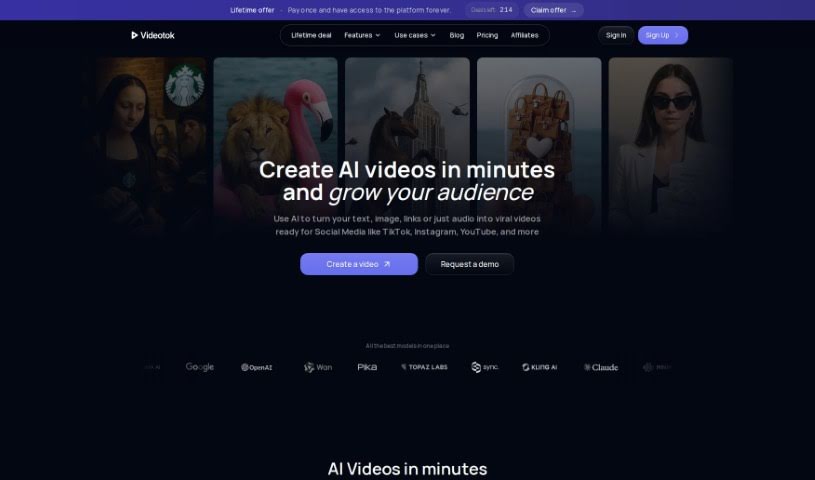
Screenshot of Videotok

Videotok

Discover what Videotok is and how to use it effectively in 2025. We'll dive into its features, compare it to other Text-to-Video tools, and show you how it can help you create viral content.

Screenshot

What is Videotok?

Videotok is your AI-powered video creation assistant. It takes your written text and transforms it into engaging videos, handling a lot of the heavy lifting for you. What’s really neat is that it can generate entire scripts using AI, and then build videos around them. You get features like automatic captions, a cool auto-zoom effect that keeps viewers engaged, and plenty of ways to customize the look and feel of your videos. It’s designed to help you whip up viral-style videos for platforms like TikTok, Instagram Reels, and YouTube Shorts.

Videotok uses AI to automatically create voices, find images, select videos, generate GIFs, add captions, and even apply effects. This means you can save a ton of time and avoid all the manual work that usually goes into video production. You can pick the voices and styles you like best, and the tool can even add background music and sound effects to make your videos sound great and keep viewers hooked with those auto-zooms. While Videotok makes video creation much smoother, it’s good to know it has a few limits. For instance, you can’t choose from a huge variety of video styles, it doesn’t support multiple languages yet, and the video format is pretty much fixed. They haven’t shared exact pricing, but there was a special launch deal for lifetime access that cost less than a yearly plan, available only until a specific date.

Who created Videotok?

Videotok comes from an organization based in Milan, Italy. It officially launched on January 28, 2024. The platform is packed with features designed to make video creation easier, including turning text into videos, adding captions automatically, using an auto-zoom effect, and incorporating background music and sound effects. You can really personalize your videos by choosing different styles and effects, which is perfect for creating those viral clips you see on TikTok and YouTube. The whole idea behind the tool is to simplify content creation by using AI to not only generate scripts but also to create the voices, images, and video clips themselves.

What is Videotok used for?

Videotok is incredibly versatile for content creation. Here’s a breakdown of what you can do with it:

  • Create explainer videos: Break down complex topics clearly.
  • Produce social media clips: Generate eye-catching content for your feeds.
  • Generate educational content: Make learning materials more engaging.
  • Make TikTok videos: Craft short, viral-ready content.
  • Create Reels: Produce engaging vertical videos for Instagram.
  • Prepare shorts-style videos: Get your content ready for YouTube Shorts.
  • Save time in video creation: Dramatically cut down on the hours spent editing.
  • Automatically add captions and effects: Enhance accessibility and visual appeal without manual effort.
  • Customize videos with preferred voice and style: Make your videos uniquely yours.
  • Generate script for viral videos from text input: Get a head start on your content with AI-generated scripts.
  • Make faceless channel content: Ideal for channels where you don’t want to show your face.
  • Convert text to video: The core function, turning written words into visuals.
  • Turn web URLs to video: Potentially repurpose online content into video format.
  • Create videos for YouTube: Produce content for your YouTube channel, whether long-form or Shorts.

Who is Videotok for?

Videotok is a fantastic tool for anyone looking to simplify and speed up their video production. It’s particularly useful for:

  • Content creators: Boost your output and engagement.
  • Social media managers: Create consistent, high-quality posts efficiently.
  • Marketers: Develop compelling video ads and promotional content.
  • Video editors: Streamline workflows and handle more projects.
  • Teachers/Trainers: Make educational materials more dynamic and accessible.
  • Educators: Create engaging learning experiences for students.
  • YouTubers: Produce content faster, especially for Shorts.
  • Influencers: Keep your audience engaged with a steady stream of video content.
  • Digital marketers: Enhance your online presence with video.
  • Video Producers: Speed up the initial stages of video creation.

How to use Videotok?

Using Videotok is pretty straightforward, thanks to its AI-driven approach. Here’s a simple step-by-step guide:

  1. Input Your Text: Start by providing the text you want to transform into a video. This could be a script, an article, or just an idea.
  2. AI Does the Work: Videotok’s AI will then analyze your text. It figures out the best way to script a viral video from it, identifying key points and structure.
  3. Make It Yours: Now, you get to customize! Choose the voice you like best for narration, select a video style that fits your brand or message, and tweak any content elements you want to personalize.
  4. Automatic Enhancements: The tool automatically adds all the bells and whistles. This includes captions for accessibility, engaging effects, dynamic zooms to keep eyes on the screen, smooth transitions between scenes, and fitting background music and sound effects.
  5. Save Precious Time: This is a big one. By automating so much of the process, Videotok drastically cuts down on the manual work, freeing up your time for other creative tasks.
  6. AI-Powered Content Generation: Remember, Videotok can automatically generate not just the video but also accompanying images and GIFs, all powered by AI.
  7. Quality Results: You can expect high-quality videos. The content is clean, customized, and tailored to meet your specific needs and aesthetic preferences.
  8. Cost Consideration: While specific pricing details weren’t readily available, there was a special launch offer that provided lifetime access for a price lower than a typical annual plan. This deal was available for a limited time.

Basically, Videotok makes video creation much simpler. It automates the whole journey from your initial text to a finished video, gives you options to customize, and saves you valuable time with its smart AI features.

Related AI Tools

Discover more tools in similar categories that might interest you

Stay Updated with AI Tools

Get weekly updates on the latest AI tools, trends, and insights delivered to your inbox

Join 25,000+ AI enthusiasts. No spam, unsubscribe anytime.