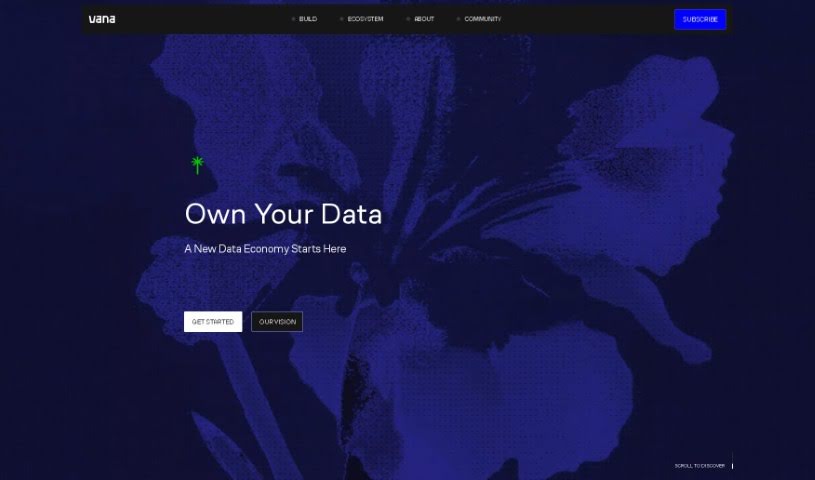
Screenshot of Vana

Vana

Discover Vana in 2025! Learn what it is, how to use its features effectively, and how it stacks up against other App Builders.

Screenshot

What is Vana?

Vana is a decentralized network built for your private, user-owned data, with a special focus on empowering user-owned AI. It is a place where you truly own, manage, and even earn from the AI models you help build. For developers, Vana offers access to data across different platforms, which is super useful for creating personalized apps and training advanced AI models. Plus, Vana really believes in making data flow freely, so they’ve introduced Data Liquidity Pools (DLPs) to break down the barriers of centralized data platforms and really push AI forward.

On top of all that, Vana lets you create a unique digital version of yourself, a personal avatar called a “gotchi.” This “gotchi” acts as your personalized digital identity, usable across various applications. You can do all sorts of cool things like use your avatar in different apps, generate custom images, clone your voice, connect with the community, and chat publicly, all while keeping your digital identity and data completely private and under your control.

What’s more, Vana is an open-source, decentralized network. It’s all about building user-owned infrastructure for an economy powered by data. The whole idea is to accelerate AI progress by putting data ownership directly into users’ hands. This offers a different path forward, one where openness and working together fuel innovation, and where those who contribute data actually own a piece of the models they help create.

Who created Vana?

Vana was started by a group of tech enthusiasts, including some experienced entrepreneurs. They set out with a clear goal: to shake up the market by using the latest technology to offer truly innovative solutions. While the exact details about the founders aren’t readily available, Vana’s creation clearly shows a mix of deep expertise and creative thinking, all aimed at making a real impact in the tech world.

What is Vana used for?

  • Image generation: Create custom images.
  • Personal Digital Avatar: Build your own digital “gotchi.”
  • Cross-Application Functionality: Use your avatar in various apps.
  • Community Engagement: Connect and collaborate with others.
  • Free Base Offering with Extras: Get started for free, with options to upgrade.
  • Voice cloning: Personalize interactions with your cloned voice.
  • Inter-App Operability: Seamlessly use your avatar across different applications.
  • Public chat: Interact with others and their avatars.
  • Create a personal digital avatar (‘gotchi’) that reflects your unique attributes and behaviors.
  • Utilize cross-application functionality, taking your digital avatar to different apps for various entertainment or practical uses.
  • Generate personalized images beyond just your avatar.
  • Engage with the Vana builder’s collective for community collaboration and idea sharing.
  • Enjoy the core features for free, or choose optional in-app purchases to enhance your digital avatar’s capabilities.
  • Clone your voice to create a more personalized and interactive experience.
  • Use your digital avatar in various apps thanks to inter-app operability.
  • Participate in public chats where other users and friends can interact with your digital avatar.
  • Generate dynamic selfies and get insights from AI analysis of your data.
  • Explore personalized games, simulations, and AI assistant tools directly within the Vana network.

Who is Vana for?

  • Tech professionals
  • Data scientists
  • AI developers
  • Creators in the tech industry
  • Developers
  • Model developers

How to use Vana?

Getting started with Vana is pretty straightforward. Just follow these simple steps:

  1. Create Your Gotchi: First, you’ll want to create your digital avatar, which Vana calls a “gotchi.” This avatar is designed to mimic your personal traits and how you act.
  2. Cross-Application Functionality: Once your gotchi is ready, you can take it with you to different apps. It’s great for both fun and practical uses.
  3. Image Generation: The platform isn’t just for creating your “mini me”; you can also use it to generate other personalized images.
  4. Community Engagement: Jump into the Vana builder’s collective. It’s a great place to collaborate with other creators in the community.
  5. Enjoy Free and Paid Options: You can use the main features for free, or if you want to enhance your gotchi, there are optional in-app purchases available.
  6. Voice Cloning: Want a more personal touch? You can clone your voice to create a unique interaction experience.
  7. Inter-App Operability: Make sure your gotchi can interact with various apps smoothly for a really unique experience.
  8. Public Chat: You can let other users and your friends interact with your new avatar in public chats.
  9. Privacy and Control: Remember, you always own your gotchi and its data. It all stays within a private ecosystem, giving you full ownership and privacy.

By taking these steps, you’ll be able to fully explore everything Vana has to offer, interact with your digital avatar, and enjoy a personalized, secure digital experience.

Related AI Tools

Discover more tools in similar categories that might interest you

Stay Updated with AI Tools

Get weekly updates on the latest AI tools, trends, and insights delivered to your inbox

Join 25,000+ AI enthusiasts. No spam, unsubscribe anytime.