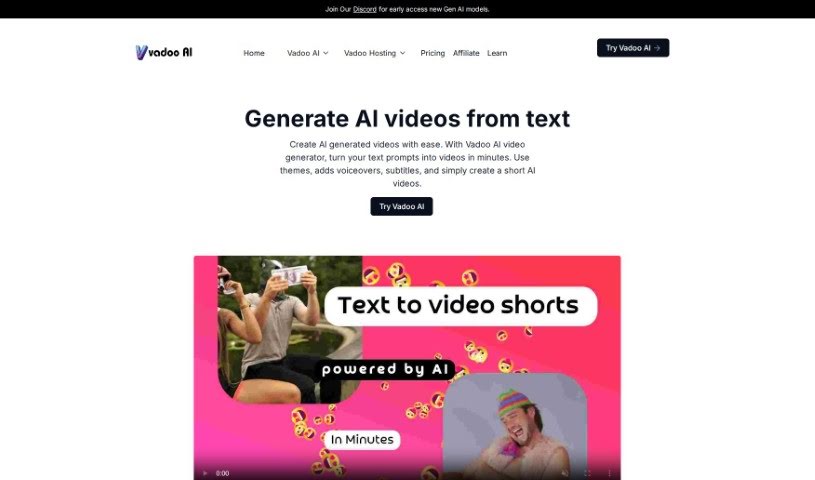
Screenshot of Vadoo AI

Vadoo AI

Discover Vadoo AI in 2025! Learn what this AI video platform does, how to use its features for text-to-video creation, and how it stacks up against other Text To Video Tools.

Screenshot

What Exactly is Vadoo AI?

Vadoo AI is a comprehensive platform designed to make video creation effortless. It’s an all-in-one solution that automates the entire process of generating videos, whether you start with simple text, a prompt, or a more detailed description. It is your go-to tool for quickly producing all sorts of videos. You can use Vadoo AI to create eye-catching content for social media, chop down longer videos into bite-sized clips, or even edit existing social media footage. The platform is packed with useful features, including turning text into video, adding AI-generated captions, automatic video editing, creating videos without needing to show your face, seamless support for YouTube Shorts, and dedicated tools specifically for crafting marketing content. When you compare it to other AI video platforms, like HeyGen AI, Vadoo AI really shines because it offers a much wider range of video creation tools. This makes it incredibly versatile for anyone creating content or working in marketing who needs to produce a variety of content efficiently.

Who’s Behind Vadoo AI?

Vadoo AI was developed by a dedicated team of specialists who are experts in artificial intelligence and video technology. The company itself provides this all-in-one AI video platform, which essentially lets users automatically create videos from text, prompts, or detailed descriptions. Vadoo AI really simplifies the whole process of making engaging social media videos, turning longer videos into shorts, and editing social media content. What’s neat about the platform is that it includes features like scene detection, automatic trimming, extracting highlights with a score that predicts their potential for going viral, and the ability to add AI-powered voiceovers. Vadoo AI truly stands out because it’s so user-friendly and offers such versatile tools for both creating and editing videos.

How Can You Use Vadoo AI?

Ready to start creating your own AI videos with Vadoo AI? It’s pretty straightforward. Just follow these simple steps:

  1. Pick Your Style: Begin by choosing a theme and a style that best fits the video you want to make.
  2. Add Key Text: Use text overlays to make sure the most important points in your video really stand out.
  3. Set the Mood with Music: Select background music from the platform’s library to give your video that perfect feel.
  4. Voiceover Options: If you need a voiceover, you can either record one directly using the platform’s tools or upload a voiceover you’ve already recorded.
  5. Fine-Tune Your Edit: Go back and re-edit the video to add those final touches. This could include transitions, special effects, or any other adjustments you think will make it better.
  6. Make It Yours: Just double-check that the video is customized exactly how you want it.
  7. Export and Share: Finally, export your video in the right format and resolution for wherever you plan to share it – whether that’s YouTube, Instagram, TikTok, or another platform.

Vadoo AI really makes it easy to create professional-looking AI videos. Its tools are intuitive, and features like text-to-video generation, AI voiceovers, and automatic editing are incredibly helpful. By following these steps, you’ll be able to efficiently produce engaging and captivating AI-generated videos using Vadoo AI.

Related AI Tools

Discover more tools in similar categories that might interest you

Stay Updated with AI Tools

Get weekly updates on the latest AI tools, trends, and insights delivered to your inbox

Join 25,000+ AI enthusiasts. No spam, unsubscribe anytime.