Ulog.ai (Productivity)
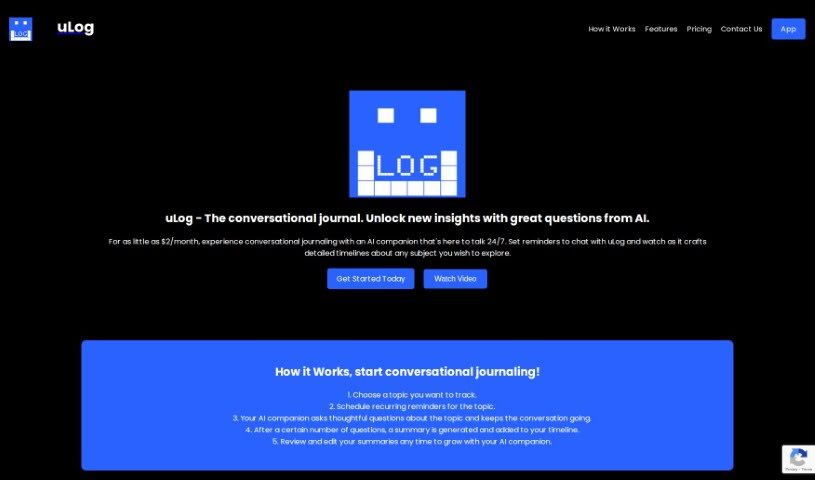
Screenshot of Ulog.ai

Ulog.ai

Discover what Ulog.ai is, a conversational journaling tool with an AI companion that asks insightful questions and organizes your thoughts on a timeline.

Screenshot

What is Ulog.ai?

Ulog.ai is a journaling platform built around conversations with an AI companion. Instead of staring at a blank page, you talk with the AI, which asks insightful questions that help you explore topics in depth. Your conversations are organized into a clear timeline of your thoughts, and reminders help you keep journaling consistent.

Who created Ulog.ai?

Ulog.ai was developed by an individual or team focused on conversational journaling tools, with an emphasis on user privacy and a smooth experience across devices for both personal and business use.

What is Ulog.ai used for?

For individuals:

  • Journaling through conversation to track personal growth or capture ideas
  • Creating and managing multiple topics
  • Scheduling personalized reminders
  • Interactive AI conversations that prompt deeper thinking
  • Organizing thoughts on a clear timeline
  • Tracking memories and discovering insights from past conversations
  • Keeping data private in a secure web application

For businesses:

  • Improving productivity with conversational AI
  • Information management and uncovering insights
  • Summarizing conversations with key takeaways
  • A B2B product was planned

Who is Ulog.ai for?

  • Individuals who want to track personal growth, capture ideas, or organize thoughts and memories through guided conversation.
  • Businesses looking to improve productivity and gain insights by integrating conversational AI into their workflows.

How to use Ulog.ai?

  1. Pick a topic: Choose a specific topic to focus on and track.
  2. Set reminders: Schedule regular reminders to keep journaling consistent.
  3. Chat with the AI: The companion asks thoughtful questions that keep the dialogue flowing.
  4. Review summaries: The AI summarizes your conversations and adds them to your timeline.
  5. Edit and develop: Revisit and edit summaries anytime to develop your conversations further.

To get started, click the “App” button on the Ulog website to create an account. You can cancel your subscription at any time via the “Manage Subscription” button within the app.

Related

Related AI Tools

Discover more tools in similar categories

New tools, in your inbox.

Weekly picks of the best AI tools we've researched and added — no spam, unsubscribe anytime.

Join 25,000+ AI enthusiasts. No spam, unsubscribe anytime.