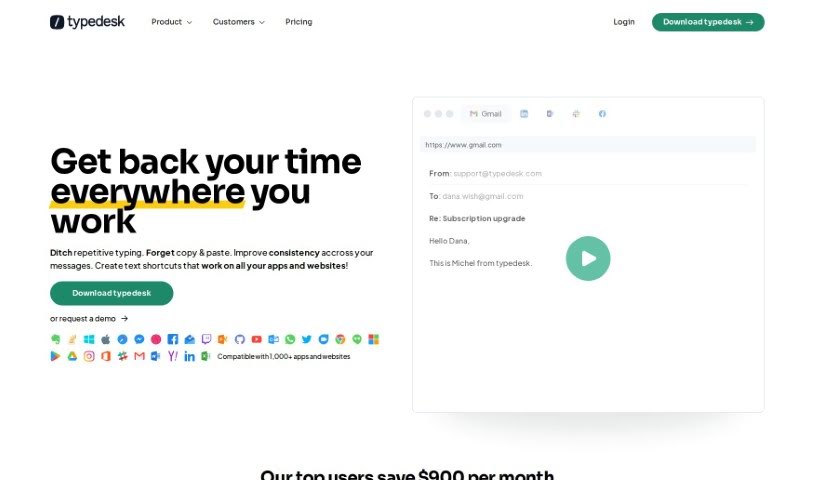
Screenshot of Typedesk

Typedesk

Discover Typedesk in 2025! Learn what this text expansion tool is, how to use its features, and how it stacks up against other documentation tools.

Screenshot

What is Typedesk?

Typedesk is a really handy keyboard automation and text expansion app. Its main goal is to cut down on all that repetitive typing and make sure your business communication stays consistent. It is a smart way to manage your canned responses, letting you create text shortcuts, email scripts, and even auto-correct your typing. Lots of people use Typedesk for communicating, whether it’s just them or a whole team, across places like Gmail, Zendesk, and Helpscout. You can automate all sorts of messages, tweak your replies, and boost your productivity by not having to type the same things over and over. Honestly, people love Typedesk because it saves them so much time, it’s easy to use, and it really makes communicating across different channels much smoother.

Who created Typedesk?

Michael Montefusco is the person behind Typedesk. He launched this neat text expansion app back on April 3, 2023. The company is all about giving you tools to make communication easier, like managing responses, creating email macros, and offering quick text features. Users have really appreciated how efficient and time-saving Typedesk is, no matter their industry.

What is Typedesk used for?

  • Automating your workflow
  • Streamlining email communication
  • As a text expansion app
  • Creating templated emails
  • As auto-correct software
  • Building a response library
  • Writing email drafts faster
  • An abbreviation tool
  • A smart typing tool
  • Creating message templates
  • Automating responses
  • Developing response templates
  • Managing your responses
  • Using email macros
  • A quick text tool
  • Creating formatted responses
  • As a text expansion program
  • Setting up typing shortcuts
  • Using pre-made messages
  • As automation software
  • Sending standardized messages
  • Creating custom shortcuts
  • Keyboard automation
  • Creating keyboard macros
  • Writing email scripts

Who is Typedesk for?

  • Business Development professionals
  • Tech Advisors & ClickUp Channel Partners
  • Senior Certification Specialists
  • Founders of Fitness Marketing Machines
  • Senior Recruitment Consultants
  • Finance & People Operations specialists, including Customer Billing Specialists
  • Multimedia Designers and Zenfluencers
  • HR Managers looking to upskill organizations
  • Founders of Tecla Digital (since 2001)
  • Cybersecurity consultants and bloggers
  • French SciFi writers, also DBA Oracle specialists
  • Enterprises
  • Accountants
  • Investigators
  • Marketers and event planners
  • Yoga and Movement Coaches
  • Institutional Sales Analysts
  • Tech advisors
  • Certification Specialists
  • Founders
  • Recruitment Consultants
  • Entrepreneurs
  • Financial Advisers
  • IT Workers
  • Financial planners
  • Multimedia Designers
  • HR Managers
  • DBA Oracles
  • Cybersecurity Consultants
  • IT Consultants
  • French SciFi writers, also DBA Oracle specialists
  • Finance & People Operations teams
  • IT Professionals

How to use Typedesk?

Here’s a straightforward, step-by-step guide to using Typedesk effectively:

  1. Create Text Shortcuts: You can set up specific keywords that, when typed in any application or on any website, will automatically expand into longer, pre-written text. It’s a neat way to save typing.
  2. Boost Your Productivity: Cut down on typing the same things repeatedly. Typedesk helps with features like text completion, having pre-made messages ready, and even auto-correcting your typing as you go.
  3. Automate Your Messages: You can automate all sorts of messages for your business communication. This includes standard replies, email scripts, and those frequently used responses.
  4. Text Auto-Completion: Set up your text shortcuts so they instantly turn into full phrases. This really saves time and makes you more productive.
  5. Customize Everything: Tailor your messages for different communication channels. You can create custom shortcuts, responses, and templates to fit exactly what you need.
  6. Use the Response Library: Keep all your canned responses organized in one place. This makes it super quick to find and use them, improving your response time and ensuring consistency.
  7. Integrate with Platforms: Typedesk works smoothly with major communication platforms like Gmail, Zendesk, and Helpscout, so you can use it pretty much anywhere.
  8. Leverage Email Scripts: Use ready-made email scripts for common replies. This helps keep your emails uniform and efficient.
  9. Get AI Assistance: Typedesk has built-in AI that helps manage your responses intelligently. It can even recognize the context of your communication to suggest the right canned responses.
  10. It’s a Time-Saving Tool: Say goodbye to repetitive typing! Features like text expansion, the response library, and automated responses all work together to make your communication more efficient and consistent.

Typedesk is a really flexible tool. It offers text shortcuts, automation features, and AI help, all designed to make your communication tasks smoother and more efficient across different platforms and applications. It’s built to save you time, keep your messages consistent, and boost productivity for both individuals and teams. With its easy-to-use interface and powerful features, Typedesk is widely praised for making communication workflows much better.

Related AI Tools

Discover more tools in similar categories that might interest you

Stay Updated with AI Tools

Get weekly updates on the latest AI tools, trends, and insights delivered to your inbox

Join 25,000+ AI enthusiasts. No spam, unsubscribe anytime.