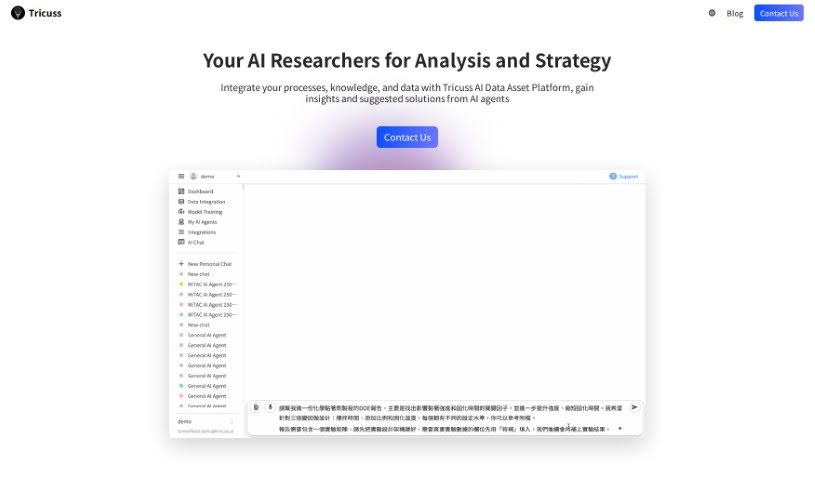
What is Tricuss?
Tricuss is a neat tool that gives you your own AI assistant, powered by GPT. It is a personal helper designed to catch events mentioned in your messages and automatically pop them onto your calendar. You can send messages straight to Tricuss, and its AI assistant will read through them, pull out all the important event details, and let you confirm them before adding them to your calendar. It’s a really smooth process.
Tricuss really wants to make AI feel like a true work partner. It does this by learning how you work, what you know, and your habits. This way, it can help you be more efficient and get more done. The tool works with popular platforms like WhatsApp and Google Calendar, making it easy to grab event info right from your messages.
They offer different pricing plans to fit various needs. There’s a free option, though it has some limits. Then, there are paid plans that give you access to more advanced AI models, unlimited chats and automations, and early access to new features. For businesses, they also have enterprise-level plans that come with custom workflows, API access, and top-notch premium support. Ultimately, Tricuss’s big idea is to make working with AI partners feel natural and seamless, boosting everyone’s productivity and efficiency at work.
Who created Tricuss?
Tricuss was developed to offer personalized GPT AI assistants. The main goal? To boost productivity by making it super simple to capture event details from messages and automatically add them to your calendar. Tricuss first launched on April 1, 2023. Its founders had a clear vision: to create seamless collaboration between people and AI partners, cutting out those annoying, unproductive tasks and really making work more efficient.
What is Tricuss used for?
- Personalized AI Assistants: Get your own GPT AI assistants to help you grab event details from messages and add them straight to your calendar.
- No More Guesswork: Forget having to remember or manually check meeting info scattered across different chat rooms.
- Easy Event Capture: Just send messages to Tricuss, and its AI assistant will automatically extract the event details for you.
- Seamless Calendar Updates: Once you confirm the extracted event details, they’re added to your personal calendar without a hitch.
- Your AI Work Partner: Tricuss aims to truly be a work partner by learning your specific workflows, knowledge base, and daily habits.
- Platform Integration: It works smoothly with platforms like WhatsApp and Google Calendar, making event capture from messages a breeze.
- Flexible Pricing: Choose from different plans, including a free option with some monthly limits on chat and automations. Paid plans offer advanced AI models, unlimited chat and automations, plus access to all the latest features.
- Enterprise Solutions: For businesses, there are enterprise-level plans that include custom workflows, API access, and premium customer support.
- Better Collaboration: The goal is to create a smooth collaboration between humans and AI partners, leading to a more efficient work environment for everyone.
- Streamlined Workflows: Tricuss helps revolutionize how white-collar workers spend their time, making the workday more efficient and enjoyable.
Who is Tricuss for?
- Primarily for white-collar workers.
How to use Tricuss?
Using Tricuss is pretty straightforward. Here’s a simple breakdown of how to get the most out of it:
- Chat with Tricuss: Start by sending messages directly to Tricuss. Make sure to include the event details you want to put on your calendar.
- Let the AI Extract: Tricuss’s AI assistant will then read your messages and automatically pull out all the relevant event information.
- Confirm the Details: Before anything gets added, you’ll get a chance to review and confirm the extracted details to make sure they’re accurate.
- Add to Your Calendar: Once confirmed, the events are seamlessly added to your personal calendar. No more manual data entry!
- AI Learns You: As you use it, Tricuss learns your unique workflows, your knowledge, and your habits. This helps it become a more effective work partner over time.
- Integrate with Your Tools: You’ll find it works well with platforms you likely already use, like WhatsApp and Google Calendar, for a really smooth experience.
- Pick Your Plan: Tricuss offers various pricing options. There’s a free plan if you want to try it out with some limitations, and then premium plans that give you access to more advanced AI models and unlimited chat capabilities.
- Enterprise Options: If you’re looking for more advanced features for your business, check out their enterprise-level plans. These offer custom workflows, API access, and top-tier customer support.
- The Big Picture: Remember, Tricuss is all about making collaboration between humans and AI partners easier. The aim is to streamline your work processes and create a more efficient and productive work environment for everyone.
By following these steps, you can really use Tricuss to make your workflow smoother, boost your productivity, and enjoy a more seamless partnership with your AI assistant.