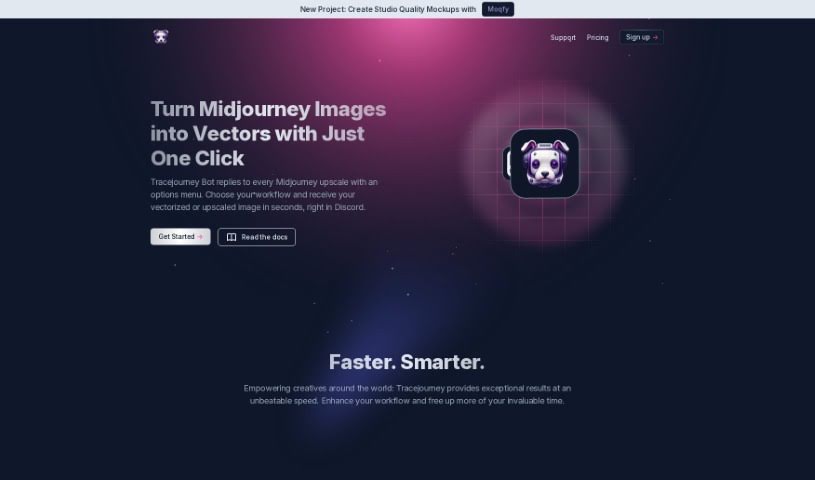
Screenshot of Tracejourney

Tracejourney

Discover Tracejourney, a powerful AI tool for image upscaling and vectorization. Learn how to use its features, including batch processing and background removal, and see how it compares to other background removers in 2025.

Screenshot

What is Tracejourney?

TraceJourney is a fantastic tool for making your images bigger and better. It uses really advanced AI models, running on super-fast GPU clusters, to upscale your images by up to 8 times. What’s great is that it does this while keeping all the fine details and cutting down on any grainy noise. It’s mostly set up to work with Discord, which makes it super easy for anyone in the creative community there to use. You can even process up to 10 images at once in batches. Plus, TraceJourney can save your images as PNG or JPEG files. It also offers handy features like removing backgrounds, adjusting brightness, contrast, color, and sharpness. Need to turn your image into a vector? It can do that too, saving it as EPS, PDF, or SVG. The team behind TraceJourney really wants to make collaboration easy, letting users set the rules when the tool joins their Discord servers.

Who created Tracejourney?

TraceJourney was started by a founder who had a clear goal: to help creatives all over the world. They wanted to offer top-notch upscaling and vectorization services, all conveniently integrated with Discord. The platform officially launched on July 11, 2023. Since then, it’s been providing advanced features like batch processing, background removal, and image adjustments, all powered by cutting-edge AI models running on highly optimized GPU clusters. What really makes TraceJourney stand out is how quickly it delivers results and how it encourages creative collaboration right within the Discord community.

What is Tracejourney used for?

Tracejourney is incredibly versatile for image editing and creation. Here’s a rundown of what you can do with it:

  • Batch Processing: Work with multiple images at once.
  • Image Upscaling: Make your images larger and clearer, up to 8x.
  • Vectorization: Convert your images into scalable vector formats.
  • Background Removal: Easily remove unwanted backgrounds from your images.
  • Brightness Adjustment: Fine-tune the brightness of your images.
  • Contrast Adjustment: Modify the contrast for better visual impact.
  • Color Correction: Adjust colors to make them more vibrant or accurate.
  • Sharpness Adjustment: Enhance the sharpness of your images.
  • Direct Messaging Images: Send images directly to Tracejourney for processing.
  • Various Vector File Options: Save your vectorized images as EPS, PDF, or SVG.
  • Image Adjustments: Make quick edits to brightness, contrast, color, and sharpness.
  • File Format Conversion: Easily convert images to PNG and JPEG.
  • Collaborative Creation: Work together with others on creative projects.
  • Workflow Customization: Tailor the processing to your specific needs.
  • Connecting with a Creative Community: Engage with thousands of other creatives on Discord.
  • Image Vectorization: Turn raster images into scalable vector graphics.
  • Direct Message Image Sending: A simple way to send images for editing.
  • Collaborative Creation in Discord: Enhance teamwork on creative projects.
  • Quick Image Processing: Speed up your workflow with fast editing.
  • Providing a Creative Community Connection: Find and connect with like-minded individuals.

Who is Tracejourney for?

Tracejourney is a great tool for anyone involved in visual creation. It’s particularly useful for:

  • Creatives looking for efficient tools.
  • Designers needing to enhance and convert images.
  • Artists who want to upscale their work without losing quality.
  • Graphic designers requiring versatile image editing capabilities.
  • Illustrators aiming for high-resolution outputs and vector formats.
  • Content creators needing to prepare images for various platforms.
  • Digital artists working with detailed imagery.
  • Photographers wanting to improve image quality and resolution.

How to use Tracejourney?

Using Tracejourney is pretty straightforward. Just follow these simple steps:

  1. Upload Your Images: Start by sending the images you want to work with directly to Tracejourney via a Direct Message (DM).
  2. Pick Your Workflow: Once Tracejourney responds to your DM, you’ll see an options menu. Just select the workflow that best suits what you need to do.
  3. Tweak Your Settings: You can make quick adjustments right there, like changing the brightness, contrast, color balance, and sharpness of your images.
  4. Process Your Images: Choose to remove backgrounds, upscale your images up to 8x for crystal-clear detail, and convert them to PNG or JPEG formats – all with a single click.
  5. Vectorize Your Work: If you need scalable graphics, you can easily convert your images into vector formats like EPS, PDF, or SVG, which means they can be resized infinitely without losing quality.
  6. Handle Multiple Images: Tracejourney can process up to 10 images at the same time, which is a real time-saver.
  • Collaborate Easily: Want to bring Tracejourney into your creative projects on Discord? Just invite it to your server to make collaboration even smoother.
  • Join the Community: Connect with over 30,000 other creatives on Discord. It’s a great place to get high-quality upscales and vector graphics, and to share ideas.

Tracejourney really shines because it integrates so smoothly with Discord. The ability to make real-time adjustments, combined with advanced features like batch processing and background removal, makes it a truly valuable tool for creatives. It’s designed to help you streamline your image editing tasks and get better results, faster.

Related AI Tools

Discover more tools in similar categories that might interest you

123RF AI Image Generator

Creative Image Generation
Learn More

Stay Updated with AI Tools

Get weekly updates on the latest AI tools, trends, and insights delivered to your inbox

Join 25,000+ AI enthusiasts. No spam, unsubscribe anytime.