Torq AI (Productivity)
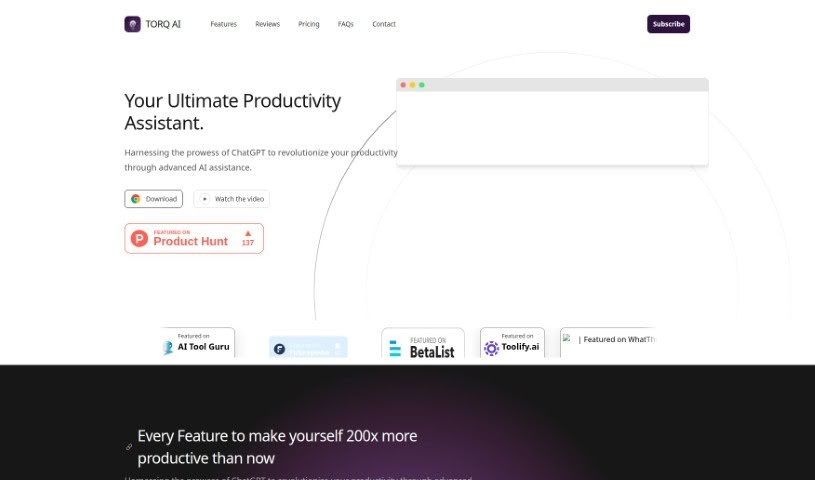
Screenshot of Torq AI

Torq AI

Discover what Torq AI is, its key features, and how it works as a productivity assistant for automating tasks and managing your time.

Screenshot

What is Torq AI?

Torq AI is a productivity assistant that uses artificial intelligence to help you manage your time, automate repetitive tasks, and get smart insights so you can work more efficiently. It integrates into your existing workflow and adapts to your habits and preferences, offering a personalized experience. It’s aimed at professionals, students, and anyone who wants to work with more ease and accuracy.

Who created Torq AI?

Torq AI was developed by an unnamed founder, and the company itself is registered as Torq AI. The platform’s goal is to boost work efficiency and improve task management through smart automation.

What is Torq AI used for?

Torq AI offers a range of productivity features:

  • User-friendly interface: Easy to navigate.
  • Personalized experience: Learns how you work and tailors itself to you.
  • Task automation: Handles repetitive tasks automatically.
  • Language translation: Translates text on websites.
  • Time management: Helps you organize your schedule for productivity.
  • Intelligent insights: Offers smart suggestions to help you work more effectively.
  • Email generation: Creates emails quickly with one click.
  • Automated reply generation: Drafts prompt email replies with a single click.
  • Swift text analysis: Processes text quickly for accurate results.
  • ChatGPT integration: Enables interactive conversations with ChatGPT.
  • Instant Google search results: Shows relevant Google results within the chat interface for quick, complete answers.

Who is Torq AI for?

Torq AI is designed for professionals across various fields, students who need help managing their study schedules, and anyone looking to boost their productivity.

How to use Torq AI?

  1. Install the extension: Download the Torq AI Chrome extension to access its features directly in your web browser.
  2. Automate tasks: Set up automation for repetitive tasks based on your needs.
  3. Manage your time: Use its suggestions and reminders to stay on track with your schedule.
  4. Personalize your experience: The tool learns your habits and preferences and adapts recommendations to your working style.
  5. Use intelligent insights: Leverage data-driven suggestions based on your patterns and behaviors to improve productivity.

Related

Related AI Tools

Discover more tools in similar categories

New tools, in your inbox.

Weekly picks of the best AI tools we've researched and added — no spam, unsubscribe anytime.

Join 25,000+ AI enthusiasts. No spam, unsubscribe anytime.