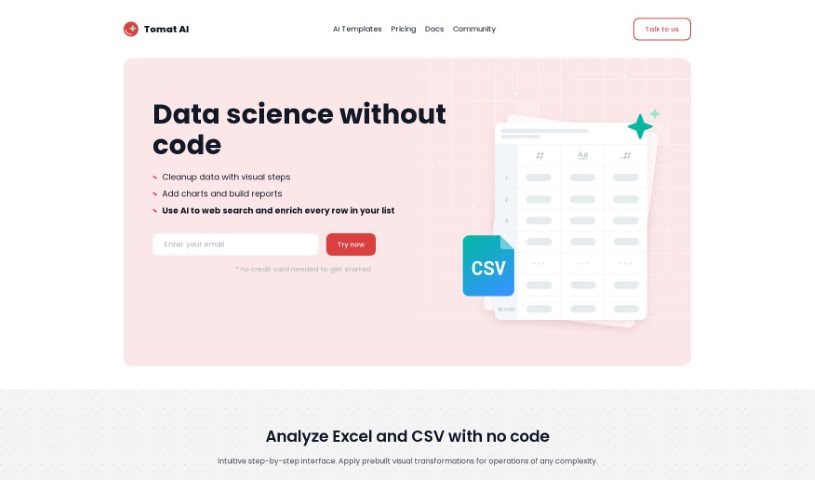
What is Tomat.ai?
Tomat.AI is a tool designed to make working with large CSV data much simpler. Think of it like Excel, but specifically built for handling big datasets. You can easily do things like analyze data distribution, sort, group, and even merge different CSV files together. Plus, it’s packed with AI features that can help with things like enriching your data, translating languages, understanding sentiment, and cleaning up or categorizing your information. The best part? It all runs right on your computer, so your data stays private and secure. If you’re comfortable with Excel, you’ll find Tomat.AI a breeze to use – no need for fancy tech skills!
Who created Tomat.ai?
Tomat.AI was developed by an individual or team who wished to remain anonymous. It first launched on March 17, 2023. This platform offers a really straightforward way to explore and work with large CSV files, much like you would in Excel. It also brings in AI capabilities for tasks like enriching data, translating languages, analyzing sentiment, and much more. Since Tomat.AI runs entirely on your local machine, it keeps your data secure because it doesn’t need to connect to the cloud. It’s available for Windows, macOS, and Linux, and it can handle various file types, including CSV and Excel, plus it connects to PostgreSQL and Snowflake.
What is Tomat.ai used for?
Tomat.AI is incredibly versatile. Here’s a look at what you can do with it:
- Sentiment Analysis: Understand the emotional tone within your data.
- Automate Repetitive Tasks: Save time by automating tasks you do over and over.
- Effortless Large CSV Exploration: Dive into and understand your large CSV files without a struggle.
- Data Distribution Analytics: See how your data is spread out.
- Easy Data Filtering, Sorting, and Grouping: Organize your data with simple point-and-click actions.
- Merge Multiple CSV Files: Combine several CSV files into one comprehensive table.
- Adjust for Unorganized Column Order: It handles CSVs where columns might not be in the expected sequence.
- Translation Capability: Translate text within your data.
- Capabilities for Sentiment Analysis: (This is a repeat, but it’s a key feature!)
- Offers Data Cleanup Feature: Make your data neat and tidy.
- Categorizes Data: Automatically sort your data into relevant categories.
- Routine Task Assistance: Get help with everyday data-related jobs.
- Merge Multiple Files into a Single Table: A convenient way to consolidate your data.
- Export Results and Build Reports: Save your processed data or create reports.
- Data Enrichment through AI Functionalities: Use AI to add more valuable information to your datasets.
- Translation Capability: (Another mention, highlighting its importance!)
- Data Cleaning and Categorization: Streamline these essential data preparation steps.
Who is Tomat.ai for?
Tomat.AI is a great tool for anyone working with data, especially:
- Data Scientists: For advanced analysis and manipulation.
- Analysts: To easily explore and understand datasets.
- Researchers: To manage and process research data efficiently.
- Students: To learn data handling and AI concepts in a user-friendly environment.
How to use Tomat.ai?
Getting started with Tomat.AI is straightforward. Just follow these simple steps:
- Open Tomat.AI: Launch the application directly on your computer. There’s no need to upload anything to the cloud or deal with complicated loaders.
- Explore Data: Simply select your local files and begin exploring them using the intuitive point-and-click interface.
- Merge Files: Combining multiple CSV files into a single, organized table is a breeze – it only takes a few clicks.
- Utilize Visual Steps: You can filter, sort, or group your rows effortlessly. The drag-and-drop steps let you see instant previews of your results, making it easy to refine your data.
- Automation: If you find yourself repeating the same data processing steps, you can save them for later use. Then, just click once to automate those tasks on new data.
- Export Data: Once your data is cleaned and filtered, you can save it back to CSV or Excel formats. You can also create dynamic reports that stay updated with live data.
- AI Functionality: Take advantage of the built-in AI features. These can help with tasks like enriching your data, translating languages, performing sentiment analysis, and cleaning or categorizing your data.
- Data Security: One of the biggest advantages is data privacy. Because Tomat.AI runs entirely on your local machine, your sensitive data never leaves your device.
Overall, Tomat.AI is designed to be user-friendly, meaning you don’t need any special technical skills to use it. It supports various platforms, and it provides a secure environment, which is crucial when you’re working with sensitive information. Plus, its AI-powered features really enhance how you can manipulate and analyze your data.