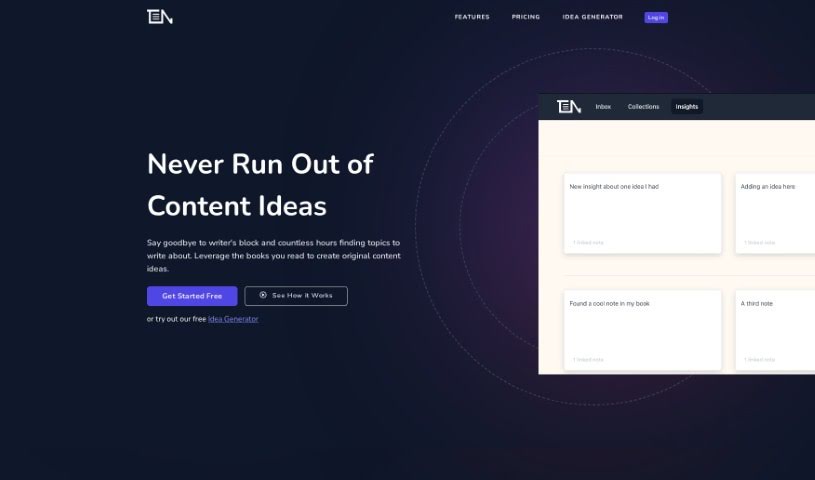
Screenshot of ThinkerNotes

ThinkerNotes

Discover what ThinkerNotes is and how to use it effectively in 2025. We'll explore its features and see how it stacks up against other AI note-taking tools.

Screenshot

What is ThinkerNotes?

ThinkerNotes is a really helpful tool designed to spark content ideas. It helps you capture insights from books, podcasts, and articles, then organizes them so you can beat writer’s block and create original content. You can save your notes and ideas, pull out key insights, and even link notes together, making them easy to find again later. The platform is great for holding onto and organizing knowledge from all sorts of sources, which really helps you become a thought leader and produce your own unique content. You can use these saved ideas to come up with new material, remember what you’ve read, and build a rich web of interconnected thoughts for your thought leadership. It lets you capture notes, pull out insights, find older insights, and organize everything with tags for better knowledge management.

Who created ThinkerNotes?

ThinkerNotes was developed by a team passionate about helping people overcome writer’s block and easily come up with fresh content ideas. The platform makes it simple to capture notes from various sources, extract valuable insights, and organize your ideas using tags and links for smoother navigation. Their goal is to encourage thought leadership by making it easier to create original content based on the knowledge you’ve gathered over time. The company offers different pricing plans to suit individuals and teams, including options for AI-powered content idea generation and organized note-taking.

What is ThinkerNotes used for?

  • Capture Notes & Ideas: It’s a dedicated space to quickly save thoughts from books, podcasts, or those random, brilliant ideas that pop into your head.
  • Extract Insights: You can use the notes you’ve saved as a springboard to generate fresh, original content ideas.
  • Discover Old Insights: Link your insights together so you can easily find them again and build a complex web of interconnected thoughts.
  • Capture Book and Article Notes: Keep all your notes from books, articles, podcasts, and audiobooks neatly organized in collections for quick reference.
  • 2-Way Linking Feature: Connect your notes to each other. This helps you rediscover past thoughts and insights without having to rely solely on your memory.
  • Organize ideas with tags: Add multiple tags to your notes, giving you another way to filter and find exactly what you’re looking for.
  • Grow your knowledge base: As you read more, you build up your knowledge, which leads to more insights and content.
  • Remember what you read: Keeping your notes organized means you won’t forget the material after you finish a book or article.
  • Combat writer’s block: The tools provided are designed to help you capture, organize, and retrieve notes and ideas, making it easier to create new content.
  • Promote original content creation: It encourages you to pull out insights from your reading and knowledge to generate unique ideas for thought leadership.

Who is ThinkerNotes for?

  • Content creators
  • Knowledge Managers
  • Thought Leaders

How to use ThinkerNotes?

To really get the most out of ThinkerNotes, here’s a simple approach:

  1. Capture Notes & Ideas: Whenever an idea strikes from a book, podcast, or just a random thought, jot it down quickly.
  2. Extract Insights: Use these captured notes as your inspiration source to brainstorm new, original content ideas.
  3. Discover Old Insights: Connect your insights together. This makes it super easy to find previous notes and build a rich network of your thoughts.
  4. Organize Notes: Make sure to use tags for better organization and link notes to each other to improve how you navigate through them.
  5. Generate Original Content: Tap into the knowledge you’ve accumulated to create unique content and establish yourself as a thought leader.
  6. Remember What You Read: Keep your notes well-organized so you don’t forget important information after you’ve finished reading.
  7. Access Previous Notes: Take advantage of the two-way linking feature. It helps you find past notes without needing to rely just on your memory.

Plus, ThinkerNotes has different pricing plans to fit your needs. There’s a Free plan with 300 notes and no AI features. The Pro plan costs $12.99/month and gives you unlimited notes plus AI content idea generation. For teams, there’s a Team plan for up to 3 seats at $24.99/month. This tool is really designed to help you keep the content ideas flowing while also giving you a structured way to manage your ideas and create content.

Related AI Tools

Discover more tools in similar categories that might interest you

Stay Updated with AI Tools

Get weekly updates on the latest AI tools, trends, and insights delivered to your inbox

Join 25,000+ AI enthusiasts. No spam, unsubscribe anytime.