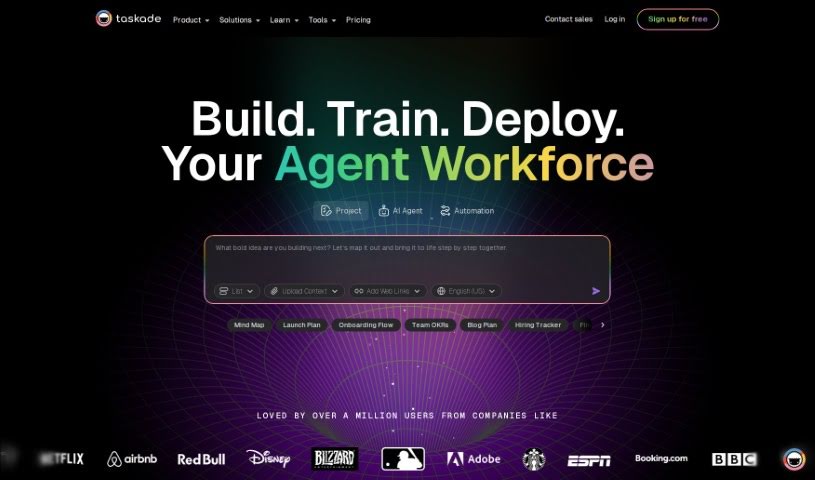
Screenshot of Taskade

Taskade

Discover what Taskade is and how to use its AI Regex Generator effectively in 2025. We'll explore its features, compare it to other code generators, and guide you through its usage.

Screenshot

What is Taskade?

Taskade’s AI Regex Generator is a really smart and easy-to-use tool. It’s built to make your coding better and faster by using AI to create regular expressions for you. It is a helpful assistant that speeds up development, improves the quality of your code, and automates tasks, making your whole development process feel more flexible and productive.

Who created Taskade?

This AI Regex Generator comes from the folks behind Taskade, a platform all about productivity and teamwork. The Taskade team was inspired by the idea that breaking down big, complex projects into smaller, more manageable tasks is key to getting more done. They offer AI-powered tools like AI Requests and use advanced tech like GPT-4o and GPT-3.5 Turbo to help you out. Taskade is designed for all sorts of teams – marketing, agencies, consultancies, and software developers – basically anyone looking to smooth out their workflows and get more done.

What is Taskade used for?

  • Faster Development: Speed up how you write code by letting the AI generate regex patterns for you.
  • Code Efficiency: The AI tools here can look at your code and suggest ways to make it run more smoothly.
  • Improved Code Quality: Make your code more reliable with helpful suggestions for improvement.
  • Automated Tasks: Make your development life easier by automating those repetitive jobs.
  • Customizable Templates: Use dynamic builders to create and save your own project templates.

Who is Taskade for?

  • Marketing teams
  • Agencies
  • Consultancies
  • Business Development Professionals
  • Professional services teams
  • Product teams
  • Software development teams
  • Creative teams
  • Business Development professionals

How to use Taskade?

Here’s a straightforward way to use Taskade’s AI Regex Generator to create regex patterns efficiently:

  1. Access the Tool: Head over to Taskade’s website and find the AI Regex Generator tool.
  2. Get Familiar with the Interface: You’ll typically see a user-friendly setup with places to input your text and your regex patterns.
  3. Input Your Text: Type in the text where you need to find specific patterns using regex.
  4. Build Your Regex: Create the regex patterns you need to match the specific things you’re looking for in your text.
  5. Test Your Regex: Use the tool to test your regex patterns. Make sure they’re accurately capturing the text segments you want.
  6. Refine if Needed: If your regex isn’t quite matching up, just tweak the patterns a bit to get them right.
  7. Copy or Use It: Once you’re happy with it, you can either copy the generated regex to use in your projects or apply it directly within the tool.
  8. Save or Download: Some tools let you save or download your regex for later use.
  9. Practice and Learn: The more you use the tool, the better you’ll get at creating regex patterns.

By following these steps, you can really make the most of Taskade’s AI Regex Generator to create the exact regex patterns you need for your text processing tasks.

Related AI Tools

Discover more tools in similar categories that might interest you

Stay Updated with AI Tools

Get weekly updates on the latest AI tools, trends, and insights delivered to your inbox

Join 25,000+ AI enthusiasts. No spam, unsubscribe anytime.