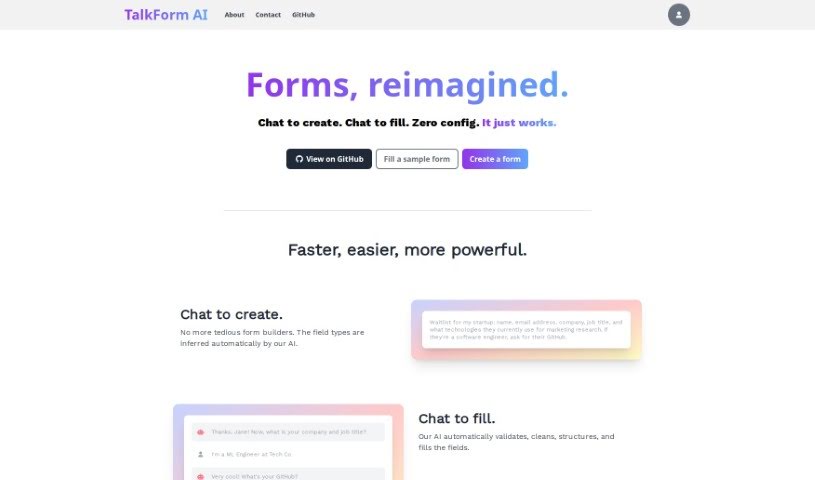
Screenshot of TalkForm AI

TalkForm AI

Discover what TalkForm AI is and how to use it effectively in 2025. We'll explore its features and see how it stacks up against other documentation tools.

Screenshot

What is TalkForm AI?

TalkForm AI is a pretty neat AI tool that completely changes how we create and fill out forms. Instead of wrestling with traditional form builders, you can just chat with it! The AI is smart enough to figure out what kind of information you need for each field – like whether it’s a name, an email, or a date. This means you can build forms simply by having a conversation. When people fill out your form, the AI handles all the tricky bits like checking if the answers are valid, cleaning them up, organizing them, and putting them in the right spots. It keeps all your form responses neatly structured, making them super easy to analyze later. Plus, you can set up your own specific validation rules and even complex conditional logic if your form needs it. TalkForm AI is really flexible, perfect for things like getting people on a startup waitlist or setting up those informal VC coffee chats. It just makes getting structured responses quick and efficient.

Who created TalkForm AI?

Talkform.ai was developed by nsbradford. It’s an AI tool that’s really shaking things up by letting you create and fill out forms just by chatting. It first came out on September 5, 2023. The cool part is how it automatically guesses what type of data each form field needs, which really simplifies building forms. You can just chat with the AI to create your forms, and it takes care of making sure the data is valid and organized. Setting up your own custom checks and complicated logic is also straightforward. Talkform.ai is quite versatile; it can even translate responses and is available as open-source on GitHub if you want to take a look under the hood.

What is TalkForm AI used for?

  • You can easily create forms just by chatting.
  • It automatically figures out what kind of data each form field needs.
  • Setting up custom or complicated logic is surprisingly simple.
  • It helps clean up and extract data.
  • You can create your own custom data validations.
  • The AI can ask follow-up questions based on what someone answers.
  • It lets you set up conditional logic, so what happens next depends on previous answers.
  • It can handle all sorts of form elements and works with different languages.
  • Great for collecting startup waitlist sign-ups.
  • Useful for organizing VC coffee chats.
  • It’s ideal for gathering startup waitlist information.
  • You can build custom forms that also clean and extract data.
  • It’s easy to set up custom validations for the information people enter.
  • You can use conditional logic to control which fields appear or what happens next.
  • It handles many different types of form elements and supports multiple languages.
  • It can even translate form responses.
  • You can implement complex validation rules that are specific to what you need.
  • It offers a really straightforward setup that requires no prior configuration.
  • You can build forms simply by having a conversation.
  • It uses AI to automatically guess the type of data needed for each field.
  • People can fill out forms easily just by typing their answers.
  • It makes custom and complicated logic much easier to handle.
  • You can set up custom validations using everyday language.
  • Conditional logic can be used so fields change based on what other fields contain.
  • It’s great for collecting waitlist info, setting up VC coffee chats, and getting structured responses.
  • You can create structured forms by having the AI guess field types through chat.
  • It cleans and extracts data by understanding the meaning behind the words, ensuring accurate retrieval.
  • You can implement custom validations that fit your specific requirements.
  • It allows you to ask follow-up questions based on responses to explore topics more deeply.
  • Conditional logic can be applied to fields, making them appear or change based on other answers.
  • You can conduct VC coffee chats with personalized form elements.
  • It handles various form elements and languages, including translation.
  • Complex validation rules and tailored conditional logic can be implemented to meet specific needs.
  • It provides a user-friendly interface and a free version, making it easy to access.

Who is TalkForm AI for?

  • Software engineers
  • Marketing researchers
  • Machine learning engineers
  • Marketing Managers
  • AI companies
  • ML engineers
  • Data Analysts
  • AI Company executives
  • Startup Founders

How to use TalkForm AI?

Here’s how you can get started with TalkForm AI:

  1. Creating Your Form:
    • Just start by asking for the information you need in a natural, conversational way. For instance, if you’re setting up a startup waitlist, you might ask for their name, email, company, job title, and what technologies they use for marketing research.
    • The AI will automatically figure out what kind of data each piece of information is based on what you ask.
  2. Filling Out the Form:
    • When people use your form, they just need to type their answers to the AI’s questions.
  3. Organizing Your Data:
    • All the responses you get will be neatly structured and organized according to how the AI understood the fields. This makes analyzing the data really straightforward.
  4. Adding Custom Logic:
    • You can use TalkForm AI for things like cleaning up data, extracting specific information, setting up custom validations, asking follow-up questions, and implementing conditional logic without much hassle.
  5. Putting it to Use:
    • You can implement logic for specific tasks. This could be cleaning data, setting up custom validations (like catching user input errors), asking follow-up questions to get more detail, or setting up conditional logic so certain fields only appear under specific circumstances.
  6. Unlimited Possibilities:
    • TalkForm AI gives you a lot of flexibility. You can implement custom validations and complex conditional logic that are perfectly tailored to what you need.
  7. Get Started for Free:
    • You can check out TalkForm AI on GitHub. It has a user-friendly interface and a free version, so you can start creating and filling out forms with ease.

By following these steps, you can really make the most of TalkForm AI’s ability to create and fill forms through conversation, leading to a smooth and powerful experience.

Related AI Tools

Discover more tools in similar categories that might interest you

Stay Updated with AI Tools

Get weekly updates on the latest AI tools, trends, and insights delivered to your inbox

Join 25,000+ AI enthusiasts. No spam, unsubscribe anytime.