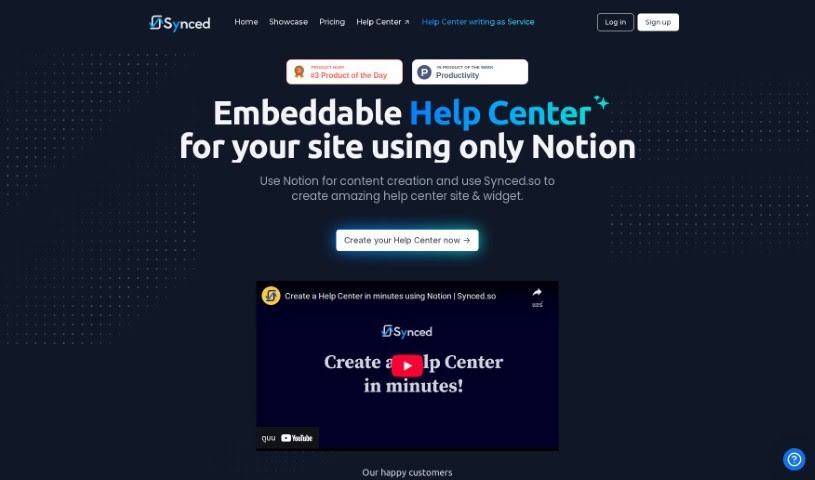
Screenshot of Synced

Synced

Discover what Synced is and how to use it effectively in 2025. We'll explore its features and see how it stacks up against other documentation tools.

Screenshot

What is Synced?

Synced is a neat AI tool that makes it super easy to build and add a Help Center to your website, all using Notion. It is a bridge between your Notion content and a fully functional help section for your users. This means you can write and manage all your help documentation right inside Notion, so there’s no need to learn a whole new system. Synced handles the heavy lifting, automatically creating a Help Center site and a handy widget based on what you’ve written in Notion. It also offers helpful features like contextual help right within your app, a natural language search so users can find answers easily, and plenty of options to customize the look and feel to match your brand. Plus, it boasts a modern, clean interface, is optimized for search engines (SEO), loads quickly, and gives you flexible ways to host your Help Center site. Basically, Synced really simplifies the whole process of setting up and embedding a comprehensive Help Center, which is great for any business or organization wanting to give their users top-notch support.

Who created Synced?

Synced was actually launched by an AI tool on September 15, 2023. Its main goal is to make building a Help Center on your website a breeze, all powered by Notion. You can easily create and embed your help documentation, and it comes packed with useful features like contextual help, branding customization, and SEO optimization for faster loading. The team behind Synced really values collaboration and making things simple for teams. They store data using Supabase, working with platforms like AWS and GCP.

What is Synced used for?

  • Create a Help Center in minutes: Get your support section up and running quickly.
  • Instant Help Center on Your Domain: Have your help center live on your own web address.
  • Transform Notion Content to Help Center Site: Easily turn your Notion pages into a professional help site.
  • Enhance your existing workflow in Notion: Keep everything in one place without switching tools.
  • Write & Manage help docs in Notion: Your familiar Notion environment for all your documentation.
  • Auto generate Help Center site & in-app Widget: Synced does the building for you.
  • Provide contextual help within the application: Offer relevant help exactly when and where users need it.
  • Embed Help Center directly into the app: Seamlessly integrate support into your product.
  • Aiding Users with In-App Help Center with Natural Language Search: Let users ask questions naturally and get answers.
  • Password-protection for the Help Center: Keep your documentation secure if needed.
  • Create a Help Center on your domain: Maintain brand consistency and improve SEO.
  • Enhance workflow in Notion without learning a new tool: Stay productive in a familiar environment.
  • Write and manage help documentation in Notion: Centralize your knowledge base.
  • Auto-generate Help Center site and in-app widget: Save time with automated creation.
  • Utilize natural language search capabilities: Make it easy for users to find information.
  • Customize branding to match the user’s website: Ensure a cohesive look and feel.
  • Offer exceptional UI/UX for the Help Center site: Provide a smooth and pleasant user experience.
  • Optimize for search engines with automatic SEO: Help users find your support content more easily.

Who is Synced for?

  • Startups
  • Businesses
  • Organizations

How to use Synced?

Here’s a straightforward guide to getting the most out of Synced:

  1. Sign Up and Create Your Help Center:
    • First, sign up for Synced. Then, connect your Notion account. This lets you start building your Help Center right within Notion.
  2. Generate Your Help Center Site:
    • Synced will automatically create a Help Center site and a widget for you, all based on the content you’ve organized in Notion.
  3. Customize Branding and User Interface:
    • Make your Help Center look just like your website! You can customize the branding by adding your logos, headers, and footers.
    • Also, make sure the Help Center site has a modern and clean user interface.
  4. Optimize for Search Engines:
    • You’ll get automatic SEO optimization for your Help Center site and every single article.
    • This also means you benefit from fast loading speeds and good SEO practices right out of the box.
  5. Host on Your Domain:
    • You can host the Help Center on your own domain, a subdomain, or even within a specific path. This is great for SEO and keeping your branding consistent.
  6. Utilize Embedding Options:
    • Simply grab the embed code from your dashboard. Then, you can easily embed the Help Center onto your site or within your app pages.
  7. Get Analytical Insights:
    • Keep an eye on article views to see what content is most popular. This helps you figure out what to focus on and improve.
  8. Collaborate with Your Team:
    • You can share your Synced.so login details with your team. This makes it easy for everyone to work together on creating and maintaining the Help Center.
  9. Take Advantage of the 14-Day Trial:
    • Why not start with a 14-day trial? You don’t even need a credit card to begin. You can pick a plan that works for you after the trial period.
  10. Contact Support if Needed:
    • If you ever have questions or need a hand with anything, don’t hesitate to reach out to the support team.

By following these steps, you can really make Synced work for you, creating and embedding a fantastic Help Center on your website or application. It’s a seamless way to boost user experience and provide all the support materials your users might need.

Related AI Tools

Discover more tools in similar categories that might interest you

Stay Updated with AI Tools

Get weekly updates on the latest AI tools, trends, and insights delivered to your inbox

Join 25,000+ AI enthusiasts. No spam, unsubscribe anytime.