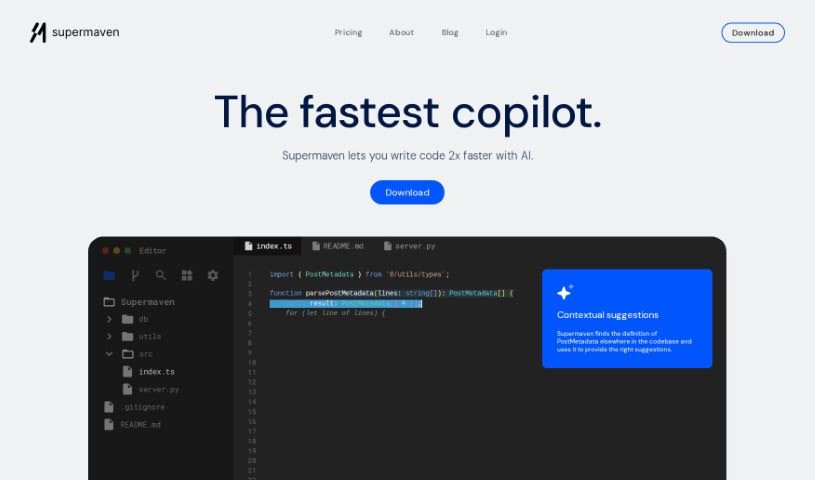
Screenshot of Supermaven

Supermaven

Discover what Supermaven is and learn how to use it effectively in 2025. We'll explore its features and see how it stacks up against other code generators.

Screenshot

What is Supermaven?

Supermaven is a super-fast copilot tool. What really makes it stand out is its massive 1 million token context window, which helps it give you really good code completions, really quickly. Because it can look at so much code at once, Supermaven is great at offering suggestions that are not just fast, but also spot-on for what you’re trying to do. This focus on a huge context window is what helps developers be more productive and makes their workflow smoother. It’s designed to give you precise, context-aware code suggestions, perfect for anyone looking for a more efficient way to code.

Who created Supermaven?

Jacob Jackson is the founder of Supermaven. You might know him from Tabnine, which was actually the very first product to use AI for code completion. Jacob and his small team of engineers are really focused on building tools that make life easier for developers. Their goal with Supermaven is to create tools that are easy to use, give you results you can count on, and are accessible to everyone.

Who is Supermaven for?

Supermaven is a great tool for a wide range of tech professionals, including:

  • Software Developers
  • Web Developers
  • Data Scientists
  • DevOps Engineers
  • Machine Learning Engineers
  • Mobile App Developers
  • Game Developers
  • System Architects
  • QA Testers
  • Technical Writers
  • Project Managers
  • Software Engineers
  • Database Administrators

How to use Supermaven?

Ready to boost your coding? Here’s how to get the most out of Supermaven:

  1. Download Supermaven: First things first, grab the Supermaven tool from its official website. It’s the starting point for everything.
  2. Installation: Once downloaded, follow the installation guide to get Supermaven set up on your computer. It’s usually a straightforward process.
  3. Open Supermaven: After installation is complete, launch the Supermaven application. You’re now ready to dive in!
  4. Code Writing: Start writing your code. As you type within the Supermaven interface, you’ll see real-time code completion suggestions pop up, helping you code faster and more efficiently.
  5. Utilize AI Assistance: Make the most of Supermaven’s AI. It’s there to provide high-quality code suggestions and help you out as you write functions, making the process smoother.
  6. Customization: Supermaven lets you tweak the settings. You can adjust them to match your personal coding style and preferences, creating a truly personalized experience.
  7. Explore Features: Don’t forget to check out all the cool things Supermaven offers! For instance, that 1 million token context window gives the AI a much bigger picture to work with for smarter completions.
  8. Upgrade Options (Optional): If you find yourself needing even more power, consider upgrading. The Pro or Team plans offer benefits like even larger context windows, ways to manage users centrally, and access to more advanced AI models.

By following these simple steps, you’ll be well on your way to using Supermaven to make your coding experience better and write code more efficiently.

Related AI Tools

Discover more tools in similar categories that might interest you

Stay Updated with AI Tools

Get weekly updates on the latest AI tools, trends, and insights delivered to your inbox

Join 25,000+ AI enthusiasts. No spam, unsubscribe anytime.