What is STORYD?
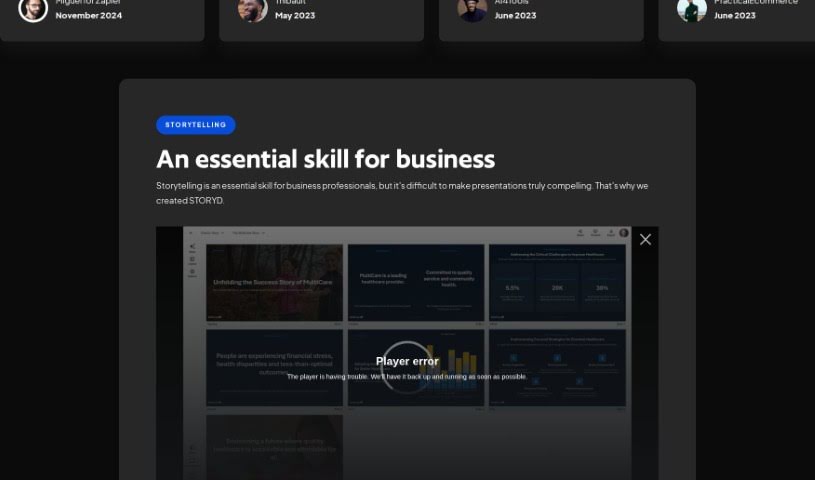
STORYD is a smart tool that uses AI to help professionals whip up business presentations really fast and without a fuss. It is your go-to for making your business stories clear and impactful. You just follow three simple steps: first, tell it what your presentation is about. Second, pick a way to structure your message. Then, in about a minute, STORYD creates a polished, high-end business deck for you. It’s a real productivity booster, especially when you’re stuck and need ideas – it’s like having an AI brainstorming partner! Plus, you can work on your presentations with colleagues in real-time. You’re not just stuck with the first version, either. You can tweak your story, add all sorts of multimedia like text, images, charts, and numbers, and pick from different layouts that are great for showing off data. STORYD also gives you a head start with pre-written business presentations and customizable templates, and you can even add your own branding.
They offer different pricing plans, so whether you’re an individual, part of a team, or a whole company looking to automate your presentation creation, there’s likely a plan that fits.
Who created STORYD?
STORYD was founded by Zack Mazzoncini and Michael Grimm. These two have been friends since way back in 2004, meeting at the University of Washington. They’ve actually teamed up on a few successful businesses over the years. With about 15 years under their belts building companies and focusing on customers, Zack and Michael are really passionate about creating new solutions that help people make smarter decisions. Under their guidance, Storyd is all about using AI to give professionals powerful tools for creating amazing presentations, and doing it efficiently.
What is STORYD used for?
- Beat writer’s block: Get unstuck when you’re not sure where to start.
- Boost productivity: Work up to 10 times faster.
- AI ideas generator: Get AI-powered suggestions to spark your creativity.
- Collaborate live: Add your own ideas and work with colleagues in real-time.
- Create multimedia presentations: Easily incorporate text, lists, images, charts, and numbers.
- Brainstorm more content: Use AI to come up with additional ideas.
- Branded presentations: Ensure your presentations match your company’s look.
- Design assistance: Get help with the visual aspects of your slides.
- Get inspired: Browse pre-written business storytelling presentations for ideas.
- Industry-specific content: Look for relevant ideas based on your industry or department.
- Modify your story: Use tools like rephrase, brainstorm, and length adjustments.
- Real-time collaboration: Work with colleagues seamlessly as you build your presentation.
- Engaging multimedia: Add text, lists, images, charts, and numbers to make your content pop.
- Switch storytelling approaches: Use AI to explore different ways to tell your story.
- Customizable design: Set your own themes, fonts, and colors for a unique look.
- Story Starters: Find inspiration with ready-made business storytelling presentations.
- Data-driven presentations: Create presentations that leaders will appreciate, powered by STORYD.
- Generate AI ideas: Get quick AI suggestions to move your project forward.
- Refine your narrative: Use rephrase and brainstorming tools to improve your story.
- Live team collaboration: Work together with colleagues in a shared, real-time environment.
- Multimedia integration: Easily add text, lists, images, charts, and numbers.
- AI-powered brainstorming: Generate new content ideas or explore different storytelling angles.
- Personalized branding: Customize presentations with your specific themes, fonts, and colors.
- Access story starters: Get inspired by pre-written business storytelling presentations.
- Customize templates: Adapt starter templates to perfectly suit your specific situation.
- AI for data presentations: Professionals can create data-focused presentations using AI.
Who is STORYD for?
- Anyone working in a business setting.
- People who are excited about using AI.
- Data Analysts who need to present findings.
- Marketers looking to create engaging campaigns.
- Sales professionals aiming to close deals.
How to use STORYD?
Using Storyd is pretty straightforward. Here’s how you can get the most out of it:
- Sign Up: Head over to the Storyd website and create an account. You’ll get started for free with 5 credits to help you create or rewrite presentations.
- Provide Topic Details: Start by writing a few sentences that describe what your presentation is about. This helps Storyd understand what you need.
- Choose Business Structure: Pick a communication structure that best fits your message. This helps organize your content in a way that makes sense.
- Generate Presentation: Once you’ve given your topic details and chosen a structure, Storyd will quickly create a high-quality business deck for you, usually in about 60 seconds.
- Customize and Collaborate: You can then tweak your story using features like rephrase, brainstorm, or adjust the length. It’s also a great way to collaborate in real-time with your colleagues to make the presentation even better.
- Enhance with Multimedia: Make your presentation more engaging and informative by adding text, lists, images, charts, and numbers.
- Design Your Deck: Use the design tools to set your themes, fonts, colors, and logos. You can also choose from various layouts that are specifically designed for presenting data effectively.
- Explore Story Starters: If you’re pressed for time or need some inspiration, check out the pre-written business storytelling presentations. You can customize them to fit your specific needs and edit them as you go.
- Export and Present: Storyd lets you export your finished presentations in different formats like PDF, PowerPoint, Google Slides, Keynote, and Canva. This makes it super easy to present your work.
By following these steps, you can really use Storyd to create professional and impactful business presentations quickly and efficiently.