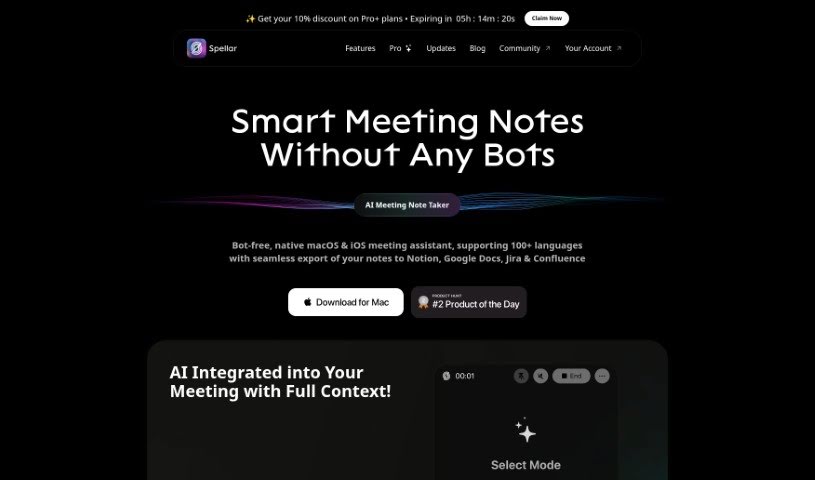
Screenshot of Spellar AI

Spellar AI

Discover what Spellar AI is and how you can use it to improve your speaking skills and confidence in 2025. We'll cover its key features and compare it to other AI meeting assistants.

Screenshot

What Exactly is Spellar AI?

Spellar AI is essentially an AI-powered speaking coach, designed to give you personalized feedback that can really help you speak more clearly and feel more confident. It is a helpful assistant that listens in and offers constructive advice. It comes with some neat features, like detailed analytics to show you where you can improve, extended storage for your audio recordings, and a really advanced AI Meeting Copilot if you go for the Pro version. What’s great is that Spellar AI works with over 50 languages, and they take data security very seriously. They use encryption and strong cybersecurity measures to keep your information safe. When it comes to payments, they use trusted platforms like Setapp, the Mac App Store, and Stripe, so your financial details are handled securely. Your user data is stored on encrypted servers, and access is strictly controlled. Plus, for extra peace of mind, you can even set up automatic deletion for your audio files.

Who’s Behind Spellar AI?

The team that created Spellar AI is actually led by people who aren’t native English speakers themselves. Because of this, they really understand firsthand the challenges that come with trying to improve your English, especially when you’re working remotely. Their AI speaking assistant is built to boost your language skills and make you more productive during online meetings. It does this by offering feedback as you speak, summarizing what was discussed, and giving you personalized tips. The company is really committed to data security, encrypting all the data that’s transferred. They also offer a variety of payment options to make things convenient.

What Can You Actually Use Spellar AI For?

Here’s a look at what Spellar AI can help you achieve:

  • Make your online meetings much better with personalized feedback on your English speaking.
  • Give your communication skills a real boost and build more confidence.
  • Get instant tips and even have tasks generated for you to help you improve.
  • It can assist you with chat functions and provide feedback tailored just for you.
  • Improve how you communicate in interviews, during presentations, and in your everyday meetings.
  • Increase your overall productivity and language proficiency.
  • Engage in practice sessions that are customized to your specific needs.
  • Benefit from real-time chat assistance.
  • Enjoy seamless integration with your calendar.
  • Receive personalized feedback designed to enhance your speaking abilities.

How Do I Get Started with Spellar AI?

Using Spellar AI is pretty straightforward. Just follow these simple steps:

  1. Choosing Your Plan: First, you’ll want to pick a subscription plan. You can go with Spellar Basic, which gives you full analysis for about 2 hours each week, or Spellar Enterprise if you need more advanced features, especially for teams, like tracking projects and integrating with other collaboration tools. It really depends on what you need.
  2. Language Support: Spellar AI is quite versatile, supporting over 50 different languages. If you have a question about a specific language, don’t hesitate to reach out to the Spellar AI team directly. They’re there to help.
  3. Keeping Your Data Safe: You can rest assured that your data is very secure. They use strong encryption protocols to make sure your privacy is protected. If you want all the details, you can find their comprehensive Privacy Policy on their website.
  4. Handling Payments: They offer several convenient ways to pay. You can subscribe through Setapp, the Mac App Store, or make direct purchases using Stripe. All these payment processes are handled securely within those platforms.
  5. Where Your Data Lives: Your data is stored on servers that are encrypted, and access is carefully controlled. For those who are extra concerned about privacy, you can even set your audio files to delete automatically after just 3 days, or choose a different custom duration.
  6. What It Does Day-to-Day: At its core, Spellar AI works as an AI Meeting Copilot specifically for MacOS. It’s designed to give you live tips, personalized feedback, summarize key points from meetings, and generally help you communicate better, whether you’re in a meeting, giving a presentation, or in an interview.
  7. What’s New?: To keep up with the latest improvements and new features, it’s a good idea to check the Spellar AI website regularly for their newest releases and updates.

By taking these steps, you’ll be well on your way to using Spellar AI effectively to really improve your communication skills and boost your productivity in all your online meetings and presentations.

Related AI Tools

Discover more tools in similar categories that might interest you

Stay Updated with AI Tools

Get weekly updates on the latest AI tools, trends, and insights delivered to your inbox

Join 25,000+ AI enthusiasts. No spam, unsubscribe anytime.