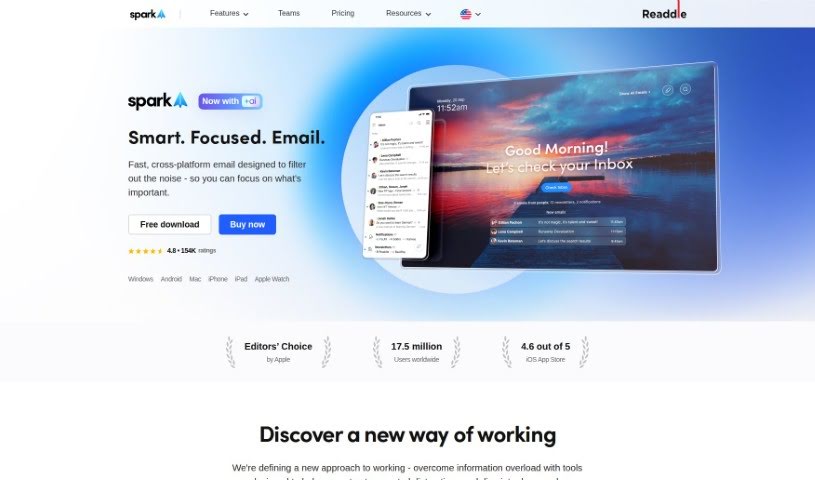
Screenshot of Spark Mail

Spark Mail

Discover what Spark Mail is and how to use it to boost your productivity in 2025. We'll dive into its features, compare it to other email tools, and show you how to get the most out of it.

Screenshot

What is Spark Mail?

Spark Mail is an AI-powered email app that works across different devices, all designed to help you get more done by keeping your inbox tidy. It is your smart assistant for email. It’s packed with features to make managing your messages a breeze. You’ve got the Smart Inbox, which automatically sorts your emails, and handy tools like Priority and Pin to keep important contacts front and center. It also helps you organize by grouping emails from the same sender, and you can use the ‘Done Marker’ and ‘Set Aside’ features to keep your inbox clear. Plus, it offers email scheduling and reminders so you never miss a beat. And if you ever struggle with writing emails, its AI-powered writing assistant is there to help you compose messages more effectively.

For teams, Spark Mail really shines. It lets everyone work together on emails, making it easy to compose, assign tasks, and track progress in real-time. It even has an email chat feature for quick discussions. Your data is kept safe and private, thanks to secure storage and encryption through Google Cloud Service.

Spark Mail also includes a Home Screen that gives you a quick snapshot of your email activity. You can highlight priority emails, use the ‘Gatekeeper’ feature to screen out unwanted senders, and group emails by sender to keep things organized. It even helps reduce inbox clutter by automatically categorizing newsletters and notifications.

Who created Spark Mail?

Spark Mail comes from Readdle, the same company behind popular productivity apps like PDF Expert, Scanner Pro, Documents, and Calendars. They’ve been on the App Store since it first launched, racking up over 200 million downloads and earning plenty of awards from Apple. Spark Mail itself was released on May 24, 2023.

What is Spark Mail used for?

Spark Mail is incredibly versatile and can help you with a wide range of tasks:

  • Cross-platform compatibility: Use it on any device you own.
  • Inbox organization: Automatically archive threads, block unwanted senders, and bundle emails by sender.
  • Smart features: Get smart notifications, craft emails quickly, and gain insights from your messages.
  • Productivity boost: Refine your workflow, focus without distractions, and manage emails efficiently with tools like the ‘Done Marker’ and ‘Set Aside’ features.
  • Priority management: Highlight important emails and manage priority contacts.
  • Team collaboration: Compose, delegate, and manage emails together with your team, using tools for real-time collaboration and task tracking.
  • Scheduling and reminders: Send emails at a later time or set reminders.
  • Data protection: Enjoy peace of mind with secure data storage and encryption.
  • Account compatibility: Works seamlessly with IMAP, iCloud, Exchange, Outlook, Yahoo, and Google Mail.
  • Quick overview: The Home Screen provides a snapshot of your email activities.
  • Filtering: Effectively filter and organize your inbox to reduce noise.
  • Smart Inbox: This feature categorizes incoming emails and highlights the important ones, making it easier to see what needs your attention first.
  • Contact sorting: Use Priority and Pin functions to sort contacts and keep track of who’s most important.
  • Email management tools: Beyond ‘Done Marker’ and ‘Set Aside,’ the ‘Gatekeeper’ helps screen out unwanted senders.

Who is Spark Mail for?

Spark Mail is a great tool for anyone who relies heavily on email and wants to improve their efficiency. This includes:

  • Business professionals
  • Freelancers
  • Journalists
  • Product Managers
  • Heads of Product and Growth
  • Anyone looking to streamline their email workflow.

How to use Spark Mail?

Getting started with Spark Mail is straightforward. Here’s a simple guide:

  1. Install the App: First, download Spark Mail from your device’s app store.
  2. Set Up Your Account: Open the app and add your email account(s) by providing the necessary login details.
  3. Organize Your Inbox: Dive into features like Smart Inbox, Priority, and Pin to effectively manage and categorize your incoming emails.
  4. Use the AI Assistant: Take advantage of the AI-powered writing assistant to compose emails more quickly and professionally.
  5. Explore Collaboration Tools: If you’re on a team, check out the collaboration features to boost productivity and streamline workflow management.
  6. Understand Data Privacy: Be aware that Spark Mail uses Google Cloud Service for secure data storage and encryption, ensuring your data is protected.
  7. Customize Your Settings: Adjust settings like email signatures, notification preferences, and how emails are bundled to fit your personal style.
  8. Leverage the Tools: Make good use of handy functions like ‘Set Aside’ to deal with emails later, ‘Done Marker’ to mark tasks as complete, and the ‘Gatekeeper’ to filter out unwanted senders.
  9. Schedule Emails: Use the ‘Send Later’ feature to schedule your emails so they go out at the most convenient time.
  10. Discover More: Explore all the features, including snoozing emails, adding private comments, tracking progress, and getting insights from your emails, for a truly comprehensive email management experience.

By following these steps, you’ll be well on your way to mastering Spark Mail and significantly enhancing your email management and overall productivity.

Related AI Tools

Discover more tools in similar categories that might interest you

Stay Updated with AI Tools

Get weekly updates on the latest AI tools, trends, and insights delivered to your inbox

Join 25,000+ AI enthusiasts. No spam, unsubscribe anytime.