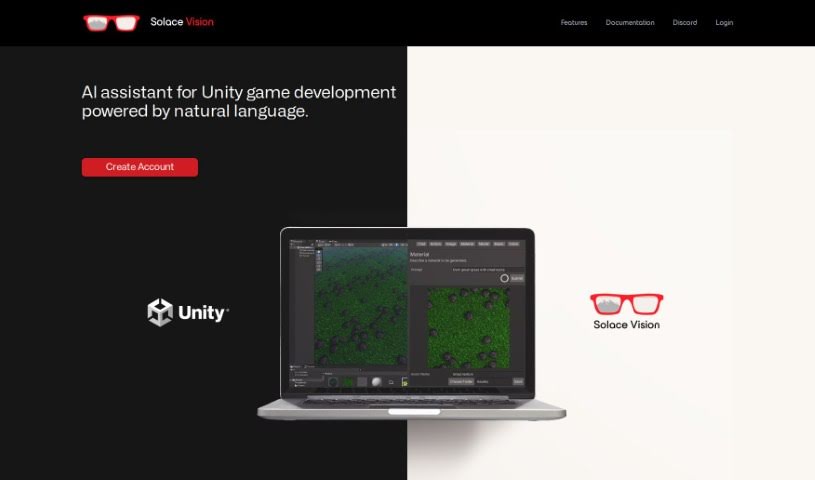
Screenshot of Solace Vision

Solace Vision

Discover Solace Vision, an AI-powered 3D creation tool for Unity. Learn about its features like Text-to-Action and Text-to-Code, and see how it stacks up against other code generators in 2025.

Screenshot

What is Solace Vision?

Solace Vision is a really neat AI tool that helps you create 3D stuff. It uses natural language processing, which basically means you can tell it what you want in plain English, and it’ll generate 3D objects for you. It’s packed with features to make game development in Unity smoother. You’ve got “Text-to-Action” to automate tasks, “Text-to-Code” for whipping up scripts, and “Text-to-Documentation” to get quick answers and keep your development on track. Plus, they’re working on “Text-to-3D” and “Text-to-Music,” which sounds pretty exciting!

Who created Solace Vision?

Jake Harris is the person behind Solace Vision. He launched the company on October 20, 2023. Essentially, Solace Vision is an AI tool for 3D creation that uses natural language processing to generate 3D objects and generally make Unity game development workflows better. It’s got some cool features already, like “Text-to-Action,” “Text-to-Code,” and “Text-to-Documentation.” They’re also adding “Text-to-2D Assets” and “Text-to-Voice.” Keep an eye out for “Text-to-3D” and “Text-to-Music” coming soon, too. It looks like Solace Vision is shaping up to be a really comprehensive tool that can save you a lot of time on creative projects.

What is Solace Vision used for?

Here’s a rundown of what you can do with Solace Vision:

  • Text-to-Action: Automate tasks within Unity.
  • Text-to-Code: Generate scripts quickly.
  • Text-to-Documentation: Get clear answers to streamline your development.
  • Text-to-2D Assets: Create things like illustrations, concept art, spritesheets, pixel art, and storyboard frames.
  • Text-to-Voice: Generate dynamic character dialogues, story narratives, and expressive speech.
  • Text-to-3D: (This is coming soon!) Create 3D objects from text.
  • Text-to-Music: (Also coming soon!) Generate sound effects and music.

How to use Solace Vision?

Solace Vision is a pretty advanced AI tool designed to really change how you develop games in Unity. Here’s a simple guide on how to get started:

  1. Talk to it: Use the tool’s natural language processing. Just type what kind of 3D object you’re looking for.
  2. Automate with Text-to-Action: Need to do something in Unity? Use the “Text-to-Action” feature. Just type what you need done, and it’ll handle it, speeding things up.
  3. Generate Code with Text-to-Code: Need a script? This feature generates them instantly. Whether it’s for player movement or creating terrains, it’s got you covered.
  4. Get Answers with Text-to-Documentation: If you’re stuck or need information, this feature provides precise answers, making your development process much smoother.
  5. Create 2D Art with Text-to-2D Assets: Need illustrations, concept art, spritesheets, pixel art, or storyboard frames? You can generate these in seconds.
  6. Bring Characters to Life with Text-to-Voice: Create engaging character dialogues, build narrative storylines, and make your projects more immersive with expressive speech.
  7. Watch for What’s Next: Keep an eye out for new features like “Text-to-3D” to create 3D models and “Text-to-Music” for sound effects and music, all from text input.

Solace Vision really aims to simplify and improve the creative process, making it a super helpful tool for anyone working with 3D creation or Unity game development. Stay tuned for more updates that will make your development experience even better!

Related AI Tools

Discover more tools in similar categories that might interest you

Stay Updated with AI Tools

Get weekly updates on the latest AI tools, trends, and insights delivered to your inbox

Join 25,000+ AI enthusiasts. No spam, unsubscribe anytime.