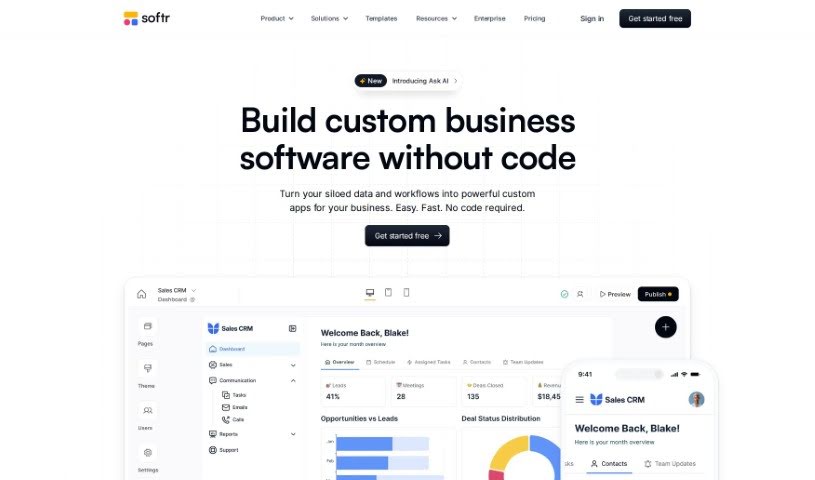
Screenshot of Softr

Softr

Discover what Softr is and how to use it effectively in 2025. Explore its features, compare it with other no-code tools, and learn how to build powerful web apps.

Screenshot

What is Softr?

Softr is a fantastic platform that lets you build web applications without needing to write a single line of code. It is your go-to tool for creating all sorts of apps – from internal company intranets and client portals to custom tools for your team. It provides ready-to-use building blocks, like Lists, Charts, Forms, Tables, Calendar views, and Maps, making app creation straightforward. You can easily connect your apps to your own data sources, whether that’s Airtable, Google Sheets, or HubSpot. Plus, you have full control over user permissions and access levels, and sharing your finished apps with your team is a breeze. Softr also offers features like content export, e-signature fields, and integrations with external APIs.

Essentially, Softr empowers anyone, even if you can’t code, to build custom applications that fit your business or personal needs perfectly. It’s often called the “goldilocks of no code” because it’s powerful enough to create dynamic apps that respond to user actions, yet it’s so simple you can build them really quickly. People love Softr for its super intuitive interface, the excellent support they offer, and a really strong community of builders who are always ready to help. Whether you’re a small local business or a Fortune 500 company, Softr is designed to help you build apps rapidly for just about any purpose. They also have flexible pricing plans to suit different needs and complexity levels.

Who created Softr?

Softr first launched on October 15, 2023. It was built by a team passionate about making software creation accessible to everyone, regardless of their coding skills. Chez Spigelman is mentioned as one of the co-founders. Softr’s mission is to democratize engineering talent, allowing individuals who don’t code to develop custom applications for their businesses or personal projects. The team behind Softr is a group of curious, ambitious, and humble people who are aiming to have 1 million apps built using Softr by 2025.

What is Softr used for?

Softr is incredibly versatile! You can use it to build:

  • Project Management Tools: Keep your projects organized and on track.
  • Inventory Management: Easily manage your stock and supplies.
  • Profile Editing: Let logged-in users update their own profiles.
  • Data Display: Show your data in various list layouts with filtering, sorting, and searching capabilities.
  • Item Details: Display specific information about list items.
  • Table Views: Present data in tables, complete with filtering, sorting, and searching.
  • Map Integration: Visualize your data on a Google Map.
  • Payment Collection: Handle one-time or subscription payments securely through Stripe.
  • Commenting Features: Allow users to add comments on specific detail pages.
  • Forms: Create basic forms for collecting data or even multi-step forms with conditional logic.
  • Calendar Views: Manage events and schedules with a calendar interface.
  • AI Chatbots & Generators: Build your own AI chatbot and image generator.
  • Client Portals: Create custom-branded, secure portals for clients to access information and self-service.
  • Team Intranets: Build internal hubs for your team.
  • Content Calendars: Plan and manage your content schedules.
  • Applicant Trackers: Streamline your hiring process.
  • Internal Business Tools: Automate and improve your business processes and workflows.
  • Community Hubs: Share resources and foster connections within your community.
  • Event Timelines: Display events chronologically.
  • Lightweight CRMs: Manage your customer relationships efficiently.
  • Kanban Boards: Visualize your workflow and tasks.
  • Conditional Grids: Display data dynamically based on specific conditions.

Basically, if you need to display data, collect information, manage users, or create a custom interface for your business, Softr can likely help.

Who is Softr for?

Softr is a great tool for a wide range of users and businesses:

  • Entrepreneurs looking to build their first web app.
  • Small to Medium-sized Businesses (SMBs) needing custom internal tools or client portals.
  • Agencies that want to offer custom web solutions to their clients.
  • Teams building advanced custom apps that require specific functionality.
  • Larger companies seeking to streamline internal processes or create employee portals.
  • Local businesses wanting a professional online presence or customer management system.
  • Fortune 500 companies looking for efficient ways to build internal applications.
  • AI Professionals, Chatbot Developers, Project Managers, CRM Managers, Web Developers, Data Analysts, Marketing Managers, Sales Managers, Customer Service Representatives, Business Analysts, and many other roles that can benefit from custom data management and application building.
  • Individuals who want to create internal tools and portals without coding.
  • Payment Professionals, Chart Professionals, Calendar Professionals, and those working with specific data types who want to visualize or manage them effectively.
  • Custom Code Professionals who might want to integrate Softr blocks into existing projects or use it for rapid prototyping.
  • Digital Marketers, Analysts, Ecommerce Managers, Heads of Digital Marketing, COOs, and CEOs who need efficient tools for data management, customer interaction, and business operations.

If you need to build an app, manage data, or create a portal without coding, Softr is likely a good fit for you.

How to use Softr?

Using Softr is pretty straightforward, especially since you don’t need to code. Here’s a simple breakdown of the steps:

  1. Start with Building Blocks: Instead of starting from scratch, you’ll use Softr’s pre-built blocks. They are ready-made components like Lists, Charts, Forms, Tables, and more. They make building your app much faster and easier.
  2. Connect Your Data: To make your app dynamic, you’ll connect it to your data sources. Softr works with popular options like Airtable, Google Sheets, or HubSpot, so your app can pull in and display real-time information.
  3. Set Up Permissions: You have control over who sees what. You can easily set up specific permissions to manage user access levels, ensuring that the right people can view or edit the right information.
  4. Publish and Share: Once your app is ready, you can publish it with a single click, and it’ll work on any device. Sharing it with your team is just as easy, allowing for seamless collaboration and quick updates.
  5. Integrate Other Tools: Softr plays well with others! You can integrate it with tools like Zapier, Google Analytics, Stripe, and Mailchimp to add even more functionality to your applications.
  6. Use Templates or Start Fresh: If you want to get started quickly, Softr offers a variety of pre-built templates. Or, if you have a specific vision, you can always start building from a blank slate.
  7. Customize and Personalize: For those who want to go the extra mile, Softr allows for custom CSS/JS, lets you embed Softr blocks into other websites, and supports Progressive Web Apps (PWAs) for a better user experience.
  8. Get Support: You’re not alone! Softr offers 24/7 live chat support, a helpful community forum, personalized onboarding calls, and access to Softr experts if you need guidance.

Overall, Softr provides a really user-friendly environment to create powerful, customizable, and secure applications. It’s an excellent choice if you’re looking to develop apps without needing deep coding knowledge.

Related AI Tools

Discover more tools in similar categories that might interest you

Stay Updated with AI Tools

Get weekly updates on the latest AI tools, trends, and insights delivered to your inbox

Join 25,000+ AI enthusiasts. No spam, unsubscribe anytime.