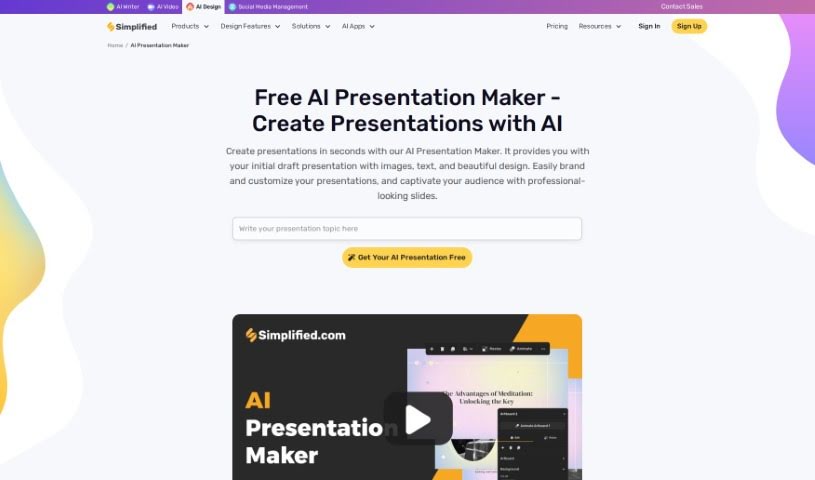
Screenshot of Simplified AI Presentation Maker

Simplified AI Presentation Maker

Discover Simplified AI Presentation Maker in 2025! Learn what it is, how to use its AI-powered features for quick, professional presentations, and see how it stacks up against other tools.

Screenshot

What is Simplified AI Presentation Maker?

Simplified’s AI Presentation Maker is a really neat tool that uses artificial intelligence to help you build professional-looking presentations fast and without a lot of fuss. It is having an AI assistant that handles the heavy lifting of design. It can whip up initial drafts, complete with text, images, and attractive designs, in mere seconds. Once the AI has done its magic, you can easily tweak these presentations to perfectly match your brand’s look and feel, making sure your message really pops. This tool is a huge time-saver, especially for the design parts, which means you can be more productive and focus on what truly matters for your presentation’s content.

It comes packed with handy features like templates you can change, smart suggestions for how to lay things out, and access to a library of free stock photos and media. All of this makes it super simple to create presentations that are both engaging and impactful.

Who created Simplified AI Presentation Maker?

Simplified’s AI Presentation Maker was actually developed by Koustubha Deshpande, who’s the Founder of Simplified. He worked on it with Ajay Yadav, the Co-Founder. The company itself is based in Covina, California, and you can find them online at Simplified.com. Their goal with this tool is to let people quickly put together professional presentations using the power of AI.

How to use Simplified AI Presentation Maker?

Getting started with the AI Presentation Maker is pretty straightforward. Here’s how you can do it:

  1. First, head over to your Design Dashboard. From there, you’ll want to click on the ‘Generate with AI’ option, and then choose ‘AI Presentation.’
  2. Next, just type in the main topic for your presentation. Once you’ve done that, hit ‘Generate.’ You’ll see the AI quickly build your presentation right before your eyes.
  3. After the AI creates your presentation, you can easily customize it. You can use the Simplified Brand Kit to make sure everything aligns perfectly with your brand’s style.

Following these simple steps means you can create professional presentations with the AI Presentation Maker in no time at all.

Related AI Tools

Discover more tools in similar categories that might interest you

Stay Updated with AI Tools

Get weekly updates on the latest AI tools, trends, and insights delivered to your inbox

Join 25,000+ AI enthusiasts. No spam, unsubscribe anytime.