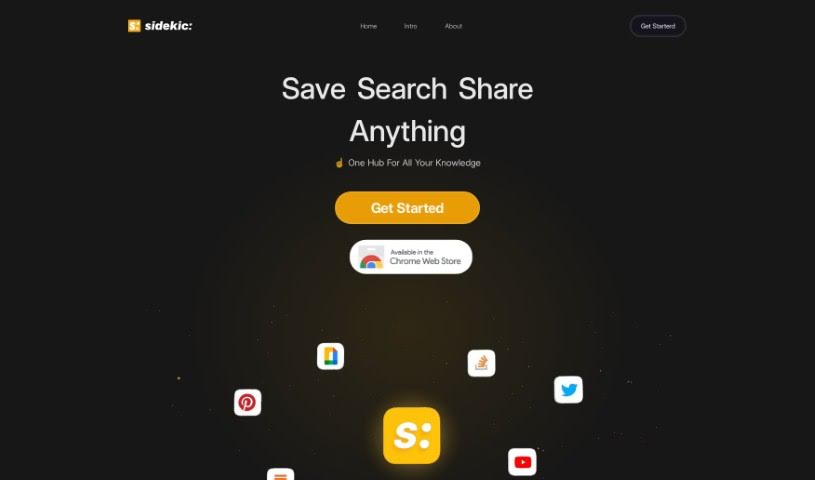
Screenshot of Sidekic Ai

Sidekic Ai

Discover what Sidekic AI is and how to make the most of it in 2025. We'll explore its features and see how it stacks up against other documentation tools.

Screenshot

What is Sidekic AI?

Sidekic is your personal AI-powered knowledge hub. It’s designed to help you easily save and organize all sorts of things you find online. You can use a handy browser extension to grab screenshots, entire websites, videos, and much more. What’s really neat is that Sidekic automatically tags everything and sorts it into smart collections, making it super simple to find what you need later. Plus, you can create shared collections with friends or colleagues, which is great for discovering resources together. Sidekic’s AI search makes digging through your saved stuff a breeze – it’s fast and efficient. It really aims to be a central spot for all your data, and it’s set up to connect with different sources to keep your information well-managed. All in all, Sidekic offers a straightforward and collaborative way to save, organize, and share what you find, making knowledge sharing and discovery much smoother.

Who created Sidekic AI?

An unnamed founder developed Sidekic Ai, launching it on November 15, 2023. The company behind Sidekic Ai is focused on building an AI-powered knowledge hub. This tool lets you save, organize, and share a wide range of web resources. Using the browser extension, you can effortlessly save screenshots, websites, videos, and more. The extension automatically tags and sorts these items into smart collections. Sidekic Ai also makes it easy to collaborate on collections, so you can share resources with friends and teammates. The AI-powered search feature really improves how you look for things, making data management efficient. Essentially, Sidekic Ai provides a user-friendly platform for sharing knowledge and keeping your resources organized.

What is Sidekic AI used for?

Sidekic AI helps you with a lot of things:

  • Saving and Organizing: You can save all sorts of web resources, from screenshots to videos.
  • Smart Collections: It helps you create organized collections, even using AI-powered Starter Pacs.
  • Collaboration: Work together on collections with friends and teammates.
  • Better Searching: Its AI-powered search makes finding things much easier.
  • Discovery: You can find resources that your friends and teams have saved.
  • Central Hub: It acts as a main place to manage all your data.
  • Knowledge Sharing: It makes sharing what you know and discovering new things simpler.
  • Easy Access: You can quickly get to and use the resources you’ve saved.
  • Sharing Together: Collaborate on collections to share and find resources as a group.
  • Broader Discovery: Find resources shared by your network.
  • Data Management: It helps manage all your data efficiently.
  • User-Friendly: It’s designed to be easy to use for saving, organizing, and sharing.
  • Connecting Sources: It can link up with various data sources for better management.

Who is Sidekic AI for?

Sidekic AI is a great tool for anyone who works with information. This includes:

  • Knowledge workers
  • Researchers
  • Educators
  • Students
  • Marketers
  • Designers
  • Business professionals

How to use Sidekic AI?

Getting started with Sidekic Ai is pretty straightforward. Here’s a simple guide:

  1. Install the Extension: First, grab the Sidekic browser extension. This is your key to effortlessly saving and organizing web resources.
  2. Save Your Finds: Use the extension to save anything you come across – screenshots, websites, videos, you name it. Sidekic will then automatically tag and sort these into smart collections, making them easy to find later.
  3. Team Up and Share: Want to work on resources with others? Share your collections with friends or teammates. This opens up a world of collaborative discovery.
  4. Make Collections Discoverable: You can even make your shared collections visible online. This is a fantastic way to reach a wider audience and share your best finds.
  5. Search Smarter: Make the most of the AI-powered search. It really boosts your ability to quickly locate specific resources within your saved collections.
  6. Stay Organized: Use Sidekic as your go-to central hub for managing all your data. It ensures everything is accessible and well-managed.
  7. Explore and Learn: Dive into resources shared by your friends and teams. This broadens your knowledge and makes collaboration smooth.

In short, Sidekic Ai offers a user-friendly and collaborative platform for saving, organizing, and sharing resources, which really supports knowledge sharing and discovery without a fuss.

Related AI Tools

Discover more tools in similar categories that might interest you

Stay Updated with AI Tools

Get weekly updates on the latest AI tools, trends, and insights delivered to your inbox

Join 25,000+ AI enthusiasts. No spam, unsubscribe anytime.