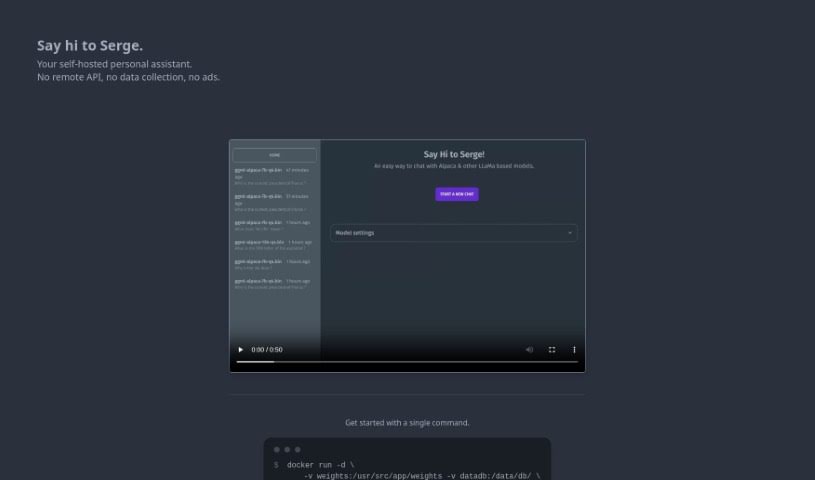
Screenshot of Serge

Serge

Discover Serge, a private, self-hosted personal assistant for 2025. Learn its features, how it compares to other meeting assistants, and get started with our guide.

Screenshot

What is Serge?

Serge is a personal assistant tool you can host yourself, putting your privacy and data security first. Setting it up is a breeze – just one Docker command, and you’ve got a secure, private space without any remote APIs, data collection, or ads. Once it’s running, you can chat with Serge through a simple web interface at http://localhost:8008. It’s designed to be a helpful companion. Plus, Serge has a lively community on GitHub and Discord where you can jump in, get help, and share information. By giving you full control over your data and really focusing on privacy, Serge offers a different kind of personal assistant experience, one that’s all about keeping your information safe.

Who created Serge?

Serge was developed to offer users a personal assistant that’s both secure and private. It first launched on March 29, 2023, with a clear mission: privacy and data security, achieved by cutting out remote APIs, data collection, and ads. Getting Serge up and running is straightforward; a single Docker command is all it takes to establish a personal, private communication channel accessible via http://localhost:8008. The project also actively encourages community involvement through its GitHub and Discord channels, reinforcing its commitment to user control and data privacy.

What is Serge used for?

  • Serge acts as a personal assistant that you host yourself, creating a secure and private environment for all your interactions.
  • You can easily chat with Serge and get help through its web interface, which you can access at http://localhost:8008.
  • The tool really values community input, so you can find information, contribute your own ideas, or get support through its GitHub and Discord channels.
  • In AI directories, Serge stands out because it strongly emphasizes privacy and the ability to self-host, making it a great choice for anyone who cares deeply about keeping their data secure.
  • You can have conversations and get assistance by simply interacting with Serge via its web interface at http://localhost:8008.
  • Setting it up is quite simple, requiring just one Docker run command, along with specific volumes and ports.
  • Serge makes sure your privacy and data are well-protected by not using remote APIs, collecting your data, or showing ads.
  • It’s a great way to get involved with the community, as you can find information, contribute to the project, or ask for help on GitHub and Discord.
  • As a personal assistant you can host yourself, Serge gives you a real alternative to other tools, letting you keep complete control over your own data.
  • Serge is all about privacy and self-hosting, which is perfect for users who put data security at the top of their list.
  • You’ll notice Serge in AI directories because it really highlights user privacy and data security.
  • Serge brings something unique to the table compared to other personal assistant tools on the market.
  • It offers a distinct advantage by letting you have full control over your data within your own private space.

How to use Serge?

Ready to get Serge, your self-hosted personal assistant, up and running? It’s a straightforward process:

  1. Set it up: You’ll need to run a Docker command. Here’s the one to use:

    docker run -d \
    -v weights:/usr/src/app/weights -v datadb:/data/db/ \
    -p 8008:8008 ghcr.io/serge-chat/serge:latest
  2. Access it: Once the command finishes, just open your web browser and go to http://localhost:8008. That’s where you’ll find Serge.

  3. Interact: On the Serge interface, feel free to chat, ask for help, or do whatever you need to interact with the tool.

  4. Join the Community: Serge really encourages people to get involved! You can join the GitHub and Discord channels to find out more, help improve the tool, or get support if you need it.

  5. Enjoy Privacy and Security: Serge is built with your privacy in mind. It offers a secure, private environment without any remote APIs, data collection, or ads, ensuring your data stays confidential.

  6. See What Makes it Special: Serge stands out because it gives you complete control over your data and privacy. It’s a great alternative if you’re looking for a personal assistant that respects your data.

By following these simple steps, you can start using Serge effectively as your own private personal assistant, benefiting from its focus on privacy, community, and user control.

Related AI Tools

Discover more tools in similar categories that might interest you

Stay Updated with AI Tools

Get weekly updates on the latest AI tools, trends, and insights delivered to your inbox

Join 25,000+ AI enthusiasts. No spam, unsubscribe anytime.