20Paths
Productivity Documentation
Learn more
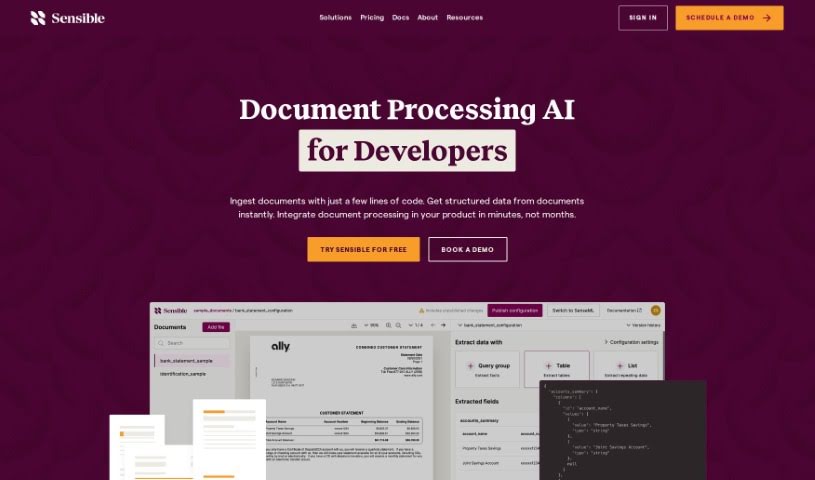
Sensible Instruct is a GPT-4-powered document extraction tool that pulls structured data from resumes, contracts, invoices, and other documents through an
Sensible Instruct is a document extraction tool built with an API-first approach, designed to be integrated into other systems. It pulls structured data from documents such as resumes, contracts, and invoices using GPT-4’s natural language processing, and it supports SenseML, a configuration language for customizing how extraction works.
Key capabilities include:
The platform provides enterprise-grade security and regulatory compliance. Its interface is accessible to non-developers, and it delivers results without requiring you to train models yourself.
Sensible Instruct was founded by Josh Lewis, who also serves as CEO. He started Sensible after experiencing firsthand how challenging document parsing can be for developers. The company’s goal is to simplify document processing by combining advanced parsing techniques with comprehensive APIs that fit into existing tech stacks.
Typical use cases span several industries:
Development happens through the SensibleSDK: import it into your code, create an instance with your API key, and call the extract() function with a document URL and document type (such as a resume or invoice). An environment parameter distinguishes testing from production, and the wait_for() function returns results once processing completes.
Related
Discover more tools in similar categories
Weekly picks of the best AI tools we've researched and added — no spam, unsubscribe anytime.
Join 25,000+ AI enthusiasts. No spam, unsubscribe anytime.