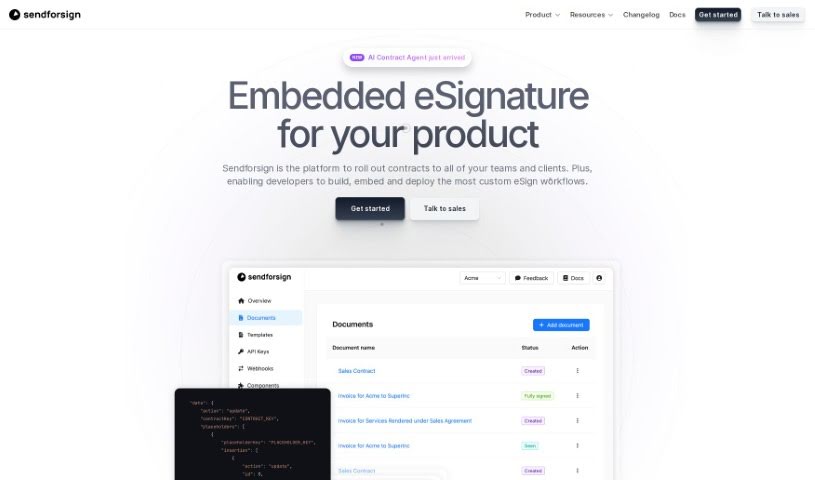
What is Sendforsign?
Sendforsign is a modern, fast, and straightforward digital contract service. It uses an API and AI technology to help you manage your digital contracts and documents. You can store them, search for them, draft new ones, review them, get approvals, negotiate terms, and sign them electronically – all with absolutely no setup needed. It’s designed to make things simpler, offering features like easy drafting, document review with text highlighting, and strong safety and security measures. Plus, Sendforsign provides detailed documentation covering everything from its vision and changelog to its core functions, making it a reliable tool for handling digital contracts efficiently.
Who created Sendforsign?
While the specific founder details aren’t available in the “sendforsign.pdf” document provided by the user, Sendforsign was launched on September 26, 2023. It’s an AI-powered solution for digital contracts, aiming for modern, simple, and fast processes through its top-notch API. The tool lets you store, search, draft, review, approve, negotiate, and electronically sign digital contracts and documents smoothly, without any setup. Sendforsign focuses on user-friendly features like streamlined drafting, easy document review, and a strong emphasis on safety and security. Essentially, it offers a reliable and efficient way to manage digital contracts with the help of AI.
What is Sendforsign used for?
Sendforsign helps you manage the entire agreement process, no matter how complex. You can:
- Automate agreements: Handle everything from start to finish.
- Edit directly in your browser: Work with text, placeholders, images, and tables right where your documents are.
- Edit contracts before signing: Make changes as needed.
- Create and send from templates: Generate contracts easily and send them on the go.
- Draft and enrich documents: Upload your documents and add all the necessary data.
- Manage notifications: Send email alerts through Sendforsign or your own email provider.
- Use placeholders and variables: Build agreements with dynamic fields.
- Share for collaboration: Send agreements for approval, signing, review, and build custom workflows.
- Collect user answers: Seamlessly fill in contracts with information gathered from users.
- Sign or agree: Allow users to sign or approve agreements directly within the interface.
- Handle PDFs: Upload, fill, review, send, and sign PDFs just like regular contracts.
- Automate various documents: Streamline proposals, finance documents, and legal templates.
- Embed modules: Integrate specific parts of Sendforsign into your own apps for e-signatures, approvals, or to include a rich-text editor.
Who is Sendforsign for?
Sendforsign is a great tool for a variety of professionals, including:
- Contract management professionals
- Legal professionals
- Business professionals in general
- Contract managers
- Sales professionals
- HR Professionals
- CRM professionals
- Fintech Professionals
- EHR professionals
- Developers
How to use Sendforsign?
Here’s how you can get started with Sendforsign:
- Integration: Easily add components like
<ContractEditor/>, <TemplateEditor/>, or <ContractList/> to embed contract functionalities directly into your application. You can also customize the look and feel to match your brand using CSS libraries.
- Document Handling: Upload, edit, and preview documents from Word or PDF files using the Contract Editor. The Contract List feature helps you keep all your documents organized in one central place.
- Automation: Automate processes for proposals, finance documents, and legal templates for your internal teams. You can also streamline signature requests by turning common documents into templates, which saves your team a lot of time.
- Startup Integration: If you’re a startup, you can integrate specific modules for e-signatures and approvals into your existing applications. You can even build eSignature workflows with features like conditional logic and custom branding, and let users edit and upload documents directly.
- Developer Support: Offer your clients native contract solutions by using Sendforsign’s white-label contract infrastructure. The Sendforsign API lets you manage contract actions programmatically.
- Additional Features: Create editable documents quickly by using templates. The Sendforsign API also makes it easy to manage documents and events through webhooks.
- Digital Agreements: You can create, send, and sign PDFs as standard contracts. Plus, users can edit text, add placeholders, images, and tables directly in their browser.
- Enhanced Security: Look for areas highlighted in green – these are places where users can customize documents. Sendforsign really focuses on keeping its services safe and secure.
- Support and Documentation: If you need more details, check out the comprehensive documentation that covers functionality, the overall vision, the changelog, and essential operations.
- Efficient Management: With a user-friendly API and no setup required, Sendforsign offers a fast and efficient way to manage all your digital contracts and documents seamlessly.
By following these steps, you can effectively use Sendforsign’s AI capabilities to streamline your digital contract management.