What is Searchmydocs.ai?
SearchMyDocs.ai: A Quick Look
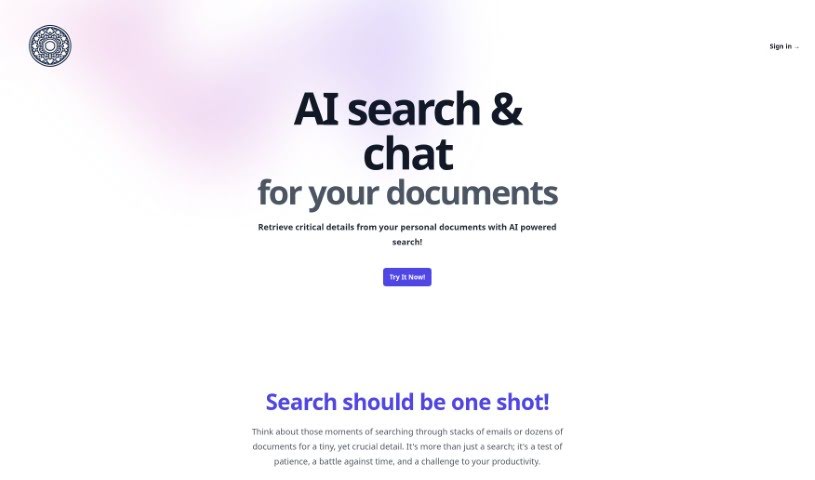
SearchMyDocs.ai is your personal AI search engine for documents. You can upload your files, then just ask questions about what’s inside them. It uses ChatGPT 3.5 to understand the context and give you answers right away.
How It Works and What It Offers:
- File Types It Handles: You can upload PDFs, Markdown files, Word docs (DOCX), Excel sheets (XLSX), PowerPoint presentations (PPTX), HTML pages, and plain text files. It also works with images like JPEG, PNG, BMP, TIFF, and HEIF.
- The Magic of OCR: Optical Character Recognition (OCR) is key here. It pulls out text, important data points, and tables from your documents, making everything searchable and understandable by computers.
- Keeping Your Data Safe: Your privacy and security are a big deal. Your data is encrypted using AES-256 both when it’s stored and when it’s being sent. Plus, Role-Based Access Control (RBAC) means only authorized people can see your files.
Using It and Pricing:
- How to Use It: You upload your files into a private library. Then, the system’s smart deep learning models and OCR tech extract all the text and data. This makes it super easy to search intelligently.
- Pricing Options: There are several plans to choose from. The Starter plan is just $1.99 a month, going up to $49 a month for the Premium plan. Each plan offers different amounts of storage and limits on how many questions you can ask.
The Good and The Not-So-Good:
- What’s Great: SearchMyDocs.ai makes finding information much faster. It gives you answers that actually make sense in context, keeps your data secure, and lets you chat directly with your documents.
- What Could Be Better: There are limits on how much you can store, it doesn’t work offline, and it doesn’t yet support multiple languages, videos, or audio. Collaboration features are also missing.
Overall, SearchMyDocs.ai is a solid, secure AI search tool that really helps you find what you need efficiently.
Who created Searchmydocs.ai?
SearchMyDocs.ai was developed as an AI search engine specifically designed to let users upload files and then ask questions based on their content. It first launched on December 28, 2023. The company places a strong emphasis on user privacy and data security. They ensure that all customer data is encrypted, both when stored (at rest) using industry-standard AES-256 and when transmitted (in transit) via TLS. While the company’s commitment to security is clear, the name of the founder isn’t specifically mentioned in the information available.
What is Searchmydocs.ai used for?
- Keeping your data private and secure.
- Making it much easier to find specific information within large and varied collections of documents.
- Quickly pulling out important details from your personal files.
- Building a smart, searchable library just for your documents.
- Getting answers to complex, detailed questions about what’s in your documents.
- Allowing you to chat with your documents to get information.
- Ensuring data privacy and security through encryption and access controls.
- Helping manage documents with Role-Based Access Control.
- Extracting text, key-value pairs, and tables from documents to make information easier to find.
- Providing instant, contextually correct answers to your questions.
- Working with many different document types, including images, for searching and extracting data.
- Assisting with document management.
- Retrieving important details from your personal documents using AI-powered search.
- Easily finding things like account numbers, schedules, and travel plans.
- Getting quick summaries of your notes and finding specific pieces of information in large document collections.
- Letting you chat with your documents for real-time answers.
- Helping manage your documents by creating a smart, searchable private library.
- Extracting text, key-value pairs, and tables from documents so the information is searchable.
- Understanding the context of your questions for precise search results.
- Supporting many file formats, including images, for text extraction.
- Handling complicated questions with deep learning models to get exact information.
- Supporting multiple file formats like PDF, Word, Excel, PowerPoint, HTML, etc.
- Using Role-Based Access Control (RBAC).
- Performing semantic document search.
- Extracting text, key-value pairs, and tables.
- Using a Retrieval Augmented Generation approach.
- Achieving AI-powered precision in information retrieval.
- Extracting knowledge from your documents.
- Understanding the context of your queries.
- Working with accessible image formats (JPEG/JPG, PNG, BMP, TIFF, HEIF).
- Retrieving important details from your personal documents.
- Finding account numbers and travel details.
- Getting a summary of your notes.
- Chatting with documents for knowledge extraction.
- Streamlining the process of finding specific information in document collections.
- Asking complex questions and getting contextually accurate answers.
- Handling images for search and chat interactions.
- Extracting text, key-value pairs, and tables from documents.
- Finding specific information efficiently in large document collections.
- Retrieving critical details from personal documents with AI-powered search.
- Locating things like account numbers, your kids’ schedules, and travel details all in one place.
- Uploading files in various formats for intelligent searching.
- Chatting with your documents using ChatGPT for real-time responses.
- Helping with document management through Role-Based Access Control.
- Extracting text, key-value pairs, and tables from documents to make them searchable.
- Ensuring data privacy and security with encryption and access control measures.
- Supporting semantic search for accurate and contextually meaningful results.
- Handling image formats for text extraction and searchability.
- Providing efficient information retrieval in large document collections.
- Uploading one or many files to search, ask questions, or chat about details you’re interested in.
- Quickly finding account numbers, your kids’ schedules, travel details, and getting summaries of notes.
- Chatting with your uploaded documents using ChatGPT for intelligent, searchable responses.
- Creating a private document library for streamlined and efficient document searches.
- Using AI-powered precision for information retrieval to handle complex and nuanced queries.
- Ensuring data privacy and security with encryption and role-based access control.
- Extracting text, key-value pairs, tables, and even selection marks from documents to make them searchable.
- Assisting with document management and knowledge extraction.
- Offering an intuitive search experience with semantic search capabilities.
Who is Searchmydocs.ai for?
- Researchers
- Students
- Data Analysts
- Anyone who works with lots of different documents
- Knowledge workers
- Teachers
- Technical professionals
- Customer Support Representatives
- Legal professionals
- Healthcare professionals
- Academics
- Professionals across many fields
- Researchers
- Lawyers
- Academics
- Students
- Doctors
How to use Searchmydocs.ai?
Using SearchMyDocs.ai is pretty straightforward. Here’s how you can get started:
- Upload Your Files: First, upload one or more files that contain the information you’re looking for. You can upload multiple files at once.
- Search, Ask, or Chat: Once your files are uploaded, you can use the search bar or the chat feature to ask questions or look for specific details within those documents.
- Get Your Information: You’ll get the details you need instantly. This could be anything from account numbers, schedules, travel plans, or summaries of your notes.
- Supported File Types: SearchMyDocs.ai works with a wide range of files. This includes PDFs, Markdown, Word documents, Excel spreadsheets, PowerPoint presentations, HTML files, and plain text files. It also handles image formats like JPEG, PNG, BMP, TIFF, and HEIF.
- Privacy and Security First: The tool really focuses on keeping your information private and secure. They encrypt all customer data, both when it’s stored and when it’s being sent. They also use role-based access control to make sure only the right people can access your data, and they use Stripe for secure payment processing.
- Subscription Plans: You can pick a plan that fits your needs, like Starter, Basic, Pro, or Premium. These plans vary based on how much storage you need and how many queries you plan to make. All plans use GPT 3.5, and you can cancel anytime.
SearchMyDocs.ai uses OCR and deep learning models to pull out text, key data points, selection marks, and tables from your documents. This creates a really user-friendly search experience. It’s designed to handle tough questions, let you add notes to documents, manage conversations with your files, and quickly find specific information, all while keeping your data safe and private.