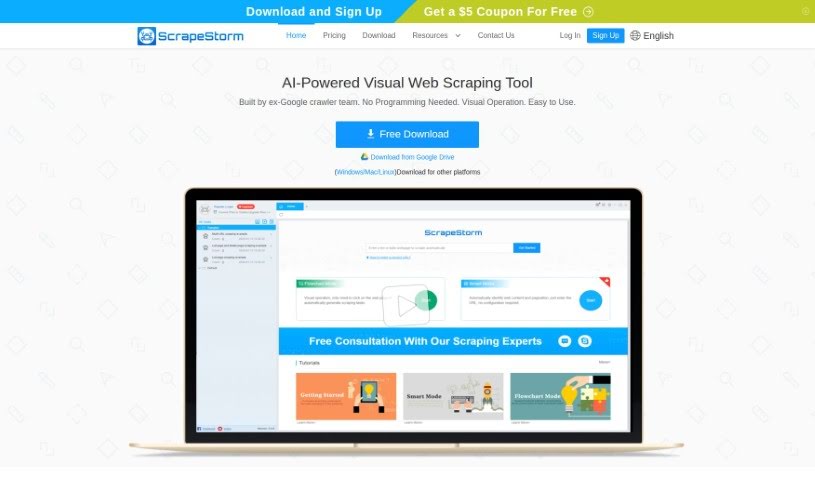
Screenshot of ScrapeStorm

ScrapeStorm

Discover what ScrapeStorm is and how to use it effectively in 2025. Dive into its features and see how it stacks up against other Web Development Tools.

Screenshot

What is ScrapeStorm?

ScrapeStorm is a smart web scraping tool that uses AI to help you pull data from websites without needing to write any code. It was actually developed by a team that used to work on Google’s crawlers, so they know their stuff! What’s really neat is how it intelligently identifies the data you’re looking for. You can also just click on what you want to scrape using its visual interface, and it can even simulate actions like typing or scrolling. Plus, it offers a bunch of ways to get your data out, whether you prefer Excel, CSV, TXT, HTML, or even databases like MySQL, MongoDB, SQL Server, and PostgreSQL. For businesses, they offer special scraping services that include scheduling tasks, rotating IP addresses to avoid blocks, exporting data automatically, and downloading files. You can use ScrapeStorm easily on Windows, Mac, and Linux, and it even saves your scraping tasks to the cloud automatically, so you don’t have to worry about losing your work.

Who created ScrapeStorm?

ScrapeStorm, this AI-powered web scraping tool, was actually built by a team of former Google crawlers. It first came out on June 17, 2021, and its main goal is to let people grab data from websites without needing any coding skills at all. The information doesn’t mention the specific founder, but the team behind it clearly has deep expertise. ScrapeStorm is packed with features like smart data identification, visual click operations, and lots of ways to export your data. They also offer enterprise scraping services and support cloud accounts, making it super convenient to use.

What is ScrapeStorm used for?

ScrapeStorm is incredibly versatile, making data extraction much simpler. Here’s a breakdown of what it’s great for:

  • Effortless Data Identification: It automatically finds data without you needing to do any manual setup. Think lists, tables, and even pagination buttons – it handles them all.
  • User-Friendly Interface: You can easily point and click on the data you want using its visual interface. It even has a Flowchart Mode to help you create scraping rules.
  • Simulating Real User Actions: Need to type text, click buttons, or move a mouse? ScrapeStorm can do that, mimicking how a real person would interact with a website.
  • Flexible Data Export: Get your data in whatever format works best for you, including Excel, CSV, TXT, HTML, and various database options.
  • Powerful Enterprise Features: For businesses, it offers advanced capabilities like scheduling tasks, rotating IP addresses to avoid detection, and automatic data export.
  • Convenient Cloud Access: Your scraping tasks are saved to the cloud, so you can access them from any computer.
  • Works Everywhere: It supports all major operating systems – Windows, Mac, and Linux.
  • Streamlined Workflow: It’s designed to save you time by automating and simplifying the entire data extraction process.
  • AI-Powered Automation: It uses AI technology to make web scraping easier and more efficient.
  • No Coding Required: Perfect for anyone, whether you’re an individual, part of a team, or a large enterprise.
  • Capturing Diverse Data: It intelligently identifies all sorts of data, from simple text and forms to images, prices, phone numbers, and emails.

Who is ScrapeStorm for?

ScrapeStorm is a fantastic tool for a wide range of professionals who need to gather data efficiently:

  • Data Analysts
  • Researchers
  • Marketing professionals
  • Business analysts
  • Content managers
  • Recruiters
  • Sales professionals
  • Journalists
  • Web Developers
  • Anyone involved in data analysis or market research
  • E-commerce business owners
  • SEO specialists

How to use ScrapeStorm?

Using ScrapeStorm is pretty straightforward. Just follow these steps to get started:

  1. Download and Install: First, grab ScrapeStorm from its official website and install it on your computer. The process is usually quite simple.
  2. Open the Program: Once installed, launch ScrapeStorm. You’ll see its user-friendly interface, ready for you to start your data collection.
  3. Create a New Task: Click on “New Task” to set up a new project. You can choose what kind of scraping you want to do, like extracting web data.
  4. Enter the Website URL: Type in the web address of the site you want to scrape. You can also specify the exact data fields you’re looking for.
  5. Set up Data Extraction Rules: This is where the visual part comes in. Just point and click on the website elements you want to grab – text, images, links, you name it.
  6. Run the Task: When you’re all set with the rules, hit the “Run” button. ScrapeStorm will then start collecting the data you’ve specified.
  7. Review and Export Data: After it’s done, take a moment to check the data for accuracy. Then, you can export it in formats like CSV, Excel, or JSON.
  8. Schedule Tasks (Optional): If you need data collected regularly, you can use the scheduling feature to have ScrapeStorm run tasks automatically at set times.
  9. Save and Exit: Don’t forget to save your project so you can come back to it later. Then, just close the application when you’re finished.

Following these steps will help you make the most of ScrapeStorm for all your web scraping and data extraction needs.

Related AI Tools

Discover more tools in similar categories that might interest you

Stay Updated with AI Tools

Get weekly updates on the latest AI tools, trends, and insights delivered to your inbox

Join 25,000+ AI enthusiasts. No spam, unsubscribe anytime.