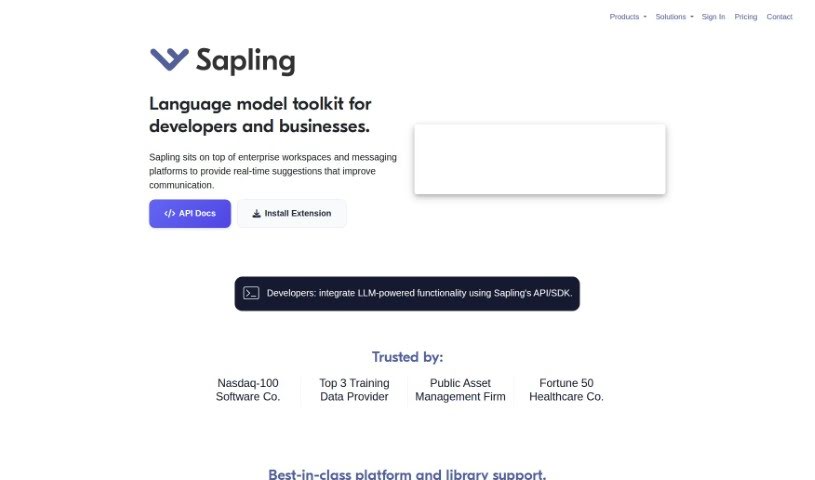
Screenshot of Sapling

Sapling

Discover what Sapling is and how to use it effectively in 2025. We'll explore its features and compare it to other Large Language Models.

Screenshot

What is Sapling?

Sapling is a smart assistant, or copilot, built specifically for teams that interact directly with customers. Its main goal is to help these teams make their customer responses better and faster. It does this by offering suggestions right when you’re typing, giving you prompts based on what’s happening in the conversation, and learning from every interaction to get even smarter over time. Plus, Sapling has a powerful API, which means it can easily connect with the messaging tools you already use. This helps businesses make their customer service smoother and more automated. Because Sapling is so adaptable and uses a really capable language model, it helps customer-facing teams provide outstanding service by giving them accurate, personalized, and timely answers.

Who created Sapling?

Sapling was developed by a talented group of people who have backgrounds at places like Berkeley AI, Stanford AI, Y Combinator, and OpenAI. Their vision is to offer an AI language copilot that’s tailor-made for customer-facing teams, aiming to boost both the quality and efficiency of customer interactions. Sapling provides suggestions in real-time, offers context-aware prompts, and uses machine learning to continuously improve customer service. The platform can be adjusted for different industries, with a strong focus on making sure responses are accurate and feel personal, ultimately making customer interactions much better.

What is Sapling used for?

Sapling is incredibly versatile and can be used for a variety of tasks:

  • Enterprise Security: It helps keep your business secure.
  • Boosting Customer Service: It uses advanced language models to ensure your responses are accurate and tailored to each customer.
  • Smoother Customer Interactions: Get real-time suggestions and context-specific prompts to make conversations flow better.
  • Improving Response Quality & Efficiency: Make your answers sharper and get them out faster.
  • Cutting Down Repetitive Tasks: Free up your customer-facing teams from doing the same thing over and over, so they can be more productive.
  • Polishing Grammar: It enhances your grammar and language use, ensuring your communication always sounds professional.
  • Sharing Team Knowledge: Keep your team’s collective wisdom accessible through a snippet library that works everywhere you chat online.
  • Handling High Volumes: Respond to more customers efficiently and increase customer satisfaction by providing real-time, human-assisted responses.
  • Gaining Business Insights: Understand what your customers are saying by analyzing conversations using natural language processing.
  • Tracking Trends: Keep an eye on popular topics and emerging trends so you can quickly address any issues.
  • Automated Quality Scoring: Evaluate your teams and agents efficiently with automatic scoring.
  • Responding to More Customers: Handle a larger volume of customer inquiries.
  • Reducing Response & Handle Time: Speed up how quickly you get back to customers and resolve their issues.
  • Improving Grammar & Language: Ensure all communication is clear and professional.
  • Distributing Knowledge: Make sure everyone on the team has access to the information they need.
  • Increasing Efficiency & Satisfaction: Boost productivity and make customers happier.
  • Getting Business Insights: Learn valuable information from your customer conversations.
  • Easy Setup: Get started with a simple, two-click installation.
  • Optimizing Interactions: Make every customer conversation as effective as possible.
  • Streamlining Service: Automate and simplify your customer service processes.
  • Personalized Service: Provide accurate and personalized responses to enhance the customer experience.
  • Reducing Time: Cut down on response and handling times.
  • Better Language: Improve the quality of your grammar and overall language.
  • Knowledge Sharing: Distribute important information easily through a snippet library.
  • Boosting Satisfaction: Increase efficiency and make customers happier.
  • Real-time Help: Manage high volumes with real-time, human-in-the-loop responses.
  • Insightful Data: Gain business insights from your customer conversations.
  • Trend Monitoring: Track topics and trends for quick adjustments.
  • Quality Evaluation: Use automated quality scoring to assess teams and agents.

Who is Sapling for?

Sapling is a great tool for:

  • Customer service representatives
  • Business Communication Teams
  • Anyone on a customer-facing team

How to use Sapling?

Here’s a straightforward guide to using Sapling effectively:

  1. Sign Up: Start by registering for an account using your email. You’ll get confirmation instructions shortly after.
  2. Sapling Suggest™: Use this feature within your chat and helpdesk tickets to quickly find and use relevant responses.
  3. Autocomplete Everywhere™: This uses deep learning to give you smart autocomplete suggestions, helping you write replies much faster.
  4. Snippet Macros: Insert common responses in a flash with these handy macros.
  5. Grammar & Language: Improve your writing quality with Sapling’s machine learning system.
  • Quality Scoring & Coaching: Use the quality scoring and error reports to spot areas where you or your team can improve communication.
  • AI Copilot for Responses: Rely on Sapling’s language model copilot to craft accurate and personalized customer responses.
  • Continuous Improvement: Benefit from real-time suggestions, contextual prompts, and machine learning to keep getting better.
  • API Integration: Connect Sapling seamlessly with your existing messaging platforms using its robust API.
  • Customization: Tailor Sapling to fit the specific needs of your business or organization.
  • Knowledge Distribution: Share knowledge effectively by using a snippet library for quick access.
  • Business Insights & Monitoring: Keep track of business insights, trends, and team performance with automated quality scoring.

By following these steps, you can really make the most of Sapling. It’ll help you smooth out customer interactions, make your responses better, and ultimately boost customer satisfaction.

Related AI Tools

Discover more tools in similar categories that might interest you

Stay Updated with AI Tools

Get weekly updates on the latest AI tools, trends, and insights delivered to your inbox

Join 25,000+ AI enthusiasts. No spam, unsubscribe anytime.