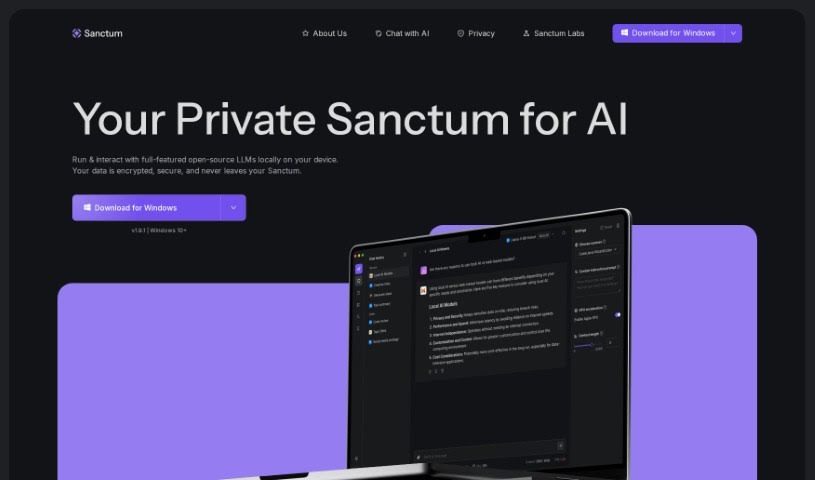
What is Sanctum?
Sanctum is a really neat AI assistant designed specifically for Mac users, and the best part? It runs entirely on your own device. This means it’s a privacy-first solution, letting you chat with open-source Large Language Models (LLMs) right from your Mac. All your information stays encrypted and safe on your machine, giving you peace of mind. Sanctum aims to make using AI tools convenient, private, and secure. They’re planning to add even more models and support for other platforms down the line, too. It works best on MacOS 12 and newer, and it’s optimized for both Apple Silicon and Intel processors.
Who created Sanctum?
Sanctum was developed by a team passionate about giving people, developers, and organizations more control over their AI tools with a strong focus on privacy. They’ve built a local AI assistant for Mac users, allowing them to run and interact with open-source LLMs directly on their computers. Sanctum really prioritizes your privacy by encrypting and processing all data locally, so your personal information stays secure and private. With plans to expand to more platforms and regular updates, Sanctum is shaping up to be a really secure and accessible AI tool.
What is Sanctum used for?
Sanctum is super versatile! You can use it for:
- Creating content: Whether it’s articles, social media posts, or creative writing, Sanctum can help.
- Brainstorming ideas: Stuck on a project? Bounce ideas off Sanctum.
- Analyzing personal and financial data: Keep your sensitive information private while you work with it.
- Other data-sensitive tasks: Anything where privacy is key.
- Development projects: Integrate AI capabilities into your own applications.
- Exploring more models: They’re planning to add support for even more LLMs.
- Custom machine learning: Tailor AI to your specific needs.
- Multi-platform capabilities: Look forward to support for iOS, Android, Windows, and Linux.
- Using feature-rich open-source LLMs: Access a wide range of powerful models.
- Private chatting, asking questions, and summarizing PDFs: Get answers and insights without sharing your data.
- Easily switching between different open-sourced models: Find the perfect model for each task.
- Enjoying advanced AI without needing internet: Work offline with powerful AI.
- Staying privacy-focused with encrypted data storage: Your data is always protected.
Who is Sanctum for?
Sanctum is a great fit for:
- Developers looking for private AI tools.
- Organizations that need secure AI solutions.
- Individuals who value their data privacy.
How to use Sanctum?
Here’s a simple guide to getting started with Sanctum:
1. Installation:
- First, download Sanctum for MacOS 12+ directly from their official website. It’s a straightforward process.
- Once downloaded, install the application onto your Mac. This sets you up for local AI processing.
- Good news: you won’t need an internet connection after Sanctum is installed and ready to go.
2. Privacy and Security:
- Sanctum is built with your privacy in mind, ensuring your data stays private and secure right on your Mac.
- Everything is encrypted and processed locally, meaning your data never leaves your device.
3. Accessing Models:
- You can easily interact with thousands of open-source Large Language Models (LLMs) thanks to its Hugging Face integration.
- Just check which models are compatible, download them directly through Sanctum, and start using them!
4. Usage Scenarios:
- Feel free to use Sanctum for all sorts of tasks, like analyzing your personal or financial data, creating content, and much more.
- You get a completely private environment for chatting, asking questions, and summarizing PDF files.
5. Key Features:
- Run AI directly on your device without needing an internet connection.
- Switch between models smoothly to find the best one for whatever you’re doing.
- Stay ahead with future updates that will bring more model support and compatibility across different platforms.
6. Pricing and Tags:
- Explore all the features of Sanctum, your desktop AI assistant designed for private AI interactions.
- You’ll benefit from encrypted data storage and great support for open-source Large Language Models.
Sanctum really is the best tool for running AI locally on your Mac while keeping your privacy and security top-notch. You get to enjoy all the sophisticated features of AI, knowing your data is safe and private on your device. This makes it perfect for personal use, professional tasks, and development projects. Keep an eye out for upcoming updates and additional model support to ensure you always have a cutting-edge AI experience.