What is Releaso?
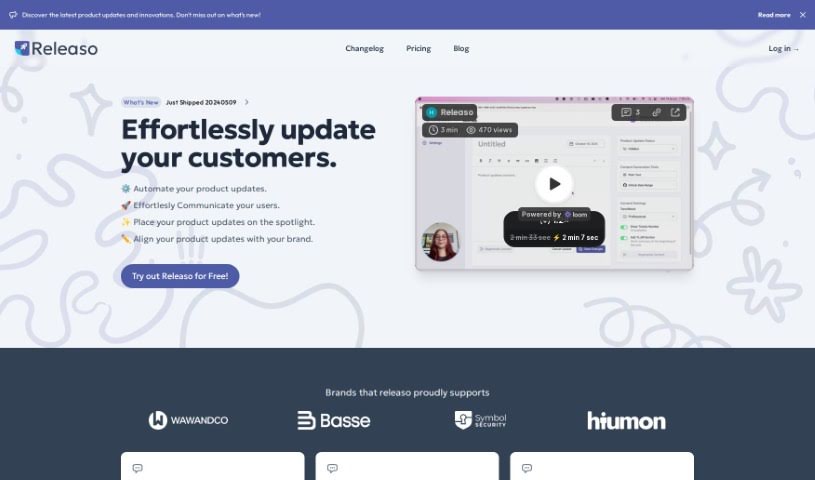
Releaso is a handy tool designed to make communicating product updates much smoother. It connects with your development tools, like GitHub, to automatically create AI-powered release notes. This means you can say goodbye to the tedious manual work of telling your customers about changes. Plus, it helps you keep your brand’s message consistent every time. Releaso also makes it super simple to share these updates with your customers – just one click, and they’re published right on your website. This really boosts how you connect with your audience and makes communication more efficient. They offer different pricing plans to fit where you are in your journey, with features like keeping all your data in one place, lots of customization options, and that seamless GitHub integration for generating updates.
Some of the really great things Releaso offers include:
- Centralized and Automated Data: It gathers and manages your data, using AI to help you connect with customers.
- Customization: You can tweak things to match your brand perfectly.
- GitHub Integration: It connects smoothly with GitHub to help generate your updates.
- AI-Generated Notes: Get notes created by AI that you can then customize to fit your brand.
- One-Click Publishing: Share your updates with customers easily by posting them directly to your site.
With Releaso, you can also expect benefits like:
- Automated Content Creation: It generates content for you.
- Subscriber Management: Keep track of who’s following your updates.
- Customizable Branding: Make everything look like your brand.
- Personalized Experiences: Create unique experiences for your audience.
- Audience Interaction: Features designed to get your audience involved.
- Community Building: Foster a lively community around your product updates.
Who created Releaso?
Releaso was brought to life by a dedicated team, with its founder at the helm. Their main goal is to offer a communication tool that makes sharing product updates effortless, ultimately improving how businesses connect with their customers. The platform works by linking up with development tools like GitHub, which allows it to generate AI-driven notes and really simplify the whole communication process. Releaso also gives you the power to customize your branding and makes sharing updates a breeze, so your customers always have the latest information right at their fingertips.
What is Releaso used for?
Releaso is fantastic for a variety of tasks:
- Automating Product Updates: It can generate and polish your updates from simple text or by connecting to GitHub.
- Customizing Update Websites: You can easily tailor your product update pages with your brand’s colors and logos, keeping everything consistent.
- Engaging Customers: Make your updates more interactive with features like email notifications and customer reactions.
- Centralizing Data & Automating Communication: It helps manage your data and automate communication for smarter customer engagement.
- Tailoring to Your Brand: It works with your specific brand elements for consistent messaging.
- Seamless GitHub Integration: Connects easily with GitHub to help create your updates.
- One-Click Publishing: Share your updates with customers quickly and easily by posting them directly to your website.
- Saving Time: Get professional and engaging updates done effortlessly.
- Transforming Updates: Turn your product updates into engaging experiences that inform and inspire your audience.
- Building Community: Create a space for dialogue and interaction around your updates, fostering a vibrant community.
Who is Releaso for?
Releaso is a great tool for a wide range of people and teams:
- Software developers
- Product Managers
- Marketing professionals
- Customer Success Managers
- Startup Founders
- Individuals
- Small Teams
- Growing businesses
- Professionals in general
- Marketing teams
- Release Managers
- DevOps Engineers
- Technical Writers
How to use Releaso?
Ready to get the most out of Releaso? Here’s a simple guide:
- Sign Up: First, sign up for Releaso. You can choose a plan that fits your needs – they have Basic, Pro, and Business options, or you can even get a Custom plan if you have very specific requirements. Just follow the link to get started.
- Integrate Development Tools: Connect Releaso with your development tools, especially GitHub. This step is key to making the update generation process super smooth.
- Automate Updates: Jump into using Releaso’s automation features. You can generate polished product updates without breaking a sweat, which saves you time and keeps everything looking consistent.
- Customize Branding: Make your product update website truly yours! Personalize it with your brand’s colors and logos to keep your brand identity strong.
- Engage Customers: Turn those updates into something your customers will actually want to interact with. Use features like email notifications and reactions to encourage conversation and build a lively community around what you’re releasing.
- Receive AI-Generated Notes: You’ll get AI-generated notes sent to your email. You can then customize these to perfectly match your brand before you share them with your customers.
- Share Updates: Sharing is simple with the one-click publishing system. Your updates will automatically go live on your site, making it easy for everyone to see.
By following these steps, you can use Releaso really effectively. It helps you communicate product updates to your customers with minimal effort, keeping them engaged and happy. Plus, you get to harness the power of artificial intelligence to make your customer communication even better.