QRBTF (Web Development)
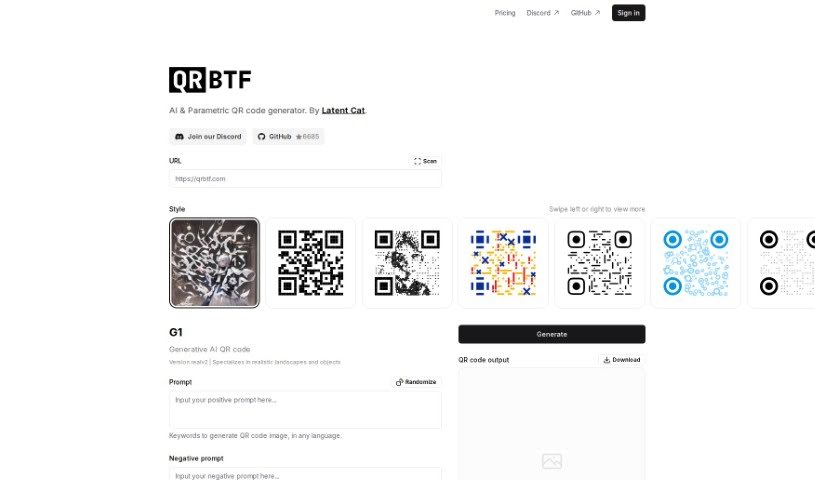
Screenshot of QRBTF

QRBTF

Discover QRBTF, a platform for creating unique, generative QR codes with AI-powered tools and an open-source customizer, plus a community gallery for

Screenshot

What Is QRBTF?

QRBTF is a platform for creating generative QR codes — codes that are functional and visually distinctive. It consists of two main tools:

  • QRBTF AI: generates unique, one-of-a-kind QR codes designed to make your links stand out.
  • QRBTF Classic: an open-source front-end tool, available on GitHub, for customizing and beautifying QR codes yourself.

The platform is community-oriented, with a Discord server, a gallery of user-created QR codes for inspiration, and documentation on the site’s ‘Doc’ section.

Who’s Behind QRBTF?

QRBTF was created by Latent Cat, a company focused on fresh approaches to QR codes. Latent Cat maintains both QRBTF AI and the open-source QRBTF Classic, encourages users to join its Discord server, features user-generated QR codes, and provides detailed documentation.

What Can You Do With QRBTF?

  • Design unique QR codes with QRBTF AI’s generative capabilities.
  • Customize with open source using QRBTF Classic from GitHub.
  • Connect with the community on the QRBTF Discord server to swap tips and share creations.
  • Find design inspiration in the gallery of QR codes made by other users.
  • Get help from the thorough documentation in the ‘Doc’ section.

Who Should Use QRBTF?

QRBTF suits anyone who wants to generate QR codes, especially users interested in AI-powered creation, beautifying standard codes, or working with open-source tools.

How to Start Using QRBTF

  1. Explore the platform: visit the QRBTF website, where you’ll find QRBTF AI for generative codes and QRBTF Classic for custom designs.
  2. Create your QR codes: choose QRBTF AI for eye-catching generative results, or QRBTF Classic for personalized designs via its open-source front-end tool on GitHub.
  3. Join the community: the Discord server is a place to chat with other users, share your work, and follow QR code design trends.
  4. Browse the gallery: see what other users have created to spark ideas for your own designs.
  5. Consult the documentation: the ‘Doc’ section provides guidance on using the platform’s features.

Related

Related AI Tools

Discover more tools in similar categories

New tools, in your inbox.

Weekly picks of the best AI tools we've researched and added — no spam, unsubscribe anytime.

Join 25,000+ AI enthusiasts. No spam, unsubscribe anytime.