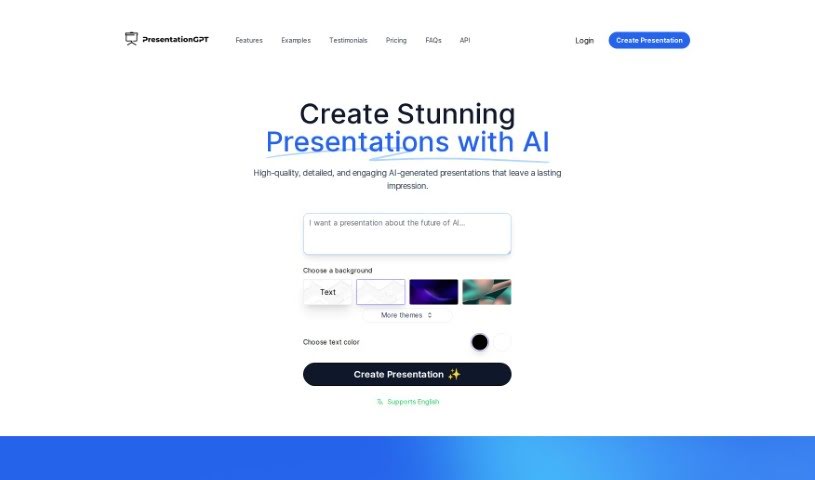
Screenshot of PresentationGPT

PresentationGPT

Discover what PresentationGPT is and how to use it effectively in 2025. We'll explore its features and see how it stacks up against other presentation makers.

Screenshot

What is PresentationGPT?

PresentationGPT is a smart AI tool that helps you create presentations really fast. It uses the powerful GPT-4 language model to whip up custom, great-looking slides in just seconds. You get a bunch of different themes and design templates to play with. Plus, you can easily edit your creations in PowerPoint or Google Slides. There’s a free option, and you can also pay per download if you prefer. It’s designed to be straightforward, with no hidden costs or subscriptions, and people have said it’s great for making professional presentations quickly for all sorts of needs.

Who created PresentationGPT?

PresentationGPT was developed by an unnamed team. It first launched on March 17, 2023, offering AI-generated presentations powered by its advanced GPT-4 language model. The platform lets users create high-quality presentations with various themes and templates. You can use it for free or pay per download, with no hidden fees or subscriptions. It works smoothly with both PowerPoint and Google Slides, making editing and customization a breeze.

What is PresentationGPT used for?

  • Create custom, high-quality presentations in seconds: Get your slides ready in a flash.
  • Generate impressive presentations with AI: Let smart algorithms do the heavy lifting.
  • Download for easy editing: Save your presentations to work on in PowerPoint or Google Slides.
  • Choose from many themes and templates: Find the perfect look for your message.
  • Produce engaging, detailed presentations: Make a lasting impression on your audience.
  • Share your work easily: Get your presentations out there without hassle.
  • Access basic design templates: Get started with simple, effective designs.
  • Download in high-quality, editable formats: Get your presentations as PowerPoint or Google Slides files.
  • Use for professional purposes: Create polished presentations for work.
  • Generate detailed presentations rapidly: Save time with quick AI generation.
  • Make presentations that are uniquely yours: Customize them to fit your exact needs.
  • Quickly create detailed presentations using AI: Let the technology speed up your workflow.
  • Pick from a wide range of themes and templates: Tailor your presentation’s style.
  • Works seamlessly with PowerPoint and Google Slides: Edit your creations wherever you prefer.
  • Enjoy a free plan for unlimited creation: Make as many presentations as you need.
  • Opt for pay-per-download access: Pay only when you need a download.
  • Get high-quality, editable files: Your downloads will be ready for further work.
  • Share presentations with ease: Distribute your work effortlessly.
  • Ideal for professional use: Produce top-notch presentations for business.
  • Users love its simplicity and quality: It’s easy to use and the results are great.
  • Utilize GPT-4 for impressive AI presentations: Leverage advanced AI for your slides.
  • Download presentations to edit in PowerPoint or Google Slides: Flexibility is key.
  • Enhance presentations with various themes and templates: Give your slides a professional touch.
  • Create unlimited presentations with basic templates on the free plan: Get started without cost.
  • Get high-quality downloads and more with the pay-per-download option: Unlock extra features.
  • Edit your downloaded presentations in PowerPoint or Google Slides: Keep your workflow smooth.
  • Produce presentations for any professional need: From reports to pitches.
  • Appreciated for simplicity, transparency, and quality: Users find it reliable and easy.
  • Choose themes and templates to make presentations stand out: Customize your message.
  • Download and edit on PowerPoint or Google Slides: Work your way.
  • Access basic templates and high-quality editable files: Get what you need.
  • Create engaging presentations that leave a lasting impression: Capture your audience’s attention.
  • Generate slides directly from your uploaded files: Streamline content input.
  • Download in editable PowerPoint, non-editable PDF, or editable Google Slides formats: Choose your preferred output.
  • Use for professional purposes with high-quality output and diverse templates: Meet all your business needs.
  • Easily share your PresentationGPT creations: Get your ideas across.

Who is PresentationGPT for?

  • Marketers
  • Sales professionals
  • Managers
  • Educators
  • Students
  • Business professionals
  • Entrepreneurs
  • Consultants
  • Designers
  • Marketing professionals
  • Academic Professionals
  • Social media influencers
  • Executive assistants
  • Freelancers
  • Education professionals
  • Design professionals

How to use PresentationGPT?

Here’s how you can get started with PresentationGPT:

  1. Head over to the PresentationGPT platform. It uses the advanced GPT-4 language model to help you generate presentations.
  2. Pick a theme and design template. This helps you customize your presentation to match your style or message.
  3. Generate your presentation with AI. The algorithms will create detailed and engaging content for you.
  4. Download your presentation. You can get it as a high-quality, editable PowerPoint file, a non-editable PDF, or an editable Google Slides deck.
  5. Edit as needed. Open your downloaded file in PowerPoint or Google Slides to make any final tweaks.
  6. Explore the free plan. It lets you create unlimited presentations with basic design templates and share them easily.
  7. Consider the pay-per-download option. For $4.99 per download, you get extra features like high-quality downloads and unlimited presentations.
  8. Enjoy transparent pricing. There are no hidden fees or subscriptions, just clear options.
  9. Customize, share, and create with ease. The interface is user-friendly, making presentation creation fast and efficient.

PresentationGPT really shines because it’s simple to use, works with both PowerPoint and Google Slides, offers lots of design templates, and provides a great user experience. People like that it can quickly create high-quality presentations without needing complicated software or ongoing subscriptions.

Related AI Tools

Discover more tools in similar categories that might interest you

Stay Updated with AI Tools

Get weekly updates on the latest AI tools, trends, and insights delivered to your inbox

Join 25,000+ AI enthusiasts. No spam, unsubscribe anytime.