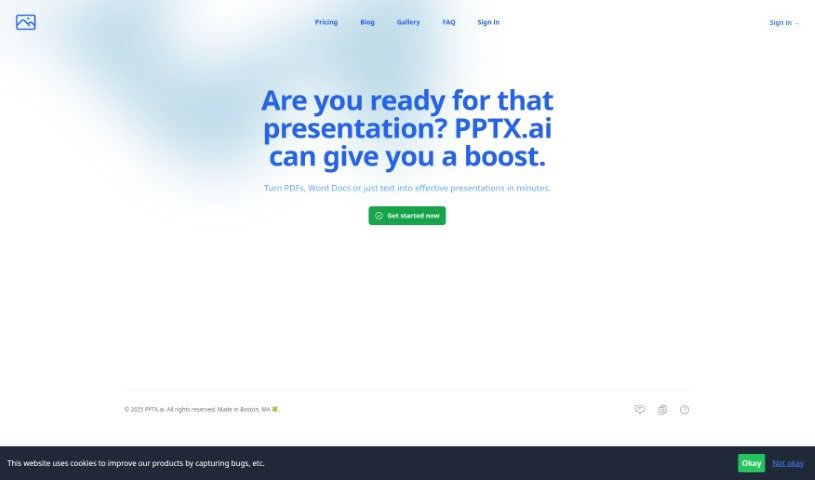
Screenshot of Pptx

Pptx

Discover what PPTX.ai is and how to use it for creating stunning presentations in 2025. We'll cover its features, compare it to other presentation tools, and show you how to get started.

Screenshot

What is PPTX?

PPTX.ai is a smart tool that uses Artificial Intelligence (AI) specifically for making PowerPoint presentations. It is your AI assistant for slides! It helps you create really good-looking presentations without needing to be a design expert. The interface is super easy to use; you can just upload files like PDFs, Word documents, or plain text files, and it’ll whip up high-quality slides for you. If you prefer, you can also just type in a description of what you need, and the AI will design tasteful slides based on your input. A really neat feature is that it supports multiple languages, so you can create presentations and even speaker’s notes in different languages. This makes it a great option for anyone around the world. Essentially, PPTX.ai focuses on giving you visually appealing and engaging presentation materials, cutting out a lot of the usual design hassle and manual work.

Who created PPTX?

PowerPoint (PPTX), the AI tool, was actually created by a developer named @Raj, who’s based in Boston, MA. He launched it on June 7, 2024. The goal was to give people an AI-powered way to create really nice-looking PowerPoint presentations. With PPTX.ai, you can either upload different file types or just describe what you want, and the tool generates great slides for you. It’s all about making the process of creating engaging presentations much smoother by using AI. Plus, it’s a big help for global users since it supports multiple languages.

What is PPTX used for?

Here’s a rundown of what you can do with PPTX.ai:

  • Create eye-catching slides: Make your presentations visually appealing.
  • Convert files to slides: Easily generate high-quality slides from PDFs, Word Docs, and Text Docs.
  • Multilingual support: Craft presentations and speaker’s notes in various languages.
  • Direct delivery: Get your final slides sent straight to your inbox.
  • AI-powered enhancements: Supercharge your slides using AI technology.
  • Boost efficiency: Improve the speed and quality of your PowerPoint presentations.
  • Access resources: Find more helpful info on their blog and gallery.
  • Get support: Reach out if you need assistance.
  • Focus on content: Deliver visually appealing and engaging materials without needing advanced design skills or spending hours on manual work.
  • Summarize and create notes: Turn PDFs into presentations, complete with AI-generated speaker’s notes and bullet points.
  • Global usability: Increase accessibility for users worldwide.

Who is PPTX for?

This tool is a great fit for a wide range of people, including:

  • Presenters
  • Students
  • Business professionals
  • Teachers
  • Designers
  • Consultants
  • Researchers
  • Trainers
  • Educators
  • Marketers
  • Project managers
  • Sales professionals
  • Human Resources professionals
  • Event Planners
  • Public speakers

How to use PPTX?

PPTX.ai is an AI tool designed to make creating PowerPoint presentations a breeze. Here’s how you can get started:

  1. Enable JavaScript: Make sure JavaScript is turned on in your browser so you can use all the features.
  2. Upload your files: You can upload various file formats like PDFs, Word Docs, and Text Docs to start building your slides.
  3. Describe your needs: If you prefer, just type in a description of what you want, and the tool will generate slides for you.
  4. Get your slides: The finished slides will be delivered right to your inbox, ready for immediate use.
  5. Go global with languages: Take advantage of the multiple language support to create presentations and speaker’s notes for audiences worldwide.
  6. Explore and enhance: Play around with the different options and functionalities to effortlessly improve your slides using AI.
  7. Enjoy easy design: You’ll get visually appealing presentation materials without needing advanced design skills or doing a lot of manual work.
  8. Find more resources: Visit the PPTX.ai website, created by @Raj in Boston, MA. You’ll find extra helpful content like a blog, a gallery, and contact information for support.

These steps really show how PPTX.ai makes creating engaging PowerPoint presentations much simpler with the help of AI.

Related AI Tools

Discover more tools in similar categories that might interest you

Stay Updated with AI Tools

Get weekly updates on the latest AI tools, trends, and insights delivered to your inbox

Join 25,000+ AI enthusiasts. No spam, unsubscribe anytime.