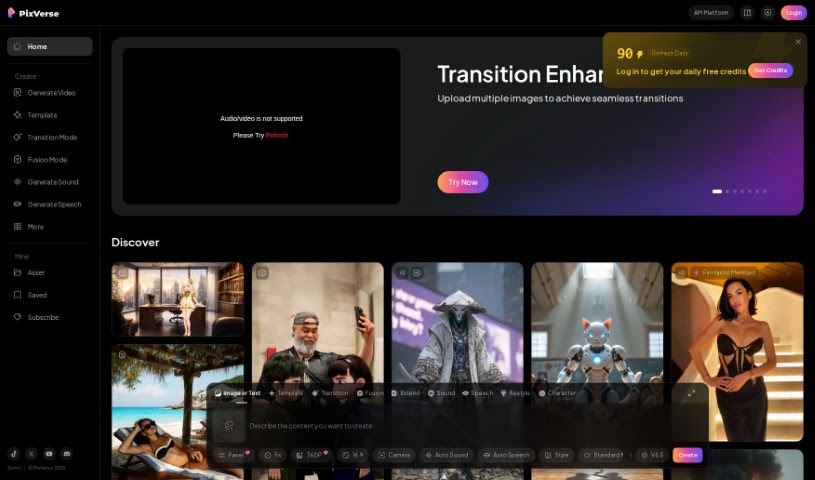
Screenshot of PixVerse AI

PixVerse AI

Discover what PixVerse AI is and how to use it effectively in 2025. We'll explore its features, compare it to other Text-to-Video tools, and show you how to get started.

Screenshot

What is PixVerse AI?

PixVerse is a really cool generative AI tool that lets you make amazing videos just by typing in what you want. It is a way to bring your ideas to life with video. This neat tool, created by the PixVerse team, works right through Discord. You just hop into one of their special ‘generate-room’ spaces, type /create, and off you go! It’s pretty straightforward. What’s great is you can pick the look you’re going for – maybe something super realistic or a cool anime style. You can also tweak things like the video’s shape (aspect ratio) or add ‘negative prompts’ if there’s something you definitely don’t want in the video. Basically, PixVerse makes it easy for anyone to get creative and produce good-looking videos without a lot of fuss.

Who created PixVerse AI?

PixVerse was developed by a team that goes by the name “PixVerse.” They’ve built a powerful AI that can generate impressive videos from simple text descriptions. Right now, you access this tool via Discord. You can join their community spaces and use specific commands to create your video clips. They give you options for the video’s style, like realistic or anime, and you can also adjust the aspect ratio and use negative prompts to guide the AI.

What is PixVerse AI used for?

  • Making awesome videos just by typing what you want.
  • Using Discord as the place to create your videos.
  • Choosing between realistic and anime styles for your videos.
  • Adjusting settings like aspect ratio and negative prompts.

Who is PixVerse AI for?

  • People who create videos using AI.
  • Anyone making content for social media, marketing, or other platforms.
  • Video editors looking for new tools.

How to use PixVerse AI?

Getting started with PixVerse is pretty simple. Here’s how:

  1. First, you’ll need to join the PixVerse Discord server. That’s where you’ll find the tool.
  2. Once you’re in, look for one of the ‘#generate-room’ channels. These are the spaces where the magic happens.
  3. To start making a video, just type the /create command.
  4. Next, tell PixVerse what you want your video to be about by typing a text prompt.
  5. You get to pick the style! Do you want it to look real, or more like an anime?
  6. If you want to get more specific, you can change settings like the aspect ratio or add negative prompts to guide the AI.
  7. Then, just wait a bit. PixVerse will work its magic and generate your video based on everything you’ve told it.

So, to sum it up, PixVerse is a generative AI video model that lets you create engaging videos by giving it text prompts through Discord. You can customize a lot of the settings, like choosing between realistic or anime styles, to make sure the final video is just how you like it.

Related AI Tools

Discover more tools in similar categories that might interest you

Stay Updated with AI Tools

Get weekly updates on the latest AI tools, trends, and insights delivered to your inbox

Join 25,000+ AI enthusiasts. No spam, unsubscribe anytime.