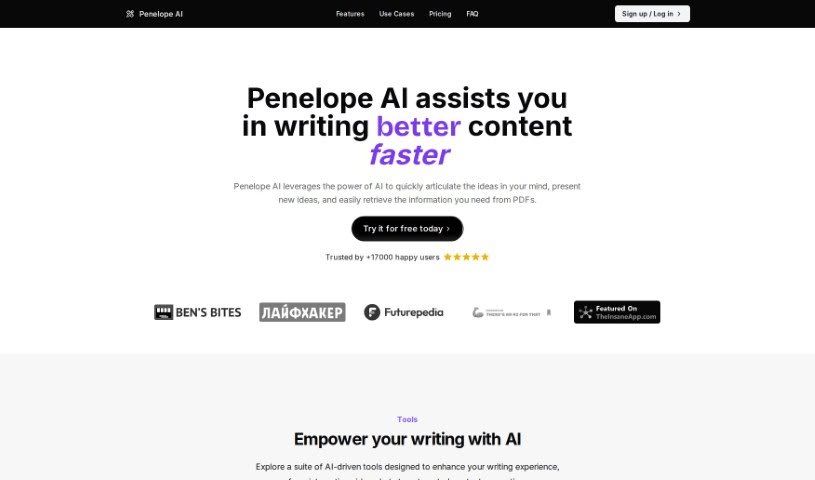
What is Penelope AI?
Penelope AI is essentially a markdown editor that’s been supercharged with AI capabilities to help you write more efficiently. It is your smart writing assistant. It offers handy features like auto-completion (it guesses what you want to type next!), paraphrasing (to rephrase sentences), summarizing (to condense long texts), and even story generation. You can use it for all sorts of writing projects – whether you’re working on a thesis, drafting an email, creating a blog post, or even whipping up a tweet. The main goal here is to speed up your writing, help you come up with fresh ideas, and make composing different kinds of content, like emails and blog posts, a breeze.
Who created Penelope Ai?
Penelope AI was developed by an AI company called Benswrites. They launched it on December 19, 2022. Benswrites’ vision was to create a markdown editor that felt like a natural extension of your writing process, thanks to its embedded AI features. These features include auto-completion, paraphrasing, summarizing, and story generation. The company is really focused on making the writing experience better and helping people write faster, whether it’s for academic work, professional communication, or social media.
What is Penelope Ai used for?
Penelope AI can really help you out with a variety of writing tasks:
- Craft compelling essays with ease and precision. You can write essays that are both well-argued and easy to read.
- Generate engaging and well-structured blog content quickly. Get your blog posts written faster and make them more interesting for your readers.
- Streamline your research process with clear and concise writing. Make your research notes and findings easier to understand and organize.
- Create professional and impactful LinkedIn updates effortlessly. Craft posts that stand out and make a good impression on your professional network.
- Create engaging and informative newsletters. Keep your audience updated with well-written and captivating newsletters.
- Transform your ideas into a well-organized and polished book. Take your book concept from a rough idea to a structured manuscript.
- Transform ideas into a well-organized and polished book. (Yes, it’s that useful for book writing – it can help you structure and refine your manuscript!)
Who is Penelope Ai for?
Penelope AI is a great tool for a wide range of people who write:
- Essay writers looking for help with structure and wording.
- Blog writers who need to produce content regularly and engagingly.
- Researchers who need to summarize findings and write clearly.
- LinkedIn content creators aiming for professional and impactful posts.
- Newsletter writers wanting to keep their subscribers informed and interested.
- Book authors who need assistance with organization and drafting.
Essentially, if you’re involved in:
- Essay writing
- Blog post writing
- Research paper writing
- LinkedIn post creation
- Newsletter creation
- Book writing
…then Penelope AI could be a valuable asset. It’s also perfect for general writers, students, bloggers, Twitter users, professionals working on theses, and anyone who needs to draft emails or create content for their blog.
How to use Penelope Ai?
Using Penelope AI is pretty straightforward. Here’s a simple guide to get you started:
- Sign Up: First, head over to the Penelope AI platform. You’ll see a ‘Log in / Sign up’ option – click that to create your account. The best part? It’s free to use!
- Start Writing: Once you’re logged in, you can jump right into writing. Penelope AI is ready to assist with tools like auto-completion, paraphrasing, summarizing, and story generation, all designed to help with your writing needs.
- Utilize Auto-Complete: This feature is a real time-saver. It tries to guess what you’re going to type next and can even compose sentences for you. To use it, just type
++ or open the menu by typing /.
- Paraphrase and Summarize: Need to rephrase something or condense a long piece of text? Use the paraphrasing and summarizing features. They’re great for adding variety to your writing or getting the gist of lengthy documents quickly.
- Generate Stories: Feeling creative? You can explore the story-generating function. Just input a few key words, and Penelope AI will craft a unique narrative based on your prompts.
- Write Across Various Contexts: Remember, Penelope AI is versatile. You can use it for a wide range of writing tasks, including essays, blog posts, research papers, LinkedIn posts, newsletters, and even book writing.
- Enhance Tweets: Want to make your tweets more engaging? Use features like paraphrasing to create varied and attention-grabbing content that’s more likely to get noticed.
- Boost Writing Speed: Penelope AI is designed to help you write much faster. Its AI functions are there to boost your efficiency, making the whole writing process quicker.
- Take Advantage of the Writing Buddy Feature: Think of the ‘writing buddy’ as your constant companion. It’s there to assist you throughout your writing process, offering support with tasks like rephrasing and generating unique text.
- Work with PDFs: If you need to pull information from PDF documents, Penelope AI makes it easy to interact with them seamlessly.
By following these steps, you’ll be able to get the most out of Penelope AI’s features, making your writing experience both more efficient and more creative.