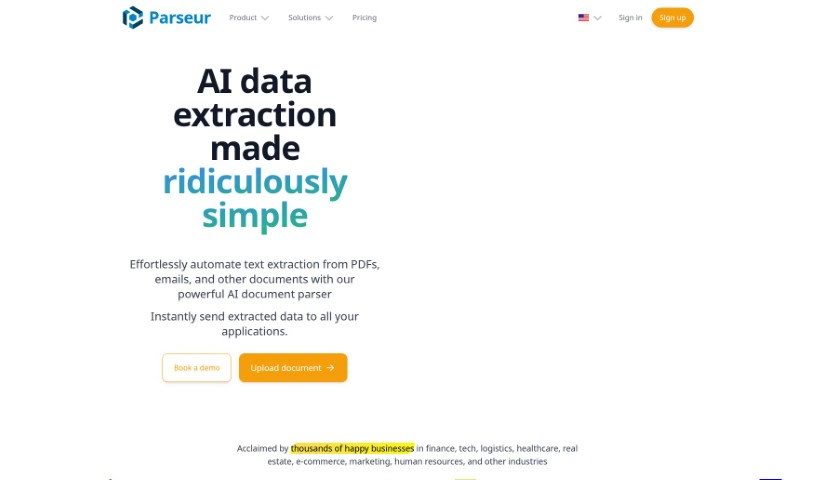
Screenshot of Parseur

Parseur

Discover what Parseur is and how to use it effectively in 2025. We'll explore its features and how it stacks up against other Web Development Tools.

Screenshot

What is Parseur?

Parseur is an AI-powered software designed to automate the process of pulling data from all sorts of places, like emails, PDFs, and other documents. It is a smart assistant that uses artificial intelligence to scan, analyze, and pull out the specific information you need. This really saves businesses a ton of time and effort. What’s great is that it’s customizable, so you can tell it exactly what data to look for and even get alerts when new information comes in. Parseur helps make your data management much smoother, boosts efficiency, and improves accuracy by cutting down on mistakes. It’s easy to use, can grow with your needs, and has a secure setup, plus they’re always working to make it even better with ongoing support.

Who created Parseur?

Parseur, the AI Data Extraction Software, was actually founded by Laurent Maumet. His company is all about creating innovative solutions that make extracting and processing data much more effective. Laurent himself is known for his skill in building tools that simplify data extraction, helping businesses automate and really fine-tune their operations. His goal with Parseur is to make data extraction tasks straightforward for companies of any size, ultimately boosting their efficiency and productivity when it comes to managing data.

What is Parseur used for?

  • Automate text extraction from emails: Pulling out key info from your inbox automatically.
  • Automate text extraction from PDFs: Easily grab text from PDF documents.
  • Automate text extraction from spreadsheets: Get data out of spreadsheets without manual copying.
  • Save hundreds of hours of manual work: Free up your time by letting Parseur handle repetitive tasks.
  • Extract invoice data with AI: Let AI intelligently pull details from your invoices.
  • Extract tables and normalize dates: Automatically grab data from tables and make sure dates are in a consistent format.
  • Automatically split names from full names: Separate first and last names effortlessly.
  • Extract and geolocate physical addresses: Pull out addresses and even figure out their location.
  • Tailor extraction processes to specific needs: Customize exactly how Parseur extracts data to fit your unique requirements.
  • Send parsed data to various applications in real-time: Connect Parseur to other tools so your data flows automatically.

Who is Parseur for?

Parseur is a versatile tool that can benefit a wide range of industries:

  • Finance
  • Tech
  • Logistics
  • Healthcare
  • Real estate
  • E-Commerce
  • Marketing
  • Human Resources

How to use Parseur?

Getting started with Parseur, your AI Data Extraction Software, is pretty straightforward. Just follow these steps:

  1. Sign Up: Head over to the Parseur website and create a free account. It’s the easiest way to jump in and start exploring.
  2. Create Templates: Your first step inside Parseur is usually creating a template, especially if you’re working with PDFs using the OCR engine. This template acts like a guide, showing the software exactly what text to look for and how to extract it from your documents.
  3. Automate Extraction: Now, put that AI-powered software to work! Use it to automate pulling text from emails, PDFs, spreadsheets, and more. This can seriously cut down on the hours you’d otherwise spend doing it manually.
  4. Choose Your Plan: Parseur offers different plans to fit what you need. There’s a free tier for basic use, a base tier with more features, and a scale tier if you’re dealing with a lot of data extraction.
  5. Customize Extraction: Make it work perfectly for you. You can customize the extraction process by setting specific parameters, telling it what kinds of data you need, and even setting up automatic alerts for any new data that gets extracted.
  6. Enhance Efficiency: By using Parseur, you’ll naturally streamline your data management. This means better efficiency and you’ll get more valuable insights from the data you extract.
  7. Integrate with Applications: Want your data to flow seamlessly? You can send parsed data to other applications in real-time. Parseur integrates with tools like Google Sheets, Zapier, Microsoft Power Automate, or you can use webhooks for your own custom applications.
  8. Access Customer Support: If you ever have questions or run into any issues, Parseur’s team offers expert and responsive customer support to help you out.
  9. Ensure Security: You can trust Parseur’s secure infrastructure. They follow best security practices to make sure your data stays safe and protected.
  10. Stay Updated: Parseur is always evolving. You’ll benefit from continuous improvements as they update the product to better meet user needs.

By following these steps, you can really harness the power of Parseur – your AI Data Extraction Software – to automate your data extraction process, making it both efficient and accurate.

Related AI Tools

Discover more tools in similar categories that might interest you

Stay Updated with AI Tools

Get weekly updates on the latest AI tools, trends, and insights delivered to your inbox

Join 25,000+ AI enthusiasts. No spam, unsubscribe anytime.