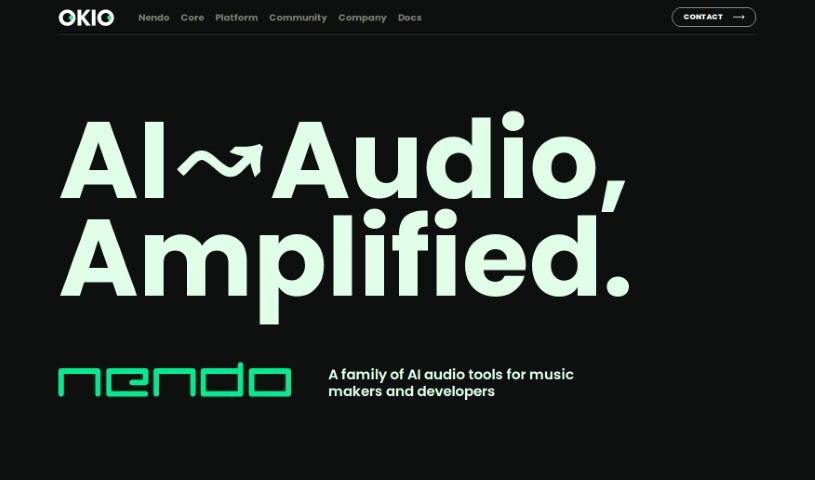
Screenshot of Okio

Okio

Discover what Okio is and how to use it effectively in 2025. We'll explore its features and compare it to other transcription tools.

Screenshot

What is Okio?

Nendo, which you might also know as Okio, is a professional-grade, open-source platform. It uses artificial intelligence to help you manage, analyze, generate, and find audio content. It is a powerful tool for anyone working with a lot of audio, like musicians, sound designers, podcasters, and other audio pros. Okio makes it much simpler to dig through large audio collections thanks to features like advanced search, smart filters, automatic metadata creation, voice transcription, and topic detection. It really streamlines how you handle your audio assets.

Nendo uses AI for a bunch of things: creating metadata, transcribing voice data, summarizing what people say, and figuring out the topics in audio files. You can also group your content into collections, which is a huge help for keeping everything organized and manageable.

Who created Okio?

An undisclosed founder developed Nendo, also known as Okio. It first launched on February 21, 2024. This platform is designed as a professional-grade, open-source solution that harnesses artificial intelligence. Its main purpose is to help manage, analyze, generate, and discover audio content. Okio is particularly useful for musicians, sound designers, podcasters, and other audio professionals who regularly work with extensive audio libraries.

What is Okio used for?

Okio offers a wide range of capabilities for audio professionals:

  • Advanced Search: Find exactly what you need within your audio files.
  • Speech Summarization: Get quick overviews of spoken content.
  • AI Analysis: Deeply analyze large audio libraries with intelligent tools.
  • Metadata Generation: Automatically create metadata for your music.
  • Voice Transcription: Convert spoken words into text accurately.
  • Topic Detection: Identify the main subjects discussed in audio.
  • Sonic Intelligence & Generation: Understand and create audio content, including music and voices, using AI.
  • Natural Language Search: Search your audio libraries using everyday language.
  • Audio Extraction & Manipulation: Easily pull out and work with specific audio segments.
  • Cost-Effective Cloud Usage: Manage your audio efficiently without breaking the bank.
  • Library Management: Handle extensive audio libraries with ease.
  • Data Handling: Generate metadata and transcribe voice data efficiently.
  • Content Tagging: Summarize speech and detect topics to improve searchability.
  • AI-Powered Creation: Create music and voices using advanced AI models.
  • Editing & Viewing: Aids in editing and viewing your audio content.
  • Custom Development: Supports building custom applications.
  • Extensibility: Allows third-party developers to add new features.
  • Privacy: Offers strong privacy assurances.
  • Adaptability: Works well with very large audio libraries.
  • Dynamic Management: Provides flexible ways to manage your audio.
  • Content Analysis: Analyze audio content in detail.
  • Content Generation: Create new audio content.
  • Intelligent Filters: Narrow down your search with smart filtering options.
  • Detailed Descriptions: Get in-depth descriptions of your audio files.

Who is Okio for?

Okio is a valuable tool for:

  • Musicians
  • Sound designers
  • Podcasters
  • Any audio professional

How to use Okio?

Here’s a straightforward guide to using Okio effectively:

  1. Get to Know Nendo (Okio): First, understand that Nendo, also called Okio, is an open-source platform. It uses AI to help you manage, analyze, generate, and discover audio content.
  2. Manage Your Audio Libraries: Nendo is great for handling large audio collections. It offers advanced search, smart filters, and lets you group content, making it much easier to find what you need and stay organized.
  3. Integrate AI: AI is at the heart of Nendo. It powers features like creating metadata, transcribing voices, summarizing speech, detecting topics, and even extracting and manipulating audio for creative projects.
  4. Explore Key Features: You’ll find useful tools like natural language search, detailed audio descriptions, and the ability to create music and voices using AI, alongside robust search functions.
  5. Automate Metadata and Transcription: Nendo automatically generates metadata for music and transcribes voice data. This really boosts efficiency and accuracy when you’re working with audio.
  6. Summarize and Tag Topics: The platform can summarize spoken content and identify topics within audio files, which is super helpful for tagging and making your content searchable.
  7. Leverage Sonic Intelligence: This refers to Okio’s AI capabilities for handling, understanding, and generating audio. It covers everything from transcribing speech to creating music and voices.
  8. Master the Search: Okio’s search uses AI and natural language processing, along with intelligent filters, to help you navigate extensive libraries and find audio files precisely.
  9. Develop Custom Apps: If you’re technically inclined, Nendo has an Apps platform that lets you build custom applications, extending its functionality to suit your specific needs.
  10. Prioritize Privacy and Cost: Being open-source, Nendo gives you control over your privacy. It also offers cost-effective cloud usage and supports third-party apps, which can add even more value to your services.

By following these steps, you can really make the most of Okio (Nendo) for efficiently managing, analyzing, and generating your audio content.

Related AI Tools

Discover more tools in similar categories that might interest you

Stay Updated with AI Tools

Get weekly updates on the latest AI tools, trends, and insights delivered to your inbox

Join 25,000+ AI enthusiasts. No spam, unsubscribe anytime.