What is NeuralCam Neuralbox?
Neuralbox is a really comprehensive platform built to make machine learning and AI workflows much smoother. It is an all-in-one solution that handles everything from getting your data ready, building your models, training them, and finally getting them out into the world. The main idea behind Neuralbox is to simplify what can be a pretty complicated process in AI development by giving you tools and interfaces that are genuinely easy to use. It’s packed with features like data visualization, ways to check how well your models are performing, and even automating the deployment process. This means you can create and launch machine learning models much more efficiently. It’s designed to be helpful for everyone, whether you’re just starting out in AI or you’re a seasoned data scientist looking for a user-friendly environment to build and deploy your AI solutions effectively.
Who created NeuralCam Neuralbox?
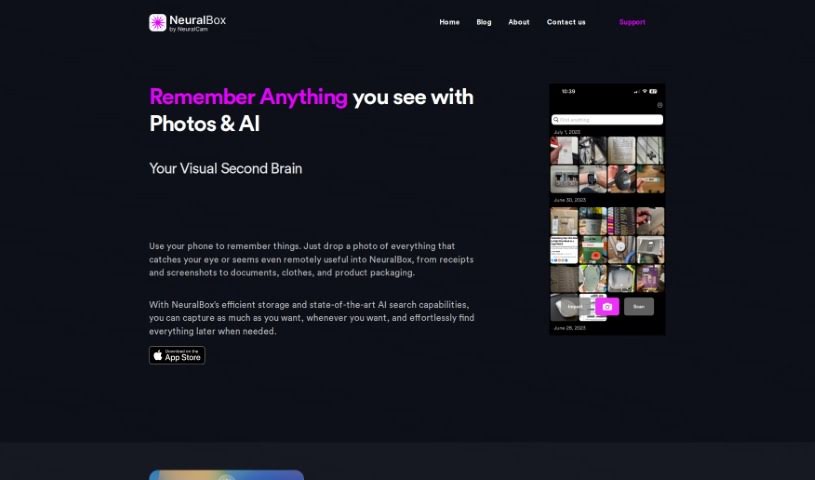
Neuralbox was actually created by a company called NeuralCam. They officially launched it on June 17, 2024. NeuralCam is also the team behind the mobile app, NeuralBox. This app acts like a visual second brain for users, letting you capture, remember, and organize all sorts of information just by taking photos. The AI then helps store and retrieve this information really efficiently.
What is NeuralCam Neuralbox used for?
- Taking visual notes efficiently: It’s great for quickly capturing and organizing visual information.
- Automating screenshot imports: No need to manually save them; the app can handle it.
- Easy image capture: Snap photos quickly and easily.
- OCR search capabilities: Find text within your images.
- Search with simple descriptions: Describe what you’re looking for, and the AI helps find it.
- Image similarity browsing: Find pictures that look alike based on their visual characteristics.
- Efficient on-device storage: Keep your photos organized right on your phone.
- Cloud storage support: Back up your photos to the cloud for extra safety and space.
- Unclutter your main photo gallery: Keep your personal photos separate from your ‘utility’ photos.
- Quick-add lock screen widget: Grab a photo instantly without unlocking your phone.
- Organizing photos: Use AI-powered image and OCR search to keep everything tidy.
- Finding specific items: Locate objects or text in images using simple descriptions.
- Locating images by appearance: Find photos based on color, texture, or shape resemblance.
- Storing and retrieving photos efficiently: Get to your images quickly when you need them.
- Capturing and indexing photos: Store pictures of objects and let AI models index them.
- Recognizing text: Use OCR technology to read text within your images.
- Browsing similar images: Easily find pictures that share visual traits like color, texture, and shape.
- On-device and cloud storage: Keep your photos organized both locally and in the cloud.
- Clearing your main gallery: Store ‘utility photos’ separately to keep your personal gallery clean.
- Importing screenshots: Bring screenshots directly into NeuralBox or set it to auto-import.
- AI-powered organization: Use smart features to manage your photos with image and OCR search.
- Finding content with descriptions: Locate specific objects or text in images using simple text.
- Efficient storage and retrieval: Leverage AI to manage your photo collection effectively.
- OCR text recognition: Read and search text within your images.
- Visual similarity search: Browse and find images that look alike.
- Cloud storage for ample space: Use cloud storage for plenty of room and easy access.
- NeuralBox Plus subscription: Get unlimited photo storage, a document scanning mode, 50GB of cloud storage, and sync across all your devices.
- Lock screen widget: Use a handy widget for quick image capture right from your lock screen.
- Screenshot importing: Import screenshots directly or set up auto-import when the app opens.
Who is NeuralCam Neuralbox for?
This platform is designed for a wide range of professionals working with data and AI:
- Data Scientists
- Machine Learning Engineers
- Software Developers
- AI Researchers
- Business Analysts
- Data Analysts
- Product Managers
- Research Scientists
- Statisticians
- DevOps Engineers
How to use NeuralCam Neuralbox?
To get the most out of NeuralBox, here’s a simple guide:
- Capture and Organize Your Photos:
- Make the most of the AI-powered features for efficient storage and quick retrieval of your images.
- Use the AI image and OCR search tools to easily find specific objects or text within your photos.
- Check out the image similarity browsing function – it’s a neat way to find pictures that look alike.
- It’s super easy to store photos of receipts, documents, screenshots, and anything else you need to keep track of.
- Import Screenshots:
- You can use the Share extension to import screenshots directly into the app.
- Or, if you prefer, you can set it to auto-import screenshots, so they’re added to NeuralBox automatically.
- Sync and Storage Options:
- Take advantage of the cloud storage options for plenty of space to keep all your images.
- If you go for NeuralBox Plus, you’ll get unlimited photo storage, a document scanning mode, and 50GB of cloud storage.
- The NeuralBox Plus subscription also lets you sync your data seamlessly across multiple devices.
- Download and Access:
- You can download NeuralBox directly from the App Store if you’re using an iOS device.
- Don’t forget about the quick-add lock screen widget – it’s perfect for capturing images really fast.
- Cost and Features:
- NeuralBox Plus is available for $5.99 per month. This subscription unlocks exclusive features and provides more storage options.
By following these steps, you’ll find it’s really easy to use NeuralBox to organize and store all your photos effectively.