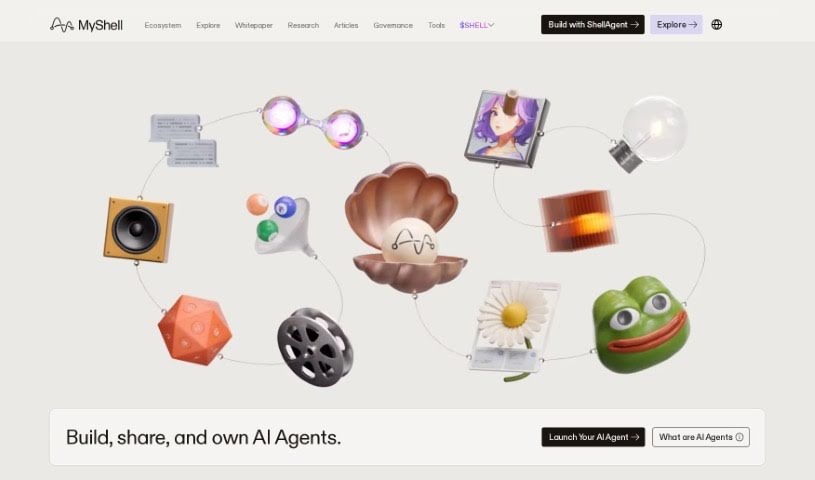
Screenshot of MyShell AI

MyShell AI

Discover what MyShell AI is and how to use it effectively in 2025. We'll walk through its features and see how it stacks up against other App Builders.

Screenshot

What is MyShell AI?

MyShell is a platform designed to create a space where you can easily connect with AI agents. These agents are built by developers and open-source AI researchers. It is a way to have natural conversations, even using voice and video, with AI companions like Shizuku and Emma. What’s really neat is that these AI characters are programmed to respond with actual actions and expressions, making the interaction feel much more real. Beyond just chatting, MyShell is all about empowering creators in this new AI-driven world. It lets you quickly turn your own ideas into AI-native applications, all thanks to powerful generative AI models. This means anyone can become a creator, own their work, and get the recognition they deserve for their innovative ideas.

Who created MyShell AI?

MyShell was actually started by someone named Shizuku. The company’s main focus is on building what they call an ‘AI consumer layer.’ This layer acts as a bridge, connecting users, creators, and open-source AI researchers. By using advanced generative AI models, MyShell makes it super simple for people to bring their ideas to life as AI-native applications. This really helps foster a creator economy, especially in this AI-native era. Essentially, the platform opens the door for anyone to become a creator, take full ownership of what they build, and be recognized for their unique and innovative concepts.

What is MyShell AI used for?

  • It helps build an AI consumer layer, connecting users, creators, and open-source AI researchers.
  • You can have voice and video chats with AI agents that respond with real actions and expressions.
  • It lets you turn your ideas into AI-native apps using the latest generative AI models.
  • It empowers anyone to become a creator, own their work, and get rewarded for their ideas.
  • It makes AI models accessible to creators, helping them become part of the broader AI ecosystem.

How to use MyShell AI?

Ready to dive in? Here’s how you can get started with MyShell:

  1. Visit the Website: Head over to the MyShell website. Here, you can start interacting with AI agents like Shizuku and Emma. They’re set up to have voice and video conversations with you, and you’ll see them respond with real actions and expressions.
  2. Explore the Creator Economy: MyShell offers state-of-the-art generative AI models that you can use to quickly turn your own ideas into AI-native apps. This is a fantastic way for anyone to step into the role of a creator, take ownership of their projects, and get rewarded for their innovative concepts.
  3. Boost Collaboration: MyShell is a great place to connect with other creators and open-source AI researchers. By working together, you can help build out this AI consumer layer, creating a community that brings users and creators together in the AI-native era.
  4. Step Up as an AI Developer: If you’re an AI developer, you can really contribute to this growing ecosystem. Making your models accessible to creators allows them to use your expertise, which in turn helps expand the platform even further.

By following these steps, you’ll be able to effectively use MyShell. You can interact with AI agents, explore the creator economy, collaborate with others who share your interests, and contribute to building new AI applications right on the platform.

This guide should give you a good overview of how to navigate and make the most of what MyShell has to offer, smoothly and effectively.

Related AI Tools

Discover more tools in similar categories that might interest you

Stay Updated with AI Tools

Get weekly updates on the latest AI tools, trends, and insights delivered to your inbox

Join 25,000+ AI enthusiasts. No spam, unsubscribe anytime.