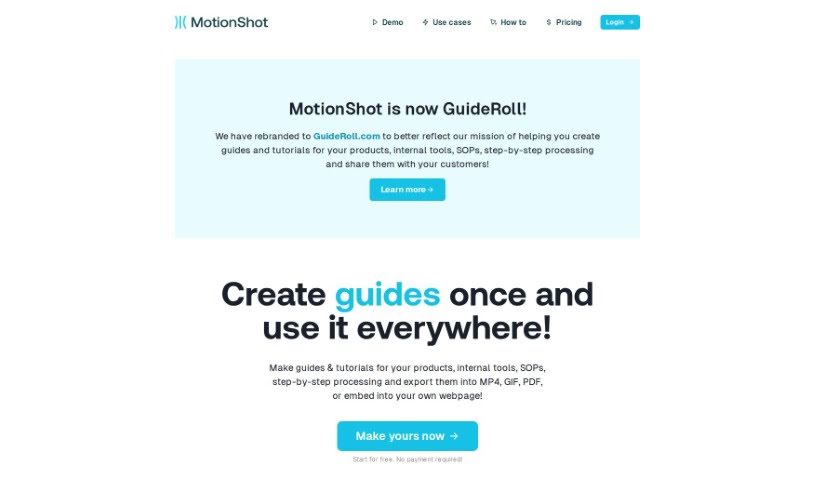
Screenshot of MotionShot

MotionShot

Discover MotionShot in 2025: learn what it is, how to use its features for walkthrough guides, and how it stacks up against other documentation tools.

Screenshot

What Exactly is MotionShot?

MotionShot is a really handy tool designed to help you create detailed walkthrough guides. It’s perfect for documenting browser-based operations, and it does this by capturing screenshots as you go. You can then customize these guides and export them in a bunch of different ways – think MP4 videos, GIFs, PDFs, or even embedding them right onto your website. It makes creating tutorials so much simpler because it automatically grabs your screens and clicks with a handy Chrome extension. Plus, MotionShot lets you customize your guides, create a “MotionShot Hub” to share collections of your guides publicly, and it can really cut down on those customer service questions. It’s great for getting new employees up to speed, creating content, or putting together product guides. You can start with a free plan, or opt for a paid subscription if you need more advanced features.

Who’s Behind MotionShot?

MotionShot was actually created by its founder, and it officially launched on March 2, 2024. The core idea behind it is to make creating detailed walkthrough guides with screenshots for browser-based tasks super easy. It’s a real help for support teams, getting new employees onboarded, and for general content creation or product guides. MotionShot offers both free and paid subscription options, with the paid plans unlocking more advanced capabilities.

What Can You Actually Use MotionShot For?

MotionShot is incredibly versatile! Here’s a breakdown of its common uses:

  • Sales Support: Create clear tutorials for your sales team or prospects.
  • Content Creation: Easily build how-to guides and tutorials for your audience.
  • Employee Onboarding: Streamline the process of bringing new hires up to speed.
  • Onboarding: General onboarding for any new process or system.
  • Product Guides: Develop comprehensive guides for your software or products.
  • Human Resources Tasks: Create clear documentation for HR processes.
  • Help Desk: Reduce support tickets by providing visual answers to common questions.
  • SOPs: Document Standard Operating Procedures effectively.
  • Help Desk Support: Directly assist users with step-by-step visual guides.
  • Standard Operating Procedures (SOPs): Formalize and share operational guidelines.
  • Operations Support: Provide clear instructions for operational tasks.
  • Software Tutorials: Create engaging tutorials for any software application.
  • Internal Tools Training: Train your team on using internal software effectively.
  • Clear Step-by-Step Resources for HR Tasks: Make HR processes easy to follow.
  • Onboarding for Employees: Ensure a smooth start for new team members.
  • Creation of SOP Guides: Develop clear, actionable SOP documentation.
  • Product Guides Creation: Build detailed guides that explain your product’s features.
  • Creation of How-To Guides: Make any process easy to understand with visual steps.
  • Customizing Guides: Tailor the look and feel of your guides to match your brand.
  • Publishing and Embedding Guides: Easily share your guides online or on your website.
  • Reducing Customer Service Inquiries: Proactively answer questions with visual guides.
  • Hosting MotionShot Hub for Public Guides: Create a central, searchable library of your tutorials.
  • Product Guide Creation: Develop comprehensive documentation for your offerings.
  • Standard Operating Procedures (SOPs) Documentation: Ensure consistency and clarity in operations.
  • Knowledge Transfer: Effectively pass on important information and processes.
  • Tutorial Customization: Adapt tutorials to specific needs or audiences.
  • Sharing Guides via Link: Quickly send guides to anyone who needs them.
  • Standard Operating Procedures Documentation: Maintain clear operational standards.
  • HR Tasks: Simplify and document various human resources processes.
  • Sales Tutorials: Create guides that help your sales team close deals or explain products.
  • Operations Tutorials: Provide clear instructions for operational workflows.
  • Software Tutorials for SaaS Companies: Essential for customer success in the SaaS world.
  • Internal Tools Guides: Make sure your team knows how to use your internal systems.

Who Is MotionShot Designed For?

MotionShot is a great fit for a variety of roles and teams:

  • Help Desk Support: To provide visual solutions and reduce ticket volume.
  • Employee Onboarding: To create a smooth and informative welcome for new hires.
  • Content Creation: For anyone building tutorials, guides, or educational materials.
  • Standard Operating Procedures (SOPs): To document and share clear operational guidelines.
  • Product Guides: To help users understand and utilize your products effectively.
  • Customer Support Specialists: To offer clear, visual assistance to customers.
  • Human Resources Managers: To streamline onboarding and HR process documentation.
  • Content Creators: To easily produce engaging and informative visual content.
  • Product Managers: To create user guides and feature explanations.
  • Human Resources: For all aspects of employee documentation and training.
  • Customer Service: To improve customer satisfaction with clear support materials.
  • Sales: To create product demos and sales enablement content.
  • Operations Teams: To document and standardize operational procedures.
  • SaaS Companies: Crucial for customer success, onboarding, and support.
  • Operations: To ensure clarity and efficiency in day-to-day tasks.
  • Internal Tools: To train employees on using company-specific software.
  • HR Tasks: To simplify and document various human resources processes.

How Do You Actually Use MotionShot?

Getting started with MotionShot is pretty straightforward. Here’s a quick rundown of the steps:

  1. Get an Overview: First off, remember MotionShot is your go-to tool for creating detailed walkthrough guides with screenshots, specifically for things you do in your web browser. It’s all about making those browser-based operations easy to document.
  2. Start Creating Your Guides:
    • The easiest way to begin is by using the Chrome extension. It’s designed to automatically capture your screens and clicks as you perform a task. This means you don’t have to manually take screenshots.
    • Once you’ve captured your steps, you can really make the guide your own. Customize things like the colors, add clear titles, write helpful descriptions, and even set up specific Call-to-Action details if needed.
    • To make things even clearer, you can annotate your screenshots directly. This is great for pointing out specific buttons or areas on the screen.
  3. Choose Your Export Options:
    • When your guide is ready, MotionShot gives you flexibility in how you share it. You can export it in several popular formats, including MP4 videos, animated GIFs, or standard PDFs.
    • Alternatively, you can embed the guide directly into your own webpages, making it a seamless part of your website or documentation.
  4. Share and Embed with Ease:
    • Need to send a guide to someone quickly? You can generate shareable links for easy distribution.
    • Embedding is also simple. You can place your guides on virtually any webpage, including popular platforms like WordPress and Webflow.
  5. Build Your MotionShot Hub:
    • If you have a collection of guides, you can create a “MotionShot Hub.” This acts as a public, organized library where people can easily find and browse all your tutorials.
  6. Understand Subscription Options:
    • MotionShot offers both a free subscription, which is great for getting started, and paid subscriptions that unlock more advanced features and capabilities.
  7. See the Benefits:
    • One of the biggest advantages is how it simplifies help desk support and employee onboarding. Having clear visual guides can answer many common questions upfront.
    • It’s also incredibly useful for creating product guides, documenting SOPs, and handling various HR tasks.
  8. Explore Use Cases:
    • MotionShot is ideal for creating guides for internal tools, making the onboarding process smoother for new employees, supporting sales teams, and providing tutorials for SaaS applications.
  9. Leverage Automation and Customization:
    • Remember, you can automate the screen and click captures using the Chrome extension, saving you time.
    • And don’t forget to customize your guides by changing colors, adding titles, and writing descriptions to fit your needs.
  10. Save Time and Support Resources:
    • By creating well-structured, easy-to-follow guides, you can significantly reduce the number of customer service inquiries and support tickets your team receives.

Ultimately, MotionShot provides a really user-friendly way to create interactive guides, making it a valuable asset for all sorts of documentation needs. You can start creating engaging tutorials and guides effortlessly with MotionShot!

Related AI Tools

Discover more tools in similar categories that might interest you

Stay Updated with AI Tools

Get weekly updates on the latest AI tools, trends, and insights delivered to your inbox

Join 25,000+ AI enthusiasts. No spam, unsubscribe anytime.