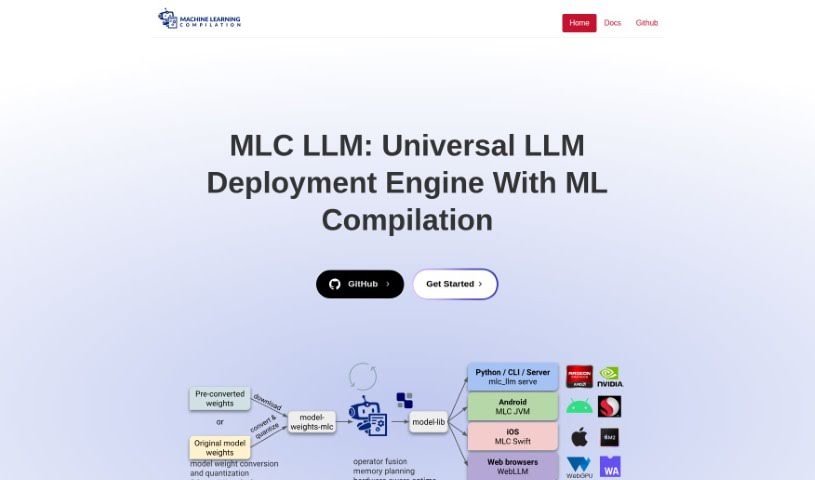
Screenshot of MLC LLM

MLC LLM

Discover MLC LLM in 2025! Learn what this machine learning compiler and deployment engine is, how to use it effectively, explore its features, and see how it stacks up against other Large Language Models.

Screenshot

What is MLC LLM?

MLC LLM is essentially a smart machine learning compiler paired with a high-performance engine designed specifically for running large language models (LLMs). The whole idea behind this project is to make it possible for anyone to develop, fine-tune, and deploy AI models right on their own devices and platforms. It works by compiling and running code through MLCEngine, which acts as a unified, super-fast LLM inference engine. This engine offers an OpenAI-compatible API, meaning you can access it from all sorts of places – whether it’s a REST server, Python scripts, JavaScript in your browser, or even directly on iOS and Android devices. If you’re a developer, you’ll find plenty of detailed documentation to help you get started, including clear installation steps and a quick start guide. What’s really neat is that MLC LLM lets you run popular language models like Llama and RedPajama natively on a wide range of hardware. This includes your everyday mobile devices (iOS and Android), as well as Windows, Linux, Mac, and even web browsers. For those who want to dive right in, MLC LLM also provides ready-to-use apps for common tasks like chatting with AI, getting writing help, or analyzing text. You can even try out demo versions on your mobile or desktop. If you’re on mobile, check out the app called MLCChat, available on both the iOS and Android app stores.

Who created MLC LLM?

MLC LLM, which is a machine learning compiler and a deployment engine for large language models, was developed with a clear goal: to make AI model development and deployment universally accessible across all sorts of platforms. While the specific founder of MLC LLM isn’t mentioned in the information I have, the project’s core mission is all about making it easier to optimize how AI models are deployed and ensuring they work smoothly on different devices, including popular mobile platforms like iOS and Android. For developers looking to build their own custom apps, there’s comprehensive documentation available. Plus, you can use the pre-built apps that MLC LLM offers for interactive AI experiences, such as having conversations or getting writing assistance. It’s generally recommended to use MLC LLM on devices that have at least 6GB of RAM, and it runs quite well across various operating systems and web browsers.

What is MLC LLM used for?

  • Having conversations with AI
  • Getting help with writing tasks
  • Analyzing information

Who is MLC LLM for?

  • People who develop software
  • Everyday users of technology

How to use MLC LLM?

If you’re looking to use MLC LLM, which is a machine learning compiler and deployment engine for large language models, here’s a simple breakdown of how to get started:

  1. Get an Overview: MLC LLM really shines because it lets you run language models on all sorts of hardware, including your mobile phone. It’s designed to work natively on iOS, Android, Windows, Linux, Mac, and even in web browsers, giving you great cross-platform flexibility.
  2. For Development: If you’re a developer, you’ll want to check out the detailed documentation. It’s your go-to resource for building custom applications that can tap into MLC LLM’s powerful features. The tool is built to help you develop, optimize, and deploy AI models across different platforms with ease.
  3. User-Friendly Apps: For those who aren’t developers, MLC LLM offers ready-to-go apps. These are perfect for trying out interactive AI uses like chatting, getting writing help, or analyzing data. You can find free demo versions for both mobile and desktop devices.
  4. Check System Needs: To get the best experience, MLC LLM works best on devices that have at least 6GB of RAM. You can also grab the mobile app, called “MLCChat,” directly from the iOS and Android app stores for a really smooth and user-friendly interaction.
  5. Ready to Start?: Head over to the MLC LLM documentation. It’s the best place to begin using the tool effectively. You’ll find everything from installation instructions and a quick start guide to a solid introduction to what the tool can do.

By following these steps, you can really take advantage of MLC LLM to build, fine-tune, and deploy your AI models seamlessly across all the platforms you use.

Related AI Tools

Discover more tools in similar categories that might interest you

Stay Updated with AI Tools

Get weekly updates on the latest AI tools, trends, and insights delivered to your inbox

Join 25,000+ AI enthusiasts. No spam, unsubscribe anytime.