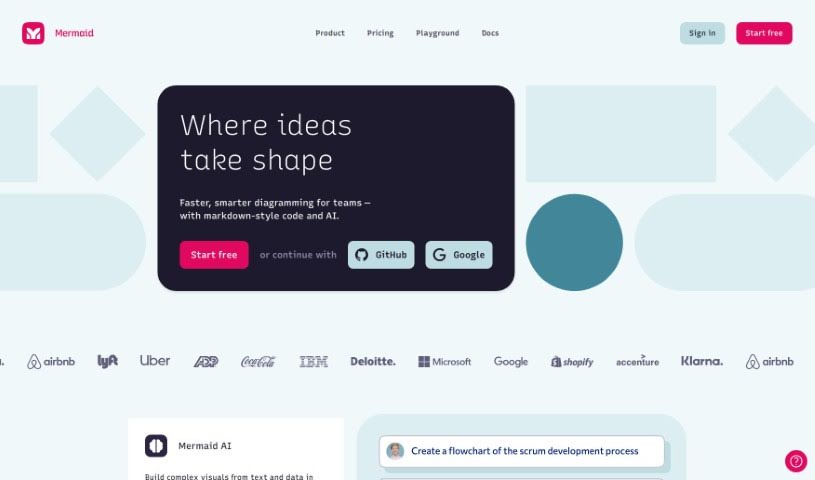
Screenshot of Mermaid Chart

Mermaid Chart

Discover what Mermaid Chart is and how to use it effectively in 2025. We'll explore its features and see how it stacks up against other project management tools.

Screenshot

What is Mermaid Chart?

Mermaid Chart is a platform that lets you create diagrams using text. It’s built on the popular Mermaid open-source project. It is a way to document code, make team projects run smoother, and visualize complicated ideas, all with a little help from AI. They’ve recently added Mermaid AI, which is a real game-changer. It helps you create diagrams super fast just by typing in what you want. This means you can get clear visual representations quickly, without wrestling with complicated tools that take ages to figure out.

Who created Mermaid Chart?

The team behind the Mermaid open-source project is the same one that created Mermaid Chart. This project is pretty well-known for its collaborative, text-based diagramming, boasting over 61,000 stars on GitHub. The company focuses on making code documentation easier, improving how teams work together, and using AI to create visual representations of complex concepts.

What is Mermaid Chart used for?

  • Making code documentation clearer
  • Improving how teams work together
  • Creating visual representations of complex ideas

How to use Mermaid Chart?

Using Mermaid Chart is pretty straightforward. Here’s a quick rundown:

  1. Get started with Mermaid Chart: First, head over to the Mermaid Chart platform. It’s designed for collaborative diagramming using text, and it’s powered by the open-source Mermaid project.
  2. Start a New Diagram: When you’re ready, create a new diagram. You’ve got options here – you can make flowcharts, Gantt charts, journey maps, and more.
  3. Write Your Diagram Content: You’ll use a text-based editor to put in your diagram’s details. Mermaid Chart uses a simple syntax to define how your diagram is structured.
  4. Style Your Diagram: Want to change things up? You can adjust colors, fonts, shapes, and other visual aspects to make your diagram look just right.
  5. Team Up and Collaborate: Need to work with others? Just invite your team members. Everyone can work on the diagram at the same time, making it easy to create and refine together.
  6. Generate Your Visualization: Once you’ve entered all your information and styled it, it’s time to generate the visual. Mermaid Chart takes your text input and turns it into a clear visual representation.
  7. Review and Tweak: Take a look at the generated diagram with your team. Make any adjustments needed to ensure everything is clear and accurate.
  8. Export or Share: Finished? You can export your diagram in different formats or share it directly from the platform with anyone involved in your project.

By following these steps, you can really make the most of Mermaid Chart to create diagrams that are not only informative but also visually appealing for your projects.

Related AI Tools

Discover more tools in similar categories that might interest you

Stay Updated with AI Tools

Get weekly updates on the latest AI tools, trends, and insights delivered to your inbox

Join 25,000+ AI enthusiasts. No spam, unsubscribe anytime.