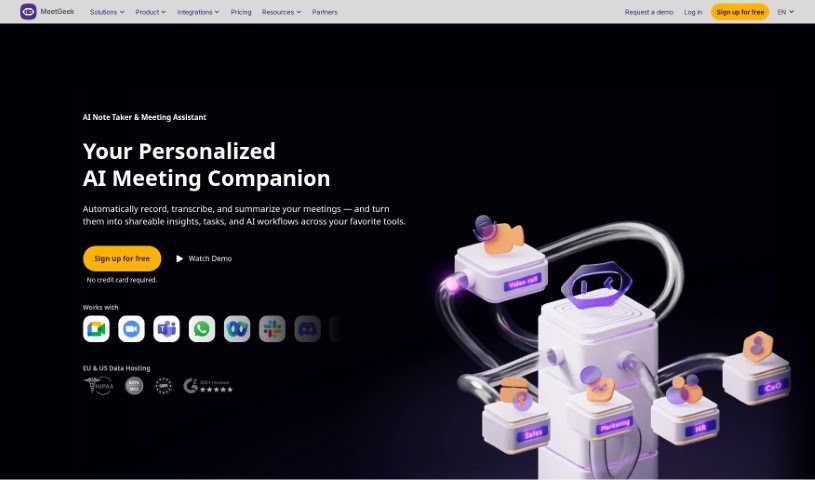
What is MeetGeek?
MeetGeek is an AI-powered meeting assistant designed to help teams run their meetings more smoothly and get more out of them. It is your personal meeting helper! It automatically records and transcribes your meetings, then gives you summaries, points out the most important parts, and pulls out useful insights from the conversations.
Here’s how it works: it records your video meetings, uses AI to transcribe what everyone says, creates summaries of the key points, and makes it easy to search through all your past meetings and what you learned. MeetGeek also offers conversation intelligence to help with sales and customer insights, plus automation features to boost your productivity.
Some of the cool things MeetGeek can do include:
- Automatically record and transcribe meetings
- Generate automatic summaries
- Extract key topics
- Detect important highlights
- Integrate with collaboration tools
- Connect with your CRM
- Link with task management tools
- Sync with various apps through Zapier
Plus, you can customize it with your own branding, search past meetings easily, work with your team, and get AI-powered analytics on your meetings.
MeetGeek is great for all sorts of meetings, whether they’re professional calls, customer check-ins, interviews, HR discussions, or sales pitches. Basically, any meeting where having a recorded, transcribed, and summarized version would be helpful, MeetGeek can make it more efficient.
It really helps companies save time. This means less time spent preparing for meetings, quicker hiring decisions, faster onboarding for new team members, better sales win rates, and finding that product-market fit more quickly, all thanks to recorded calls and research.
And the best part? You can sign up for free without needing a credit card. This lets you try out MeetGeek and see what it can do for you without any financial commitment.
MeetGeek takes the security and privacy of your meetings seriously. Your data is stored securely in a private AWS cloud environment and protected with end-to-end encryption. Only authorized users can access your information, and strong measures are in place to keep your privacy safe.
Who created MeetGeek?
MeetGeek was developed by a dedicated team of technicians who focused on building the software and its various integrations. The platform first launched on June 14, 2024. Their main goal is to make meetings a positive experience by using AI technology to automate the entire meeting process. The MeetGeek team believes meetings should be a crucial part of a company’s automation strategy, and they aim to tackle the common challenges that come with managing large workflows and teams.
What is MeetGeek used for?
- Conducting interviews
- Facilitating team collaboration
- Creating automatic summaries
- Auto-recording meetings
- Auto-transcribing conversations
- Detecting important highlights
- Identifying keywords
- Building a repository of conversations
- Extracting key topics
- Providing a search function for past meetings
- Generating conversation intelligence analytics
- Automatically recording all your meetings
- Automatically transcribing all your meetings
- Generating automatic summaries for every meeting
- Highlighting key moments within meetings
- Detecting keywords during meetings
- Generating sales insights
- Generating customer insights
- Supporting HR processes for meetings
- Providing workflow and integration support
- Handling professional calls
- Managing customer calls
- Conducting HR meetings
- Running sales meetings
- Helping you find product-market fit faster with recorded discovery calls and user experience research
- Increasing your sales team’s win rate and reducing the time it takes to get new reps up to speed
- Saving time across companies of all sizes by letting people skip optional meetings and share summaries instead
- Improving productivity by speeding up HR decision-making
- Boosting customer retention and making marketing data collection smoother
Who is MeetGeek for?
- HR Professionals
- Sales Managers
- Customer Success Managers
- VPs of Product Strategy
- Directors
- Executive Coaches
- Technical Directors
- CEOs
- HR Leads
- Directors of Client Service & Operations
- Sales Managers
- Customer Success Managers
- Executive Coaches
- VPs of Product Strategy
- Technical Directors
- CEOs
- Sales teams
- HR departments
- Customer Success Management professionals
- Executive Coaching services
- Recruiters
- Sales teams
- Startups
How to use MeetGeek?
To get the most out of MeetGeek, just follow these simple steps:
- Set Up Your Account: First, sign up for MeetGeek and connect your calendar. You can then use the simple toggles to pick which meetings you want MeetGeek to automatically join. This setup process usually takes only a few minutes.
- Calendar Integration: MeetGeek uses your calendar data to automatically join scheduled meetings. It can also share information with teammates or customers based on your settings, and it provides helpful meeting insights like participation ratios.
- Meeting Assistance: MeetGeek records and transcribes your meetings, gives you summaries, points out key moments, and extracts valuable insights. You’ll also find features like custom branding, workflow integrations, and AI-driven analysis for sales, customer insights, HR suitability, and much more.
- Enhanced Productivity: MeetGeek can really save you time. You can skip optional meetings and just share the summaries instead. Companies often see better hiring decisions, faster onboarding for new hires, higher sales win rates, and they can discover product-market fit more quickly.
- Security: We keep your meeting data safe. It’s stored securely in a private AWS cloud environment and protected with end-to-end encryption, both for data that’s stored and data that’s being sent.
- Additional Features: MeetGeek supports many different languages, provides accurate transcriptions and notes, and includes features like action item and topic detection, a handy search function, team collaboration tools, conversation intelligence, and customizable meeting templates.
- Customization: Personalizing your experience is easy. You can tailor summaries and insights to fit your specific business or personal needs. The tool fits right into your existing workflows, so you don’t have to change how you normally work.
- Different Plans: MeetGeek offers various plans designed for individual professionals, small teams, and larger businesses. These plans come with different features, such as branded emails, customized settings, unlimited transcript storage, and dedicated support.
By following these steps and making the most of MeetGeek’s features, you can really streamline your meeting processes, boost your productivity, and effectively pull out valuable insights. You can trust MeetGeek’s AI-driven capabilities to make your meetings a positive and rewarding experience.