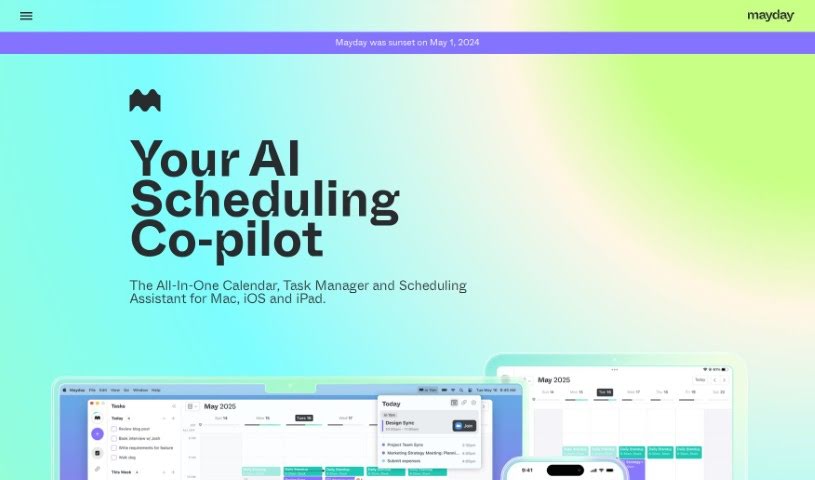
Screenshot of Mayday

Mayday

Discover what Mayday is and how to use it effectively in 2025. We'll explore its features and see how it stacks up against other project management tools.

Screenshot

What is Mayday?

Mayday is a smart, AI-powered calendar app designed to help people with packed schedules manage their time much better. It is your all-in-one hub for your calendar, to-do list, and scheduling needs, all working together with artificial intelligence to keep your day organized, protect your focus time, and help you get things done efficiently. It can automatically schedule meetings and tasks, learn your personal preferences to find the best times, suggest ideal meeting slots for your team, figure out the best moments for your tasks with very little input from you, and even reschedule things automatically to keep your calendar flexible.

Mayday’s whole point is to fix how we often feel disconnected from our time. They’ve built empathetic productivity software that really gets how much pressure individuals are under, and how that affects others too. The app aims to help you find a better work-life balance, boost your productivity, and make sure your time, and your team’s time, is managed smoothly and effectively.

Who created Mayday?

Mayday was started by a team who felt strongly about fixing the way we deal with time in today’s super-fast world. Their innovative calendar app, which uses AI to help with scheduling, is all about changing how we manage our time. It’s a complete package that brings together your calendar, your to-do list, and a scheduling assistant, all powered by artificial intelligence. Mayday’s main goal is to help you get organized, protect your valuable time, and manage it wisely, because time is something we have a lot of, but often don’t use as well as we could. With features like automatic scheduling, smart task management that adapts to you, and ways to schedule with your team, Mayday really feels like the future of smart productivity tools for scheduling and time management.

What is Mayday used for?

  • Schedule Everything Automatically: Mayday figures out meeting times and prioritizes your tasks without you having to manually sort through your schedule.
  • Always Learning: The app gets smarter over time, learning your personal preferences and the best ways to be productive to tailor your schedule just for you.
  • Easier Scheduling for Teams: It uses AI to suggest the best times for meetings with your colleagues, so you don’t have to constantly check everyone’s availability.
  • Tasks Scheduled by AI: Mayday determines the ideal times to work on your tasks, needing only a little input from you.
  • Reschedule Automatically: You get both automatic rescheduling and one-click options to easily keep your calendar up-to-date and flexible.
  • It helps people with busy schedules manage their time better.
  • It’s an all-in-one tool that combines your calendar, task manager, and scheduling assistant.
  • It helps you organize and manage your schedule and tasks efficiently.
  • It automates scheduling tasks and effectively manages your priorities.
  • You get smart tagging, synced events, buffer time, easy access from your menu bar, and widgets for iOS, iPad, and Mac.
  • It’s always learning and adapting to your needs.
  • It handles all your scheduling automatically.
  • It makes team scheduling much smoother.
  • Tasks are scheduled intelligently by AI.
  • It offers automatic rescheduling options.
  • Always Learning: It adapts your schedule based on your personal preferences and what works best for productivity.
  • Streamlined Scheduling for Teams: AI suggests the best meeting times, saving you the trouble of checking everyone’s calendars.
  • Automatic Rescheduling: You can reschedule automatically or with a single click, keeping your calendar dynamic.
  • It boosts productivity by automating scheduling, optimizing calendars for both individuals and teams, and managing priorities effectively.
  • It includes advanced features like smart tagging, event syncing, buffer time, menu bar access, and widgets for iOS, iPad, and Mac.
  • It’s designed as an AI-assisted calendar application that efficiently organizes and manages your schedule and tasks.
  • It helps you organize, protect, and manage your day using AI to make the most of your time.
  • It’s empathetic productivity software that understands the unique demands on your time and the time of others.
  • Streamlined Scheduling for Teams: AI suggests optimal meeting times without needing to check co-worker’s calendars.
  • Automatic Rescheduling: Features both automatic and one-click rescheduling options for a truly dynamic calendar.
  • It helps with organizing, protecting, and managing your day with AI’s help.
  • It’s a collaborative and smart planning tool that aids team coordination.
  • It improves productivity through automated scheduling tasks and better calendar management.

Who is Mayday for?

  • Personal assistants
  • Managers
  • Team Coordinators
  • Busy Professionals
  • Anyone with a packed schedule
  • Team members who need smoother scheduling
  • Professionals looking for AI-powered task management
  • People who want to manage their time more effectively
  • Team Managers
  • Professionals aiming for a better work-life balance
  • Teams that need to coordinate schedules collaboratively
  • Professionals striving for a healthier work-life balance
  • Individuals with busy schedules, team managers, and professionals seeking a better work-life balance

How to use Mayday?

To get the most out of Mayday, just follow these simple steps:

  1. Download Mayday: You can grab the app from the App Store for your iOS, macOS, or iPadOS device.
  2. Auto-schedule Tasks: Mayday takes over the scheduling for you. It finds meeting times and prioritizes your tasks automatically, so you don’t have to do it manually.
  3. Customized Scheduling: The app learns your personal preferences and the best ways you like to work to create a schedule that’s perfect for you.
  4. Team Collaboration: Mayday uses AI to suggest the best meeting times for your team, making it super easy without needing to check everyone’s calendars.
  5. AI-Scheduled Tasks: Your tasks get scheduled intelligently with minimal input from you, which really helps boost your productivity.
  6. Rescheduling Options: You can use automatic rescheduling or just click once to reschedule, which keeps your calendar flexible and up-to-date.
  7. Enhanced Features: Mayday also offers smart tagging, synced events, buffer time, easy access from your menu bar, and handy widgets for iOS, iPad, and Mac.

By using Mayday’s AI assistance, you’ll find it’s a powerful scheduling tool that works for both you and your team. Get ready to experience the future of scheduling with Mayday’s easy-to-use and productive features.

Related AI Tools

Discover more tools in similar categories that might interest you

Stay Updated with AI Tools

Get weekly updates on the latest AI tools, trends, and insights delivered to your inbox

Join 25,000+ AI enthusiasts. No spam, unsubscribe anytime.