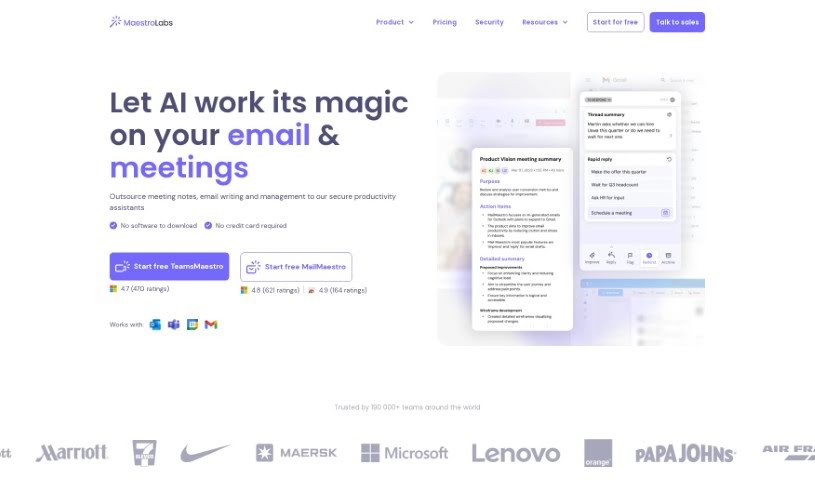
Screenshot of MailMaestro

MailMaestro

Discover MailMaestro, your AI email assistant for 2025. Learn how its features, like Magic Templates and smart shortcuts, boost productivity and compare it to other email writing tools.

Screenshot

What is MailMaestro?

MailMaestro is an AI-powered email assistant designed to make managing your emails and boosting your productivity much easier. It comes packed with helpful tools, including “Magic Templates” and text shortcuts, all aimed at saving you time and making your communication clearer and more effective. You can expect super-fast email creation, more personalized messages, top-notch security that businesses can rely on, handy shortcuts that just make sense, and smart ways to schedule meetings. Plus, it handles communication in 14 different languages and keeps your data safe with advanced encryption and privacy measures.

This AI assistant is great for helping you write emails based on simple prompts, quickly summarizing lengthy email chains, and even replying to messages with just one click. It’s already trusted by over 40,000 high-performing teams around the world. MailMaestro helps you get through those long threads, easily add information using shortcuts, and respond to meeting invitations without a second thought. They take data security very seriously, holding SOC2 & GDPR certifications and anonymizing data before it’s shared with AI models. Customers often mention how much they appreciate the suggested replies, the time it saves them, and the professional polish it adds to their emails.

Once your free trial wraps up, you can keep using MailMaestro with some features still available for free, or you can choose to upgrade to unlock even more capabilities with plans tailored to different needs. Security is a top priority, and they offer a variety of payment options. Essentially, MailMaestro acts as your personal AI email assistant right inside your favorite email client, helping you improve your writing style and generally making your email life much more productive.

Who created MailMaestro?

MailMaestro was developed by a company called Maestro Labs. They designed the platform specifically to help people like you become more productive with email. Key features include the ability to create emails rapidly, personalize them effectively, maintain enterprise-level security, use “magic templates,” and schedule meetings smartly. Maestro Labs really focuses on security, using encryption to keep your sensitive data safe during all your email communications. The tool supports writing in 14 languages and is a trusted partner for over 40,000 top-performing teams globally.

What is MailMaestro used for?

  • Writing emails faster
  • Rapid Email Creation
  • Enhanced Personalization
  • Enterprise-level Security
  • Intuitive Magic Templates and Shortcuts
  • Smart Scheduling for Meetings
  • Higher quality email drafts
  • Personalizable email replies
  • Enterprise-grade security practices
  • Use of Magic Templates in email drafting
  • Composing emails from prompts
  • Summarizing long threads
  • Replying to messages using thread context
  • Improving existing drafts
  • Summarizing long attachments
  • Quickly adding data to emails using predefined shortcuts
  • Responding to meeting requests with a single click
  • Combining templates with AI for faster email drafting
  • Supports communication in 14 languages
  • Automatically detecting meeting requests and syncing with calendars

Who is MailMaestro for?

  • Professionals who want to find their “email zen”
  • Teams aiming to measurably boost their productivity
  • Companies prioritizing advanced security, customization, and support
  • Professionals curious about using AI for email
  • Teams looking to measurably boost productivity (yes, this is important enough to mention twice!)
  • Companies looking for advanced security, customization, and support (and this too!)

How to use MailMaestro?

Getting started with MailMaestro is pretty straightforward. Here’s a simple breakdown:

  1. Access MailMaestro: First, sign up for MailMaestro. You don’t even need a credit card to start. The tool is built to help you write emails more efficiently and accurately, right from the get-go.
  2. Your Personal AI Assistant: You’ll have a personal AI email assistant ready to help. It can compose emails for you based on prompts and offers suggestions, letting you pick from different versions. This really saves you time and effort when crafting your messages.
  3. Thread Summaries: Got a long email chain? The AI assistant can summarize it for you, making it much easier to grasp the context and reply effectively. You can even reply to emails with just one click, using the summarized content as your guide.
  4. Language and Tone Matching: Make sure your emails hit the right note. The AI assistant helps you match your desired language, tone, and even length. It supports communication in 14 languages, helping you keep your email communication consistent.
  5. Meeting Requests: If you receive a meeting request, the AI assistant can spot it and sync with your Microsoft Outlook or Gmail calendar. This means you can respond to meeting requests super quickly with just a single click.
  6. More Helpful Features: MailMaestro offers a variety of other email management tools. For instance, you can combine templates with AI to quickly draft emails you send often. It can also summarize long attachments and let you add predefined shortcuts to your emails for faster data entry.
  7. Security and Privacy: Rest assured, your data is handled securely. MailMaestro is SOC2 & GDPR certified. They also anonymize your data before processing it with AI models, so your privacy is protected.
  8. Hear from Customers: Take a look at reviews from happy users who’ve found MailMaestro incredibly helpful for streamlining how they read and respond to emails. The tool consistently gets high marks for its efficiency and the professional results it delivers.
  9. Compatibility: MailMaestro works smoothly right within your favorite email client. There’s no need for extra downloads or lengthy training sessions. It genuinely enhances your writing style, whether you’re emailing for business or personal reasons.

By following these steps, you’ll be able to use MailMaestro effectively to make your email communication smoother and boost your overall productivity.

Related AI Tools

Discover more tools in similar categories that might interest you

Stay Updated with AI Tools

Get weekly updates on the latest AI tools, trends, and insights delivered to your inbox

Join 25,000+ AI enthusiasts. No spam, unsubscribe anytime.