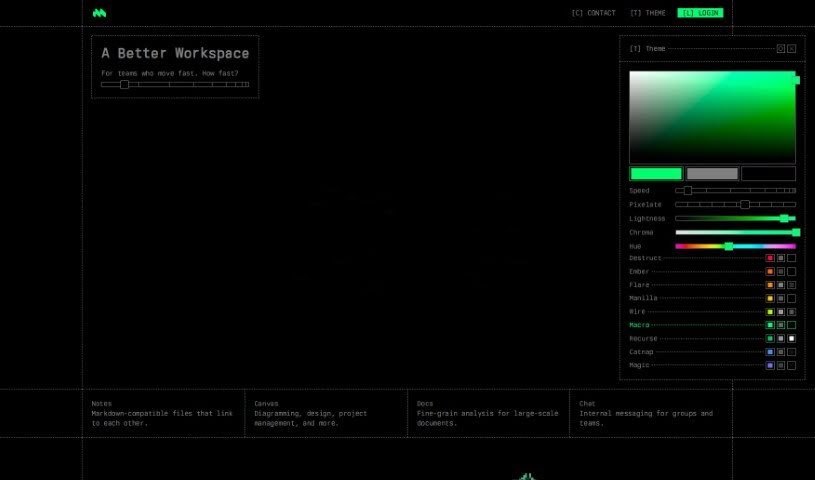
Screenshot of Macro.com

Macro.com

Discover Macro.com, an AI-powered tool designed to streamline document editing and boost productivity. Learn its key features, how it compares to other documentation tools, and how to use it effectively in 2025.

Screenshot

What is Macro.com?

Macro.com is an AI tool built to automate and improve how we edit documents. It is your smart assistant for all things document-related. It comes packed with features like data analysis, workflow automation, and general AI help, all designed to make your tasks smoother and your experience better. Macro is pretty clever; it can actually understand complicated data inside your documents, offer suggestions for improvement, and give you valuable insights thanks to its AI. It’s built for everyone, whether you’re working on personal projects or running a business, and it handles all sorts of document types. Plus, there’s a handy feature where you can just ask it questions. While you can download it for free, the specifics on any premium features or pricing aren’t super clear on their website yet.

Who created Macro.com?

Andrew Baker is the person behind Macro.com. He launched the company on June 14, 2024. His goal was to create AI tools that could really help automate document editing, make workflows run more smoothly, boost overall productivity, and provide useful data insights. Macro.com also includes that ‘Questions-answering’ feature we mentioned. It’s free to download and works for both individuals and businesses.

What is Macro.com used for?

Macro.com is a versatile tool that can help you in many ways:

  • Boost Productivity: It helps you get more done, faster.
  • Data Analysis: Dive into your data and understand what it means.
  • Workflow Automation: Automate repetitive tasks to save time.
  • Streamline Workflows: Make your processes more efficient.
  • Automate Document Editing: Let the AI handle the heavy lifting in editing.
  • Aid in Workflow Automation: Get help making your workflows run automatically.
  • Interpret Complex Data: Understand complicated information within your documents.
  • AI Assistance: Get smart help with understanding data.
  • ‘Ask AI’ Feature: Gain insights and answers directly from your documents.
  • Versatile Document Types: Works with a wide range of documents.
  • Improve User Experience: Makes working with documents a smoother process.
  • Support Businesses: Helps companies streamline their work and gain data insights.
  • AI-Powered Data Analysis: Use AI to analyze your data effectively.
  • Provide Improvement Suggestions: Get tips on how to make your documents better.
  • Individual and Business Appeal: Useful for everyone, from individuals to large companies.
  • Data Inquiry Facility: A place to ask questions about your data.

Who is Macro.com for?

Macro.com is a great tool for a variety of people and roles:

  • Data Analysts: To help with analyzing and understanding data.
  • Business Professionals: To improve efficiency and decision-making.
  • Document Editors: To automate and enhance the editing process.
  • Workflow Managers: To streamline and manage tasks more effectively.
  • Individual Users: For personal projects and everyday document needs.
  • Businesses: To boost overall productivity and data insights.

How to use Macro.com?

Here’s a simple guide to get the most out of Macro.com:

  1. Download Macro: First things first, grab Macro from its official website. It’s free to download, so you can start using its AI features right away.
  2. Document Editing: Use Macro to automate your document editing. The AI can read complex data in your files, suggest ways to make them better, and generally improve their quality.
  3. Workflow Automation: Take advantage of Macro’s features to make your workflows run more smoothly. It helps automate tasks, manage processes efficiently, and cut down your workload, which really boosts productivity.
  4. Ask AI Feature: Don’t forget the ‘Ask AI’ feature! It’s perfect for getting insights and understanding from your documents. Just ask your questions, and the AI will provide helpful answers and suggestions.
  5. Business Applications: Macro is really beneficial for businesses. It can help interpret business data, automate document editing, streamline workflows, and offer insights that aid in making better decisions.
  6. Versatility and Compatibility: Macro is flexible and can adapt to different workflows and many types of documents. This means it helps manage tasks efficiently, improves productivity, and makes the whole user experience better.
  7. Contact Support: If you ever have questions or need a hand, just use the ‘Contact Us’ option on the Macro website to get in touch with their support team.

By following these steps, you can really make the most of Macro.com for editing documents, automating your workflows, and analyzing data. It’s all about enhancing your experience and getting more done.

Related AI Tools

Discover more tools in similar categories that might interest you

Stay Updated with AI Tools

Get weekly updates on the latest AI tools, trends, and insights delivered to your inbox

Join 25,000+ AI enthusiasts. No spam, unsubscribe anytime.