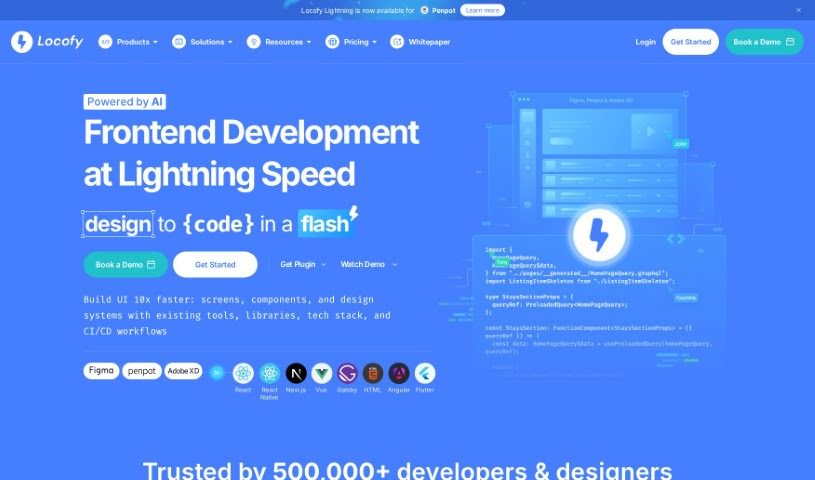
Screenshot of Locofy

Locofy

Discover Locofy in 2025! Learn what this powerful tool does, how to use its features effectively, and how it stacks up against other code generators.

Screenshot

What is Locofy?

Locofy is a platform designed to completely change how front-end engineers create pixel-perfect, production-ready code directly from their design files. It is a low-code platform that really helps skilled coders automate a big chunk of their daily work. This frees them up to tackle the more challenging, complex problem-solving tasks that really need their expertise. It’s built to speed up the workflow for both high-performance designers and coders, letting them ship new features about 2 to 3 times faster than they could before. People love Locofy because it’s so good at turning designs into production-ready code for all sorts of frameworks like React, React Native, HTML-CSS, Next.js, Angular, Gatsby, and Vue. They’re even planning to support more down the line! Users often mention saving up to 80% of their time and are really impressed with how high-quality and professional the generated code is.

Who created Locofy?

Locofy was actually started by Honey Mittal and Sohaib Muhammad. Their big goal is to transform the way front-end engineers build code that looks exactly like the design files and is ready for production. This innovative vision really caught the eye of early-stage venture capital firms, including BoldCap and Golden Gate Ventures, who saw how the founders were set to shake things up in the development world.

What is Locofy used for?

Locofy is incredibly versatile. Here’s a breakdown of what you can do with it:

  • One-Click Design to Code: Turn your designs into code instantly with LocoAI.
  • Clean Code Generation: It produces clean, modular code for your components and props.
  • Responsive Design: It automatically handles responsive layouts, making sure your designs look great on any screen size.
  • Easy Revisions: You can quickly and easily make changes to the generated code.
  • Collaboration: It’s built for collaboration, allowing you to extend and work on the code with others.
  • Seamless Exporting: Export, deploy, or sync your code directly to GitHub.
  • Time Savings: It significantly cuts down coding time by generating quality code automatically.
  • Automated Processes: It automates front-end code processes, reducing your workload.
  • Workflow Empowerment: It empowers engineers to automate a large part of their workflow.
  • React Focus: It’s particularly great for saving time in front-end development, especially when working with React.
  • Professional Code: Build professional, production-ready front-end code with ease.
  • Live Previews: Get live previews to better understand your design on different screens.
  • Efficient Code: It’s responsive and doesn’t create bloated code like some other plugins might.
  • Simple Tagging: Tagging elements is straightforward and intuitive.
  • CSS Adjustments: Quickly adjust CSS to perfectly match your design, saving up to 80% of your time.
  • Component Creation: Easily create and customize components.
  • Figma & React Integration: It integrates smoothly with Figma and React, making it a top choice for many.
  • Reduced Effort: It cuts down on manual effort and speeds up both design and development.
  • Instant Conversion: Helps convert designs into code instantly, which is fantastic for React Native mobile apps.
  • Faster Shipping: Accelerate your front-end development and ship products up to 10x faster.
  • Code Management: Export code, import it into VS Code, deploy it, or sync it with GitHub.
  • Platform Agnostic: Build production-ready front-end code across all platforms.
  • Design Translation: Translate designs into production-ready front-end code.

Who is Locofy for?

Locofy is a fantastic tool for a wide range of professionals involved in the design and development process:

  • Front-end designers
  • Full-stack developers
  • High-performance designers
  • Coders
  • Engineers
  • Designers
  • Programmers
  • Builders
  • Web Developers
  • Front-End Engineers
  • High-performance designers and coders alike

How to use Locofy?

Using Locofy effectively is pretty straightforward. Just follow these steps:

  1. Start with Your Design Tools: Begin by integrating with your favorite design tools like Figma or Adobe XD. Locofy works seamlessly with them.
  2. One-Click Conversion: With Locofy Lightning, you can transform your designs into code using LocoAI in just one click. This is powered by advanced Large Design Models.
  3. Instant Preview: Get an instant preview of the generated code. This ensures a quick and efficient workflow right from the start.
  4. Clean, Modular Code: You’ll receive clean and modular code that’s tailored to your needs. This makes it easy to build components and add props.
  5. Reuse Custom Components: Connect and reuse your own custom components by importing them from your existing component library.
  6. Instant Responsiveness: Achieve responsive layouts instantly. Locofy handles different screen sizes without any fuss.
  7. Refine and Customize: You can easily refine any decisions made by LocoAI or fine-tune specific sections to get the exact output you want.
  8. Sync for Collaboration: Sync your screens to the Locofy builder. This is great for making further enhancements and collaborating with your team.
  9. Add Actions and Share: Add interactive actions, bind data, and share prototypes with your team to really streamline the entire development process.
  10. Export and Deploy: Finally, export your code. You can import it into VS Code, deploy it, or sync it to GitHub, depending on your project’s needs.

Related AI Tools

Discover more tools in similar categories that might interest you

Stay Updated with AI Tools

Get weekly updates on the latest AI tools, trends, and insights delivered to your inbox

Join 25,000+ AI enthusiasts. No spam, unsubscribe anytime.