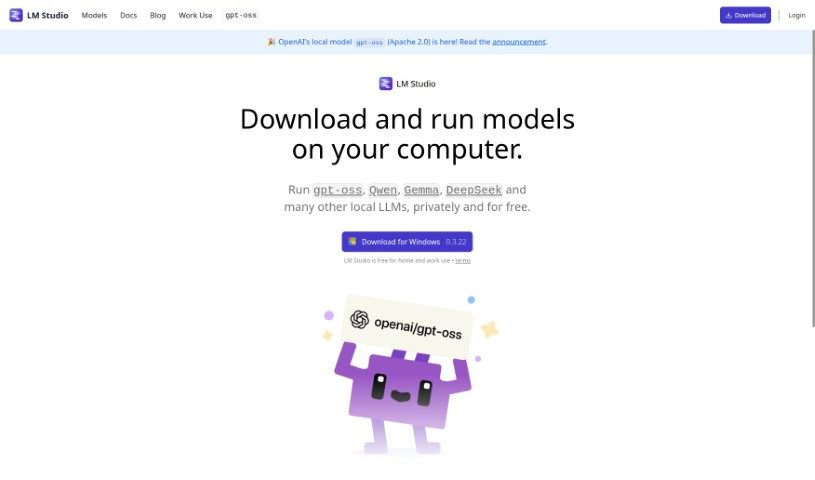
Screenshot of LM Studio

LM Studio

Discover LM Studio, the easy-to-use desktop app for running local LLMs. Learn how to download, configure, and use ggml-compatible models from Hugging Face, with or without an internet connection. We'll cover its features and compare it to other options.

Screenshot

What is LM Studio?

LM Studio is a really user-friendly desktop app that lets you play around with local and open-source Large Language Models (LLMs). It is your personal hub for discovering, downloading, and running pretty much any ggml-compatible model you can find on Hugging Face. What’s cool is that it works on different operating systems, so you’re not locked into one. Plus, it’s smart about using your computer’s GPU if it’s available, which really speeds things up. This means you can run these powerful LLMs right on your laptop, completely offline – no internet needed! You can chat with the models directly in the app, or if you’re a bit more technical, you can even set up a local server that works like OpenAI’s. It also makes finding new and interesting LLMs super simple, which is a nice touch.

Who created LM Studio?

LM Studio was built by a growing team of people. It’s that user-friendly desktop application we just talked about, designed for anyone wanting to experiment with local and open-source Large Language Models (LLMs). It first launched on May 24, 2023. If you’re curious about the company itself, you can find more details on their careers page.

What is LM Studio used for?

  • Playing around with LLMs: It’s perfect for experimenting with Large Language Models (LLMs) that you can run locally or that are open-source.
  • Finding and running models: You can easily discover, download, and run any ggml-compatible model directly from Hugging Face.
  • Easy setup: It provides a straightforward interface for configuring models and running them (this is called inferencing).
  • Works everywhere: It supports different operating systems, so it’s compatible no matter what computer you use.
  • Offline use: You can run LLMs on your laptop without needing an internet connection.
  • Chat or server: You can interact with models using the built-in Chat UI, or set up a local server that’s compatible with OpenAI’s system.
  • Direct downloads: You can download compatible model files right from Hugging Face repositories without leaving the app.
  • Discovering new models: It offers a smooth way to find new and noteworthy LLMs.
  • Model variety: It supports a wide range of ggml models, including popular ones like Llama, MPT, and StarCoder.
  • Faster performance: It takes advantage of your GPU to make model execution run much faster.

Who is LM Studio for?

  • Software developers
  • Data scientists
  • Researchers

How to use LM Studio?

LM Studio is a really flexible desktop application that makes it easy to work with local and open-source Large Language Models (LLMs). Here’s a simple step-by-step guide to get you started:

  1. Check your system: Make sure you have the right setup. This means an M1/M2/M3 Mac, a Windows PC with a processor that supports AVX2, or you can try the Linux beta version.
  2. Install it: Just download LM Studio and install it on your computer, whatever operating system you’re using.
  3. Pick a model: You can browse, download, and run any ggml-compatible model from Hugging Face right within the app.
  4. Use the interface: The app has a simple yet powerful interface for setting up models and running them, making it easy to explore different LLMs.
  5. Works on any OS: Take advantage of LM Studio’s cross-platform support to use it on various operating systems.
  6. Go offline: You can run LLMs on your laptop without an internet connection. Use the in-app Chat UI or set up an OpenAI-compatible local server for this.
  7. Download models easily: Get compatible model files directly from Hugging Face repositories without leaving LM Studio.
  8. Lots of models supported: You can access a wide variety of ggml models, including Llama, MPT, and StarCoder, such as Llama 2, Orca, Vicuna, NousHermes, and many others.
  9. Get better performance: The app uses your GPU to optimize how fast the models run.
  10. Explore more: You can conveniently check out new and interesting LLMs through the application’s interface.

For more detailed help, don’t forget to check out the Technical Documentation at lmstudio.ai/docs. Have fun experimenting with LLMs and boosting your natural language processing skills with LM Studio!

Related AI Tools

Discover more tools in similar categories that might interest you

Stay Updated with AI Tools

Get weekly updates on the latest AI tools, trends, and insights delivered to your inbox

Join 25,000+ AI enthusiasts. No spam, unsubscribe anytime.