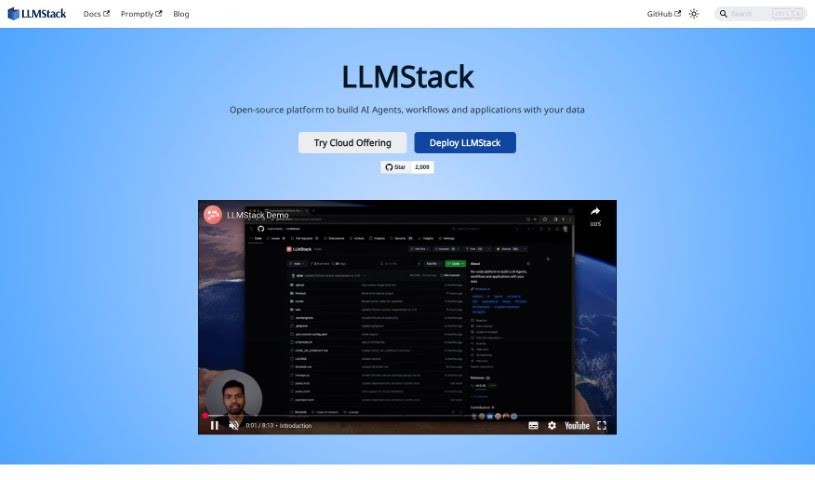
Screenshot of LLMStack

LLMStack

Discover what LLMStack is and how to use it effectively in 2025. We'll explore its features and see how it stacks up against other app builders.

Screenshot

What is LLMStack?

LLMStack is a really neat no-code platform that lets you build your own generative AI apps, chatbots, and agents. The best part? You can use your own data to power them! It works with all the big AI model providers you know, like OpenAI, Cohere, Stability AI, and Hugging Face. This means you can create cool applications without needing to write a single line of code. LLMStack makes it super easy to bring in all sorts of data – think web pages, PDFs, audio files, PowerPoint presentations, or even your Google Drive and Notion content. Plus, it’s built for teamwork. You can share your creations publicly or keep them private with specific access controls, letting multiple users work together and build apps with clear permission settings.

Just a heads-up, it’s not open source and relies on external services. There might be a few things to consider regarding data privacy and how it handles certain specific data formats.

Who created LLMStack?

LLMStack was brought to life by a dedicated team, spearheaded by its founder and CEO, Dmitriy Kolesnikov. They officially launched it on August 26, 2023. The whole idea behind LLMStack is to provide a no-code solution for building generative AI apps, chatbots, and agents. It’s designed so anyone can easily create applications using their own data and integrating with major AI model providers like OpenAI, Cohere, Stability AI, and Hugging Face, all without needing to code. The platform also supports collaborative app building, allowing for roles like viewers and collaborators. Under the hood, it’s powered by React, which helps ensure a smooth and user-friendly experience.

What is LLMStack used for?

LLMStack is incredibly versatile for anyone looking to dive into generative AI. Here’s a breakdown of what you can do with it:

  • Build generative AI apps: Create custom AI applications tailored to your needs.
  • Create chatbots and agents: Develop intelligent conversational interfaces and automated agents.
  • Import your own data: Bring in your unique information to power your AI projects.
  • Connect data to LLM models: Seamlessly link your imported data with powerful AI models.
  • Share apps publicly or restrict access: Control who can see and interact with your creations.
  • Collaborate on app development: Work with others on building and refining your apps.
  • Utilize major model providers: Connect with leading AI services like OpenAI, Cohere, Stability AI, and Hugging Face.
  • Import data from various sources: Easily bring in data from Web URLs, Sitemaps, PDFs, Audio files, PPTs, Google Drive, and Notion.
  • No-code platform for app development: Build applications without needing any coding skills.
  • Granular permission settings: Manage data access precisely for different users.
  • Build powerful apps using major model providers: Leverage the capabilities of OpenAI, Cohere, Stability AI, and Hugging Face to create robust applications.
  • Import your own data to supercharge generative AI applications and chatbots: Make your AI projects smarter and more effective by feeding them your own information.
  • Share apps publicly or restrict access with granular permission settings: You have full control over who can access your work.
  • Collaborate with multiple users to modify and build apps together: Teamwork makes the dream work, and LLMStack supports it.
  • Support a wide variety of data sources: From web pages and PDFs to audio, presentations, and cloud storage like Google Drive and Notion, it’s all covered.
  • Utilize a no-code platform for easy app creation: Get started quickly and build without technical barriers.
  • Benefit from a responsive interface with React: Enjoy a smooth and intuitive user experience.
  • Access comprehensive documentation and an active community for support: Help is always available, whether through detailed guides or community forums.
  • Enable quick and easy creation of apps: Speed up your development process.
  • Optimize user experience and foster teamwork: Create great experiences for users and make collaboration seamless.
  • Fosters teamwork: Encourages collaboration among users.
  • Optimal user experience: Aims for the best possible user interaction.
  • Quick and easy creation: Simplifies the app-building process.
  • Web URLs data import: Bring in content from websites.
  • PDFs data import: Use PDF documents as data sources.
  • Audio files data import: Import audio content.
  • PPTs data import: Work with PowerPoint presentations.
  • Google Drive data import: Connect directly to your Google Drive files.
  • Notion data import: Integrate your Notion workspace data.

Who is LLMStack for?

LLMStack is a great tool for:

  • AI developers: Build and deploy AI applications more efficiently.
  • Chatbot developers: Create sophisticated conversational AI.
  • App developers: Rapidly prototype and build new applications.

How to use LLMStack?

Getting started with LLMStack is straightforward. Just follow these simple steps:

  1. Import Your Data: LLMStack is designed to be flexible. You can import a wide range of data types, including web URLs, PDFs, audio files, PowerPoint presentations, and even content directly from your Google Drive or Notion workspace.
  2. Connect Data to LLM Models: Once your data is uploaded, the next step is to link it with powerful LLM models. LLMStack supports major AI providers like OpenAI, Cohere, Stability AI, and Hugging Face, allowing you to choose the best model for your needs.
  3. Build Your App: With your data connected, you can start building. LLMStack’s intuitive interface means you don’t need any coding skills to create your generative AI applications and chatbots.
  4. Collaborate: LLMStack is built for teamwork. You can choose to share your apps publicly, or you can restrict access to specific individuals. The platform supports roles like viewers and collaborators, making it easy to work with others on app development.
  5. Access Support and Documentation: If you ever get stuck or want to learn more, LLMStack provides comprehensive documentation covering everything from the user interface and processors to apps and data sources. Plus, there’s an active community ready to help on platforms like Discord, LinkedIn, and Twitter.

By following these steps, you’ll be able to use LLMStack to build your AI applications and chatbots efficiently and effectively.

Related AI Tools

Discover more tools in similar categories that might interest you

Stay Updated with AI Tools

Get weekly updates on the latest AI tools, trends, and insights delivered to your inbox

Join 25,000+ AI enthusiasts. No spam, unsubscribe anytime.