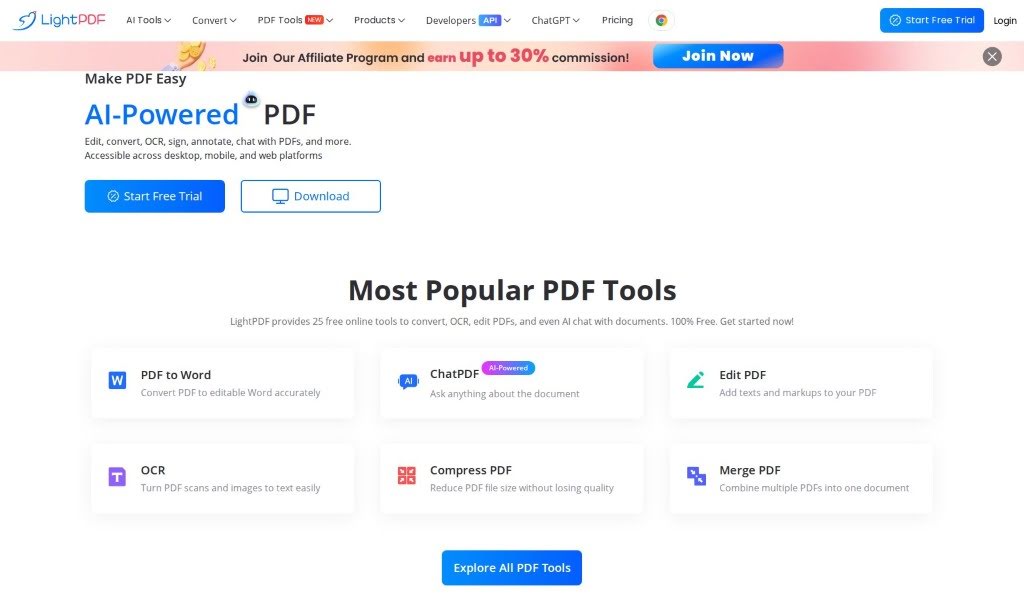
What is LightPDF?
LightPDF is a really handy platform designed to make managing your documents much simpler. It offers a whole suite of tools for all sorts of PDF tasks. It is your go-to for making PDF work easy and efficient. You can convert PDFs to different formats, edit them, shrink their size, use OCR to read text from scanned documents, and even get AI help to understand your files better. LightPDF also takes security seriously, giving you options to protect, unlock, and sign your PDFs. Plus, it lets you chat with multiple documents at once and works with your web browser and G Suite, so it’s accessible wherever you are. For those who build things, they even offer professional PDF API and SDK solutions. The whole idea behind LightPDF, which started back in 2015, is to just make using PDFs less of a hassle.
Who created LightPDF?
LightPDF was born from a desire to make working with PDFs straightforward. You know, the PDF format itself was created by Charles Geschke way back in 1992, specifically to stop documents from getting messed up when you sent them around. The team behind LightPDF has been focused on developing these kinds of PDF tools since 2015. They offer a bunch of different ways to handle PDFs, whether you need to convert them, edit text, add electronic signatures, or something else. Their core value is simplicity – they really aim to provide PDF solutions that are both efficient and secure for everyone, from individuals to big companies all over the world.
What is LightPDF used for?
LightPDF is incredibly versatile! Here’s a rundown of what you can do with it:
- Editing PDFs: You can easily change your PDFs.
- Converting PDFs: Turn your PDFs into other common formats like Word, Excel, PowerPoint, TXT, PNG, and JPG. It’s a pretty comprehensive list!
- OCR Technology: This is great for scanned documents; it lets you extract text so you can edit or search it.
- Signing PDFs: Add your electronic signature to documents.
- Annotating PDFs: Make notes, highlight text, or draw on your PDFs.
- Multi-Document Chats: You can actually chat with several documents at the same time, which is a neat way to analyze information.
- Watermarking: Add custom watermarks to your files.
- Splitting and Merging: Break large PDFs into smaller ones or combine several files into a single document.
- Rotating PDFs: Easily adjust the orientation of pages.
- Compressing PDFs: Make your PDF files smaller without losing too much quality, which is super helpful for sharing or storage.
- AI Assistance: Get smart help with analyzing your documents – think summarizing, extracting key info, or answering questions about your content.
- Security: Protect your PDFs by locking them, unlocking password-protected files, or signing them.
- Integrations: It works with browser extensions and G Suite, making it easy to use across different apps and devices.
- Precise Answers: When using the AI features, you can get specific answers with sources cited, which is really useful for research.
- Free Usage: You can work with files up to 50 pages for free, and there’s an option to upgrade if you need to handle more.
- Smart Document Handling: Beyond basic edits, the AI helps you manage content smartly.
- Syncing: Keep your PDFs synced across devices so you can access them anywhere.
- Mobile Editing: You can even edit and annotate PDFs right on your phone.
- Digitalizing Paperwork: Scan documents and use OCR to turn them into digital, editable files.
- Developer Tools: If you’re a developer, you can use their professional PDF API and SDKs.
Who is LightPDF for?
LightPDF is designed for a wide range of users:
- Developers: Especially those who need access to PDF SDKs and APIs.
- Professionals: This includes office workers, educators, and researchers who regularly deal with PDF documents.
- Individuals: Anyone who needs a simple, all-in-one solution for managing their personal PDF files.
- Enterprises: Businesses of all sizes looking for efficient and secure ways to handle their document workflows.
Basically, if you work with PDFs in any capacity, LightPDF likely has something to offer you.
How to use LightPDF?
Using LightPDF is pretty straightforward. Here’s a simple guide to get you started:
- Manage Your Documents with Conversions: Start by using the conversion tools. You can easily change your PDFs into other popular formats like Word, Excel, PowerPoint, TXT, PNG, and JPG. This makes it super easy to work with your documents in different applications.
- Take Advantage of Editing Tools: LightPDF offers a great set of editing features. You can add watermarks, split large PDFs into smaller ones, merge multiple files into one, rotate pages, and annotate directly on your documents. It’s all designed to be done effortlessly.
- Boost Your Efficiency: Make your work smoother with PDF compression to reduce file sizes. Use the OCR technology to make scanned documents editable and searchable. Plus, the AI-driven assistance can help you analyze your documents much faster.
- Keep Your Files Secure: LightPDF helps you protect your sensitive information. You can secure your PDFs by protecting them with passwords, unlocking files that are already protected, and adding your electronic signature.
- Chat with Your Documents Using AI: For deeper analysis, you can engage in multi-document chats. This feature, powered by AI, lets you ask questions about your documents, get summaries, or extract key information, making research and analysis much more interactive.
- Integrate with Your Workflow: To make things even more convenient, LightPDF offers browser extensions and G Suite integrations. This means you can access and use LightPDF’s tools directly within your existing workflow, wherever you are.
- Consider Upgrading: You get to use up to 50 pages for free, which is great for trying things out. If you find yourself needing to handle more documents or larger files, there’s an option to upgrade for more extensive capabilities.
LightPDF really focuses on being accurate, reliable, and secure, making it a solid choice for anyone who needs to manage PDFs efficiently. By offering such a wide range of tools, it genuinely simplifies document management and helps boost your productivity.