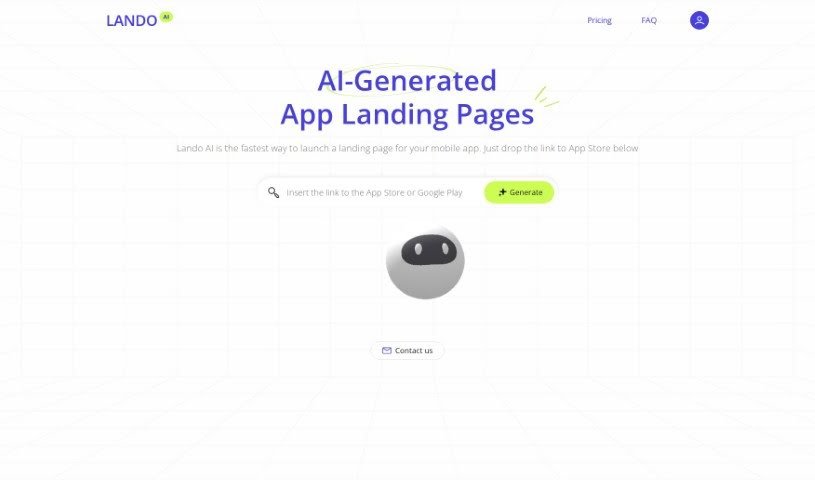
Screenshot of Lando AI

Lando AI

Discover what Lando AI is and how to use it effectively in 2025. We'll explore its features and compare it to other website builders.

Screenshot

What is Lando AI?

Lando AI is a handy tool designed to help you quickly create a landing page specifically for your mobile apps. The process is super simple: just paste the link to your app on the App Store or Google Play, and Lando AI will have a landing page ready for you in under 30 seconds. It comes with several useful features, depending on the plan you choose, like the ability to generate unlimited landing pages, integrate your own custom domain, get free SSL certificates, and even receive priority support.

Who created Lando AI?

Lando AI offers a really fast way to get a landing page up for your mobile app. All you need to do is pop in your App Store or Google Play link, and the platform whips up a landing page in less than 30 seconds. You get features like unlimited landing page creation, custom domain setup, and SSL certificates, plus priority support. Unfortunately, the document didn’t share any details about who founded Lando AI.

What is Lando AI used for?

  • You can launch a landing page for your mobile app just by dropping in its link from Google Play or the App Store.
  • It’s great for generating landing pages for mobile apps.

How to use Lando AI?

Lando AI is a tool that makes creating landing pages for your mobile apps a breeze. Here’s a simple guide to get you started:

  1. First, head over to the Lando AI platform. You’ll want to pick a plan that fits what you need. You can go with a monthly subscription that lets you use up to 5 custom domains, or opt for the lifetime subscription if you want unlimited custom domain integration.
  2. Once you’ve chosen your plan, dive into the platform. Look for the spot where you can enter the link to your mobile app, whether it’s from the App Store or Google Play.
  3. Paste your app’s link into the provided field. Then, just wait a moment – Lando AI will automatically generate your landing page, usually in less than 30 seconds.
  4. Now, you can personalize your landing page. Add any important details, images, or descriptions that will make it stand out and appeal to your target audience.
  5. When you’re happy with how it looks, save it and hit publish. This makes your landing page live and ready for visitors.
  6. Keep an eye on how your landing page is performing using the analytics Lando AI provides. You can track visits, see how many people convert, and check other key metrics.
  7. If needed, make any adjustments or updates to improve its effectiveness and keep users engaged.

By following these steps, you can really make the most of Lando AI to create professional and engaging landing pages for your mobile apps.

Related AI Tools

Discover more tools in similar categories that might interest you

Stay Updated with AI Tools

Get weekly updates on the latest AI tools, trends, and insights delivered to your inbox

Join 25,000+ AI enthusiasts. No spam, unsubscribe anytime.